1. Bevezetés
This manual provides detailed instructions for the setup, operation, maintenance, and troubleshooting of your DIERYA DK68 Wireless Mechanical Keyboard. Please read this manual thoroughly before using the product to ensure proper functionality and to maximize your user experience.
2. A csomag tartalma
Ellenőrizze, hogy minden elem megvan-e a csomagban:
- 1 x DIERYA DK68 68-Key Wireless Mechanical Keyboard
- 1 x 2.4G vezeték nélküli vevő
- 1 x USB-C – USB-A kábel
- 1 x Használati útmutató (ez a dokumentum)
3. Termék végeview
The DIERYA DK68 is a compact 68-key mechanical keyboard featuring triple-mode connectivity (wired USB-C, 2.4GHz wireless, and Bluetooth 5.0). It is equipped with linear red mechanical switches and customizable RGB backlighting.

Image: The DIERYA DK68 Wireless Mechanical Keyboard in white, showcasinkompakt, 68 billentyűs elrendezésének és RGB háttérvilágításának köszönhetően.
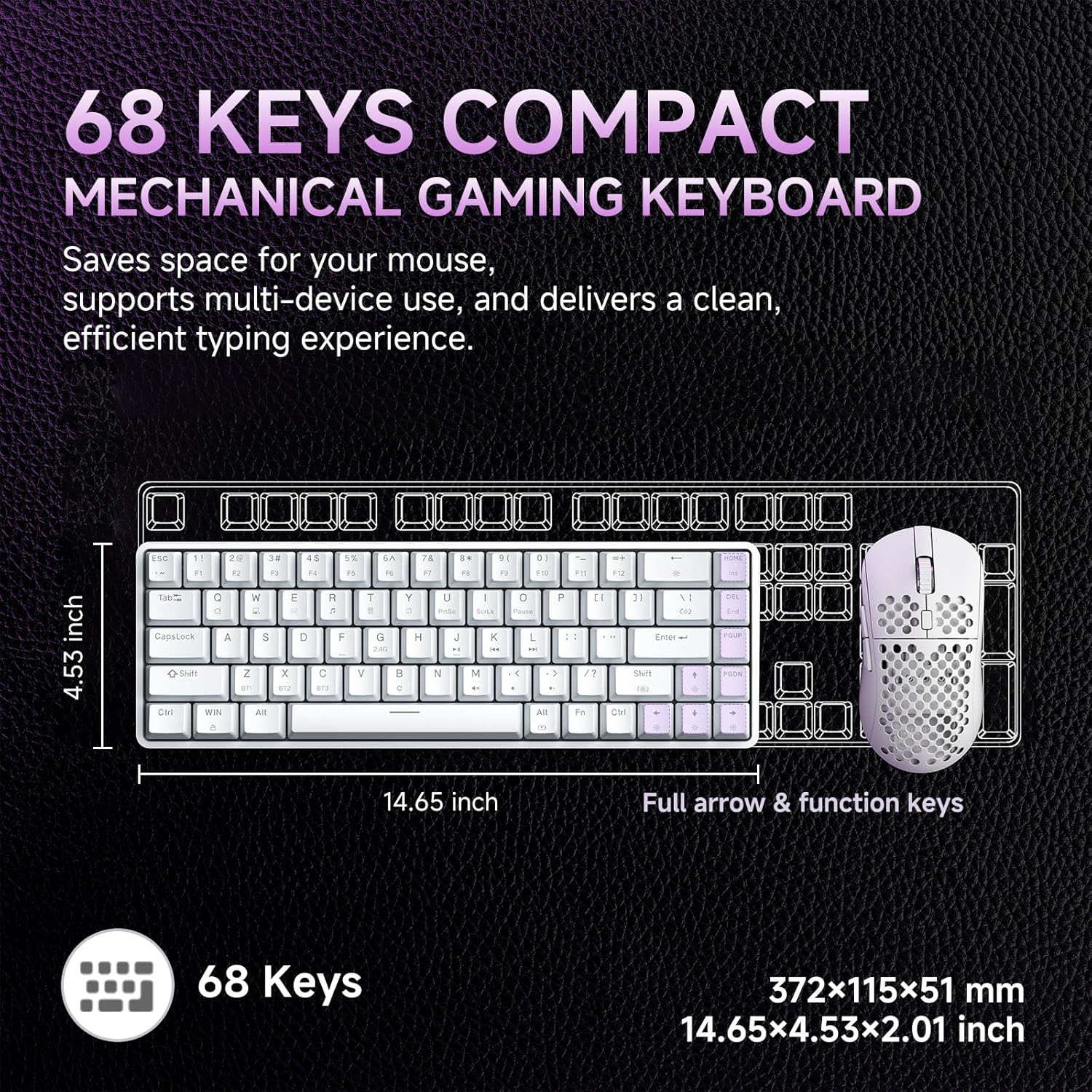
Image: A diagram illustrating the compact dimensions of the DIERYA DK68 keyboard, measuring 14.65 inches in length and 4.53 inches in width.
4. Beállítás
4.1 Wired Connection (USB-C)
- Csatlakoztassa a mellékelt USB-C kábelt a billentyűzet USB-C portjához.
- Csatlakoztassa az USB-C kábel másik végét a számítógép egyik szabad USB-A portjához.
- A billentyűzet automatikusan felismerésre kerül, és használatra kész.
4.2 2.4 GHz-es vezeték nélküli kapcsolat
- Locate the 2.4G wireless receiver included in the package.
- Plug the 2.4G receiver into an available USB-A port on your computer.
- Turn on the keyboard using the switch located on the back or side of the keyboard.
- The keyboard should automatically connect to the receiver. If not, press Fn + R a párosítás kezdeményezéséhez.
4.3 Bluetooth 5.0 kapcsolat
The keyboard supports connecting up to three Bluetooth devices.
- Győződjön meg arról, hogy a billentyűzet be van kapcsolva.
- Nyomja meg és tartsa lenyomva Fn+Z, Fn + X, vagy Fn + C for 3-5 seconds to enter pairing mode for Bluetooth device 1, 2, or 3 respectively. The indicator light will flash rapidly.
- Az eszközén (PC, laptop, táblagép, okostelefon) engedélyezze a Bluetooth-t, és keressen új eszközöket.
- Select "DIERYA DK68" from the list of available devices to pair.
- A párosítás után a jelzőfény abbahagyja a villogást, és néhány másodpercig folyamatosan világít.
- A párosított Bluetooth-eszközök közötti váltáshoz nyomja meg a Fn+Z, Fn + X, vagy Fn + C röviden.

Image: Visual representation of the DIERYA DK68's triple-mode connectivity options: USB-C, Bluetooth 5.0, and 2.4GHz wireless, compatible with various operating systems.
5. Használati útmutató
5.1 A billentyűzet alapvető funkciói
The DK68 features a 68-key layout. Many standard functions are accessed via the Fn billentyűkombinációk.
- Fn + 1-12: F1-F12 function keys.
- Fn + Q/W/E/R/T/Y: Multimedia controls (specific functions may vary).
- Fn + Arrow Keys: Page Up, Page Down, Home, End.
- Fn + Backspace: Delete.
5.2 RGB világításvezérlés
The keyboard offers 20 built-in RGB lighting effects and 16.8 million customizable colors.
- Fn + Backspace: Háttérvilágítás be-/kikapcsolása.
- Fn+Shift: Switch light colors (for certain modes).
- Fn + |\: Switch light modes (cycle through 20 effects).
- Fn + felfelé mutató nyíl: Fényerő növelése.
- Fn + lefelé mutató nyíl: Csökkentse a fényerőt.
- Fn + balra nyíl: Decrease light speed.
- Fn + jobbra nyíl: Increase light speed.

Image: A visual guide to controlling the RGB backlighting on the DIERYA DK68 keyboard using Fn key combinations for mode, color, brightness, and speed adjustments.
5.3 Akkumulátorkezelés
The keyboard is equipped with a 3000mAh lithium battery.
- Töltés: Connect the keyboard via the USB-C cable to a power source (computer USB port or USB wall adapter). The charging indicator light will show charging status.
- Akkumulátor élettartama: Up to 12 hours with backlighting on, and up to 333 hours with backlighting off.
- Automatikus elalvás: The keyboard enters auto-sleep mode after 3 minutes of inactivity to conserve power. Press any key to wake it up.

Image: An infographic detailing the 3000mAh battery capacity, showing 12 hours of use with lights on, 333 hours with lights off, 3-minute auto-stop, and Type-C charging.
5.4 Szoftver testreszabása
For advanced customization of keys, macros, and lighting effects, download the dedicated software from the official DIERYA website. This software allows for:
- 16.8 million customizable lighting colors.
- Music-sync lighting effects.
- Full-key macro programming.
- Macro recording and editing.
- Custom shortcut keys.
6. Karbantartás
- Tisztítás: Use a soft, dry cloth to wipe the keyboard surface. For deeper cleaning, use compressed air to remove dust and debris from between keycaps. Avoid using liquid cleaners directly on the keyboard.
- Tárolás: A billentyűzetet hűvös, száraz helyen tárolja, távol a közvetlen napfénytől és a szélsőséges hőmérsékletektől.
- Billentyűsapka eltávolítása: If removing keycaps for cleaning or switch replacement, use a keycap puller to avoid damage.
7. Hibaelhárítás
| probléma | Megoldás |
|---|---|
| A billentyűzet nem reagál (vezetékes) | Győződjön meg arról, hogy az USB-C kábel megfelelően csatlakozik mind a billentyűzethez, mind a számítógéphez. Próbáljon ki egy másik USB-portot vagy kábelt. |
| 2.4GHz wireless connection unstable or not connecting | Ensure the 2.4G receiver is plugged in and the keyboard is powered on. Re-pair by pressing Fn + R. Move the receiver closer to the keyboard. Avoid interference from other wireless devices. |
| Bluetooth csatlakozási problémák | Ensure Bluetooth is enabled on your device. Re-enter pairing mode (Fn + Z/X/C) and re-pair. Forget the device on your computer/phone and try pairing again. Ensure the keyboard is charged. |
| RGB backlighting not working | Sajtó Fn + Backspace to toggle the backlight. Check brightness settings (Fn + Fel/Le nyíl). Ensure the keyboard battery is not critically low. |
| Keys not registering (Anti-Ghosting) | The keyboard features full N-Key Rollover (NKRO). If specific keys are not registering, try cleaning under the keycap or contact support. |
| Keyboard not charging | Verify the USB-C cable and power source are functional. Try a different cable or charging port. |
8. Műszaki adatok
| Funkció | Részlet |
|---|---|
| Modell | DIERYA DK68 |
| Kapcsolódás | USB-C vezetékes, 2.4 GHz-es vezeték nélküli, Bluetooth 5.0 |
| Kapcsoló típusa | Lineáris piros mechanikus kapcsolók |
| Kulcsszám | 68 billentyű (60%-os elrendezés) |
| Háttérvilágítás | RGB (16.8 Million Colors, 20 Modes) |
| Akkumulátor kapacitása | 3000 mAh |
| Az akkumulátor élettartama | Up to 12 hours (backlight on), 333 hours (backlight off) |
| Anti-Ghosting | Teljes N-kulcsos átváltás (NKRO) |
| Kulcstartó anyaga | Acrylonitrile Butadiene Styrene (ABS) Double-shot |
| Kompatibilis eszközök | Laptop, PC, okostelefon |
| Méretek | 14.65 x 4.53 x 2.01 hüvelyk (372 x 115 x 51 mm) |
| Tétel súlya | 1.83 font (820 g) |
| Tartalmazott komponensek | Keyboard, 2.4G Receiver, USB Cable, Instruction Manual |
9. Garancia és támogatás
DIERYA products are designed for reliability and performance. For warranty information, technical support, or service inquiries, please refer to the official DIERYA webweboldalukon, vagy vegye fel a kapcsolatot közvetlenül az ügyfélszolgálattal. Őrizze meg a vásárlási nyugtát vásárlási bizonylatként garanciális igények esetén.
For the latest drivers and software, please visit: www.dierya.com


