Bevezetés
The Technoline WT175 is a compact and versatile quartz alarm clock designed for convenience and portability. It features a clear digital display and offers multiple functions including time, date, temperature, humidity, and various alarm settings. Its magnetic casing makes it suitable for travel and everyday use.

1. ábra: Elülső view of the Technoline WT175 Mini Travel Alarm Clock, displaying the time and control buttons.
Főbb jellemzők
- 12/24 órás időkijelzés
- Dátum megjelenítése
- Temperature display (in Celsius)
- Páratartalom kijelző
- Riasztó szundi funkcióval
- Configurable alarm settings: Weekday, Weekend, or Daily
- Timer with countdown and stop function
- Alacsony akkumulátor jelző
- Mágneses casing for versatile placement
A csomag tartalma
- Technoline WT175 Mini Travel Alarm Clock
- Felhasználói kézikönyv (ez a dokumentum)
- Megjegyzés: Az elemek nem tartozékok, azokat külön kell megvásárolni.

2. ábra: Product packaging for the Technoline WT175, detailing specifications and features.
Beállítás
1. Az akkumulátor behelyezése
- Keresse meg az elemtartó rekeszt az ébresztőóra hátulján.
- Nyissa ki az elemtartó fedelét.
- Insert 1x AAA Micro LR03 battery, ensuring correct polarity (+/-).
- Biztonságosan zárja le az elemtartó fedelét.
2. Kezdeti bekapcsolás
Upon successful battery installation, the display will activate. You may need to press the KÉSZLET button to begin initial time and date configuration.
Kezelési útmutató
The Technoline WT175 features several control buttons: KÉSZLET, START/STOP/RESET, ZZ (Snooze/Light), AL SET ON-OFF, +, és MÓD.
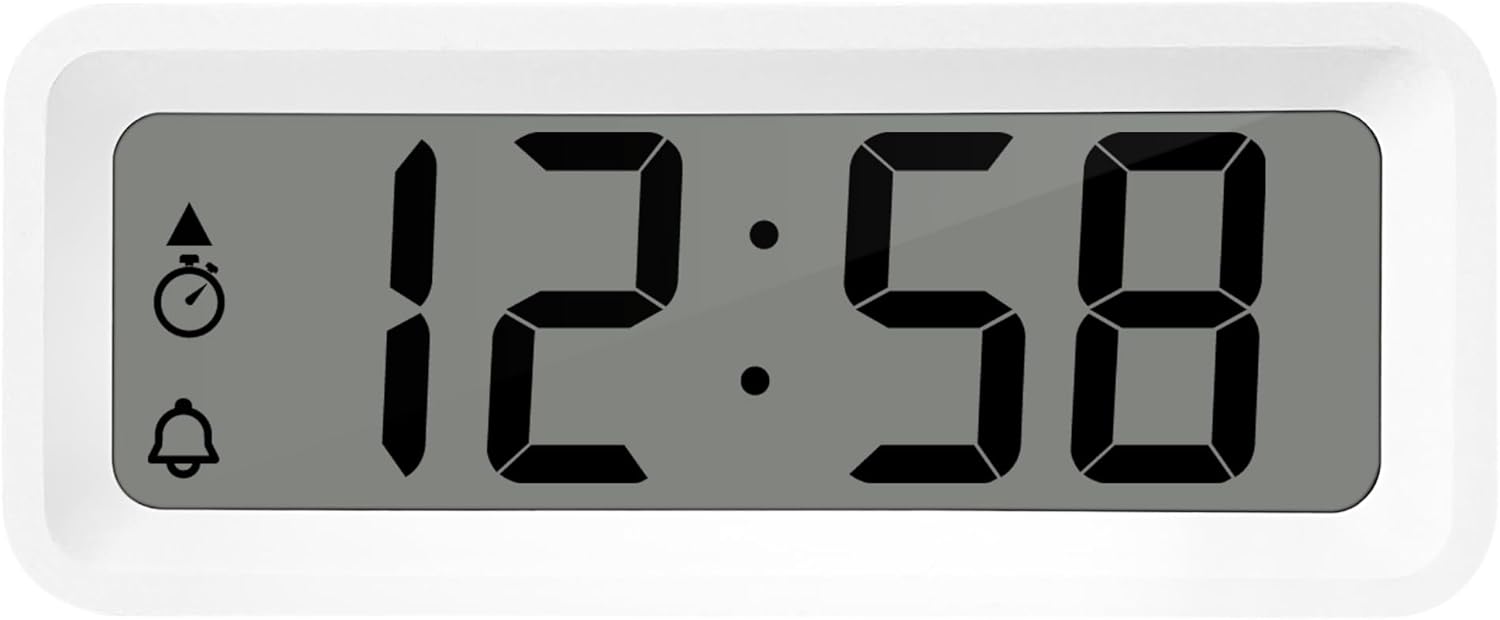
3. ábra: Részletes view of the alarm clock's display and control buttons.
1. Idő és dátum beállítása
- Nyomja meg és tartsa lenyomva a gombot KÉSZLET gombot, amíg az időkijelző villogni nem kezd.
- Használja a + or - gombokkal állíthatja be az órát.
- Sajtó KÉSZLET ismét az óra jóváhagyásához és a percre való ugráshoz.
- Használat + or - a percek beállításához.
- Folytassa a nyomást KÉSZLET to cycle through and set the year, month, and day using the + or - gombokat.
- Sajtó KÉSZLET még egyszer utoljára a beállítási módból való kilépéshez.
2. 12/24 órás formátum kiválasztása
While in normal time display mode, press the MÓD gombbal válthat a 12 órás és a 24 órás időformátum között.
3. A riasztás beállítása
- Nyomja meg a AL SET ON-OFF button once to enter alarm setting mode. The alarm time will flash.
- Használja a + or - gombokkal állíthatja be az ébresztési időt.
- Sajtó AL SET ON-OFF again to confirm the hour and move to alarm minutes.
- Használat + or - az ébresztés perceinek beállításához.
- Sajtó AL SET ON-OFF again to confirm and exit alarm setting mode.
4. Activating/Deactivating Alarm and Snooze
- Az ébresztő bekapcsolásához ON or LE, nyomja meg a gombot AL SET ON-OFF button while in normal time display mode. An alarm icon will appear/disappear on the display.
- Amikor megszólal az ébresztő, nyomja meg a gombot ZZ (Snooze) button to activate the snooze function. The alarm will temporarily stop and sound again after a few minutes.
- To stop the alarm completely, press any other button (e.g., KÉSZLET or MÓD).
5. Weekday/Weekend/Daily Alarm Settings
The WT175 allows for flexible alarm scheduling. While in alarm setting mode (after pressing AL SET ON-OFF), you can cycle through alarm types by pressing the + or - buttons after setting the alarm time. Look for indicators on the display for:
- Napi riasztás: Minden nap megszólal a riasztó.
- Weekday Alarm: Hétfőtől péntekig megszólal az ébresztő.
- Weekend Alarm: Szombaton és vasárnap is megszólal az ébresztő.
6. Timer and Countdown Function
- Nyomja meg a MÓD button repeatedly until the timer display appears (often indicated by a stopwatch icon).
- To set the countdown timer, press and hold KÉSZLET. Használat + or - a kívánt órák, percek és másodpercek beállításához. Nyomja meg a KÉSZLET minden egyes szegmens megerősítéséhez.
- Sajtó START/STOP/RESET hogy megkezdje a visszaszámlálást.
- Sajtó START/STOP/RESET ismét a visszaszámlálás szüneteltetéséhez/folytatásához.
- Az időzítő visszaállításához nyomja meg és tartsa lenyomva START/STOP/RESET.
7. Temperature and Humidity Display
The Technoline WT175 continuously displays the current indoor temperature (in Celsius) and humidity levels. These readings are typically shown alongside the time and date on the main display.

4. ábra: The WT175 alarm clock displaying time, temperature, and humidity in a bedroom setting.
Karbantartás
1. Elemcsere
When the low battery indicator appears on the display, it is time to replace the battery. Follow the battery installation steps outlined in the Beállítás section. Ensure to dispose of old batteries responsibly according to local regulations.
2. Tisztítás
To clean the alarm clock, use a soft, dry cloth. Do not use abrasive cleaners, solvents, or immerse the device in water. Avoid spraying cleaning solutions directly onto the unit.
Hibaelhárítás
- A kijelző üres vagy halvány:
- Ellenőrizze, hogy az akkumulátor megfelelően van-e behelyezve.
- Cserélje ki az akkumulátort egy újra.
- Nem szólal meg a riasztó:
- Győződjön meg arról, hogy a riasztó aktiválva van (a riasztás ikonja látható a kijelzőn).
- Ellenőrizze, hogy az ébresztési idő helyesen van-e beállítva.
- Check the alarm type (Daily, Weekday, Weekend) matches your desired schedule.
- Incorrect time or date:
- Re-enter the time and date following the instructions in the Kezelési útmutató szakasz.
- Ensure the 12/24 hour format is set as desired.
- A gombok nem reagálnak:
- Vegye ki, majd helyezze vissza az akkumulátort a soft reset végrehajtásához.
- Ensure the device is not in a specific setting mode that locks other buttons.
Műszaki adatok
| Funkció | Részlet |
|---|---|
| Modell | WT175 |
| Márka | Technoline |
| Méretek (H x Sz x Ma) | 8.8 x 3.81 x 3.7 cm |
| Súly | 120 gramm |
| Áramforrás | 1x AAA Micro LR03 Battery (not included) |
| Kijelző típusa | Digitális |
| Különleges jellemzők | Alarm, Snooze, Temperature, Humidity, Date, Timer, Countdown, Magnetic Casing, Low Battery Indicator |
| Szín | White (as per current product variant) |
| Beltéri/Kültéri használat | Beltéri |

5. ábra: Dimensions of the Technoline WT175 alarm clock.
Garancia és támogatás
For warranty information or technical support regarding your Technoline WT175 Mini Travel Alarm Clock, please refer to the warranty card included with your purchase or visit the official Technoline webtelek.
Official Technoline Webtelek: http://www.technoline.de


