1. Bevezetés
This manual provides detailed instructions for the installation, operation, and maintenance of your Tbest 9-inch Android Car GPS Navigation Multimedia Player. Please read this manual thoroughly before using the product to ensure proper function and safety.
2. Biztonsági információk
- A készüléket mindig felelősségteljesen és a helyi közlekedési szabályoknak megfelelően üzemeltesse.
- Do not attempt to install or service the device if you are not qualified. Improper installation can lead to damage or injury.
- Kerülje a készülék kitételét szélsőséges hőmérsékletnek, hosszabb ideig tartó közvetlen napfénynek vagy túlzott nedvességnek.
- Győződjön meg arról, hogy minden vezeték megfelelően van csatlakoztatva, hogy elkerülje a rövidzárlatot vagy az elektromos veszélyeket.
3. A csomag tartalma
Ellenőrizze, hogy az alább felsorolt összes tétel megtalálható-e a csomagban:
- 1 x Navigator Unit (9-inch Android Multimedia Player)
- 10 x Various Connection Cables
- 4 x Camera Units
- 1 x GPS antenna
- 1 x Felhasználói kézikönyv
- 2 x rögzítő konzol
- 1 x Lyukasztó
- 2 x Buffer Rings
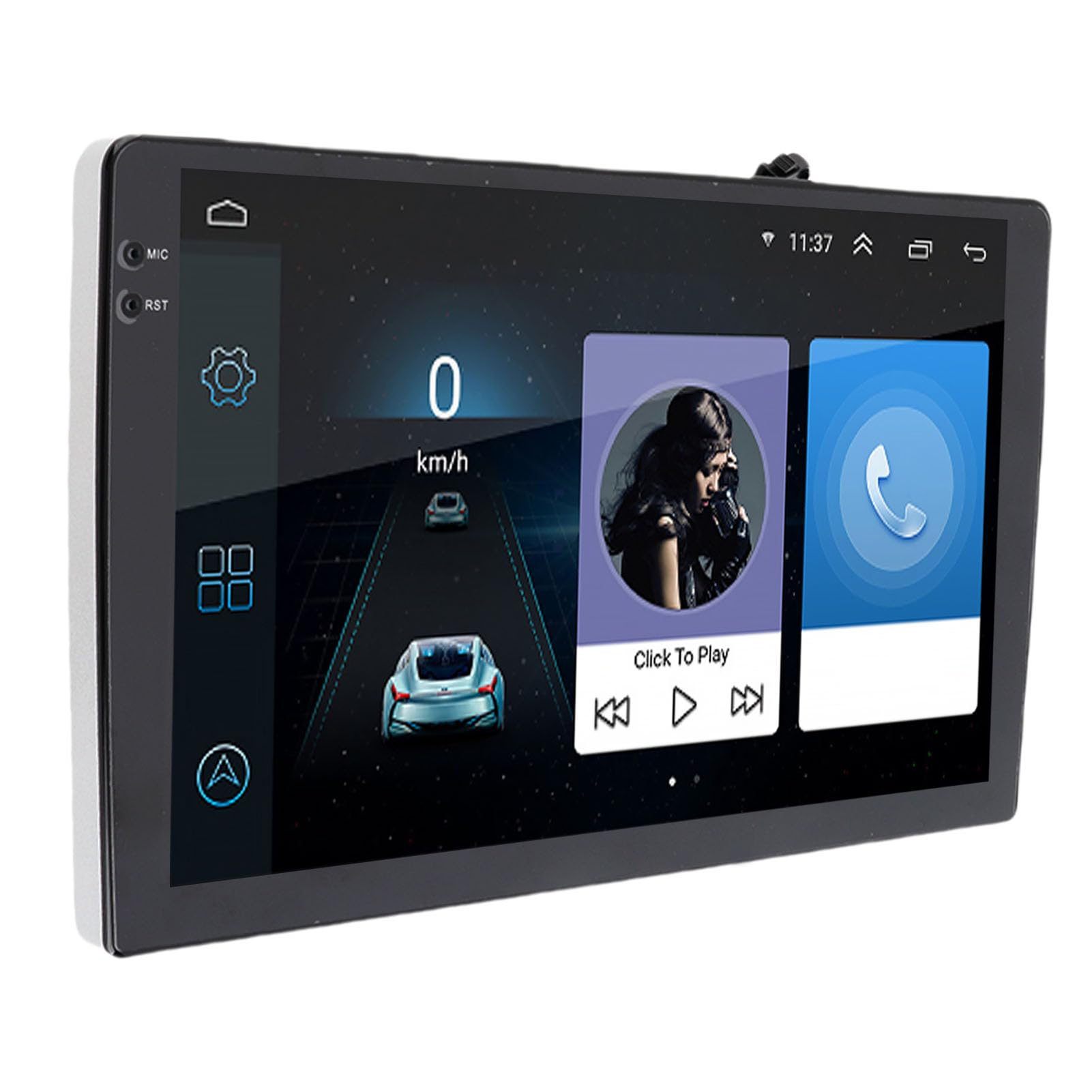
Image: The Tbest 9-inch Android Car GPS Navigation Multimedia Player unit shown with all accompanying cables, cameras, GPS antenna, mounting brackets, and other accessories.
4. Beállítás és telepítés
4.1 Általános telepítési irányelvek
The Tbest multimedia player is designed for universal fit in various car models. Due to variations in vehicle dashboards, professional installation is recommended. Ensure the mounting location allows for clear visibility and safe operation.
4.2 Kábelezési csatlakozások
Carefully connect all necessary cables. Refer to your vehicle's wiring diagram and the provided cable labels for correct connections. Key connections include:
- Tápkábelek: Csatlakoztassa a jármű tápegységéhez (ACC, B+, Ground).
- Hangszóró kábelek: Connect to your car's speaker system.
- RCA Terminals: For reverse input, video input, and audio output.
- USB portok: For external devices or media.
- GPS-antenna: Csatlakoztassa a GPS-antennát, és helyezze olyan helyre, ahol nincs akadály. view az égboltról az optimális jelvétel érdekében.
- Kamera csatlakozások: Connect the four camera units to the designated camera inputs for panoramic view funkcionalitás.

Kép: Egy részletes view of the Tbest multimedia player's rear connections and the array of cables provided for power, audio, video, and peripheral devices.
5. Használati útmutató
5.1 Be-/Kikapcsolás
The unit will typically power on automatically when the vehicle's ignition is turned on. To manually power off, press and hold the power button (if available) or turn off the vehicle's ignition.
5.2 Az érintőképernyő működése
The device features a 9-inch capacitive touch screen. Navigate through menus, select applications, and control functions by tapping, swiping, and pinching gestures similar to a smartphone or tablet.
5.3 GPS-navigáció
The unit has built-in GPS reception. You can download navigation applications and maps directly from the Application Store for offline use. Ensure the GPS antenna is properly installed for accurate positioning.
5.4 Bluetooth funkciók
The device includes Bluetooth 4.0 for hands-free calling and music streaming (A2DP).
- Párosítás: Go to the Bluetooth settings on the device, enable Bluetooth, and search for available devices. Select your phone from the list and confirm the pairing code.
- Kihangosított hívás: Once paired, you can make and receive calls directly through the multimedia player. The phone book can be automatically loaded.
- Bluetooth zene: Stream audio from your paired phone to the car's speakers.
5.5 Multimédia lejátszás
The player supports various audio formats including MP3, FLAC, APE, WMA, WAV, AAC, AMR. Video playback is also supported. You can play media from USB drives or via Bluetooth streaming.
5.6 Panoramic Camera and Recorder
The integrated 360-degree panoramic camera system provides a comprehensive view around your vehicle, aiding in safe parking. The system also supports recording, allowing you to retain video evidence if needed. Playback functionality is available directly on the unit.
5.7 Kormánykerék-vezérlés
The unit supports steering wheel control functions, allowing you to manage audio and other features without taking your hands off the wheel. Configuration may be required in the settings menu.
5.8 Mobile Internet (Mirror Link)
The device supports screen mirroring for both iOS (one-way projection) and Android phones (two-way connection). This allows you to display your phone's screen on the multimedia player.
5.9 rádió
Access FM, AM, and RDS radio bands. Use the touch screen interface to scan for stations and save presets.

Image: The Tbest multimedia player's 9-inch screen showing a typical user interface with navigation on the left and media playback controls on the right.
6. Karbantartás
6.1 A képernyő tisztítása
Puha, szöszmentes ruhával óvatosan törölje át a képernyőt. Makacs foltok esetén enyhén törölje át.ampTörölje át a kendőt vízzel vagy elektronikai eszközökhöz tervezett képernyőtisztító oldattal. Kerülje az erős vegyszereket és súrolószereket.
6.2 Szoftverfrissítések
Periodically check for software updates to ensure optimal performance and access to new features. Updates can usually be performed via a Wi-Fi connection or USB. Follow the on-screen prompts for any available updates.
7. Hibaelhárítás
If you encounter issues with your Tbest multimedia player, refer to the following common problems and solutions:
| Probléma | Lehetséges ok | Megoldás |
|---|---|---|
| Nincs erő | Hibás kábelezés, kiégett biztosíték, a jármű tápellátásával kapcsolatos probléma. | Check power cable connections, inspect vehicle fuses, ensure ignition is on. |
| Nincs GPS jel | GPS antenna not connected, antenna obstructed, poor satellite reception. | Győződjön meg arról, hogy a GPS-antenna biztonságosan csatlakozik, és szabadon helyezkedik el. view az égboltról. Menjen nyílt területre. |
| Bluetooth Nem csatlakozik | Bluetooth off on device/phone, incorrect pairing, interference. | Győződjön meg arról, hogy mindkét eszközön engedélyezve van a Bluetooth. Törölje a korábbi párosításokat, majd párosítsa újra. Indítsa újra mindkét eszközt. |
| Az érintőképernyő nem reagál | Szoftverhiba, képernyős sérülés. | Indítsa újra az egységet. Ha a probléma továbbra is fennáll, vegye fel a kapcsolatot az ügyfélszolgálattal. |
| Kamera View Nem jelenik meg | Camera cables loose, camera malfunction. | Check all camera connections. Ensure the vehicle is in reverse (if applicable for rear camera). |
Ha a probléma a megoldások kipróbálása után is fennáll, kérjük, vegye fel a kapcsolatot az ügyfélszolgálattal.
8. Műszaki adatok
| Funkció | Specifikáció |
|---|---|
| Képernyőméret | 9 hüvelyk |
| Operációs rendszer | Android |
| Képernyőfelbontás | 1024 x 600 |
| GPS-navigáció | Support (Offline maps via app store) |
| Bluetooth verzió | 4.0 (A2DP, Hands-free, Phone Book) |
| Rádió zenekarok | FM, AM, RDS |
| Hatalom Ampemelő Chip | TDA7388 |
| Camera Host Chip | For HiSilicon 3520DV300 |
| Kamera szöge | 181 fok |
| Kamera pixel | 1MP (Resolution: 1280 x 720P) |
| Working Voltage | DC9V-24V |
| Működési áram | 500mA (DC12V) |
| Üzemi hőmérséklet | 35°C - 75°C (Host), -25°C - 90°C (Camera) |
| Kapcsolódás | USB, Wi-Fi |
| Támogatott hangformátumok | MP3, FLAC, APE, WMA, WAV, AAC, AMR, etc. |
| Videó kimenet | CVBS, VGA |
| Waterproof Grade (Camera) | IP67 |
| Termék méretei | 9 x 9 x 9 hüvelyk |
| Tétel súlya | 3.38 font |
9. Garancia és támogatás
Your Tbest multimedia player comes with a standard manufacturer's warranty. Please refer to the warranty card included in your package for specific terms and conditions. For technical support, troubleshooting assistance, or warranty claims, please contact your retailer or the Tbest customer service department.
Elérhetőségek: (Please refer to your purchase documentation or the official Tbest website for current contact details.)


