1. Termék végeview
The YOWU SELKIRK-4 is an upgraded wireless and wired gaming headset featuring RGB cat ear lighting, an attachable HD microphone with active noise reduction, dual-channel stereo, and customizable lighting and sound effects via a dedicated application. Designed for an immersive audio experience, it offers versatile connectivity and long battery life.

Figure 1: YOWU SELKIRK-4 RGB Cat Ear Headphone 4 in pink, showcasing its design with illuminated cat ears and earcups, and the detachable microphone.
1. videó: Overview of the YOWU Upgraded RGB Cat Ear Headphone 4, highlighting its key features and aesthetic.
2. A doboz tartalma
Ellenőrizze, hogy a termékcsomag tartalmazza-e az alábbi tételeket:
- YOWU SELKIRK-4 RGB Cat Ear Headphone 4
- Védőtok
- Felhasználói kézikönyv
- 1.8m Type-C Charging Cable
- 3.5 mm-es audio kábel
- Attachable HD Microphone
- PS4/PS5 Dongle (USB/Type-C)

Figure 2: Contents of the YOWU SELKIRK-4 headphone box, including the pink headphones, protective case, user manual, charging cable, and 3.5mm audio cable.
3. Főbb jellemzők
- Upgraded Sound System: Amazing 50mm driver unit and dual-channel stereo deliver significantly improved sound and a premium music experience.
- Magical YOWU APP Control: Customize millions of light colors, 5 light effects with a new rhythm mode, and sound effects for different scenarios.
- Attachable HD Microphone: New detachable microphone with active noise reduction for accurate recording, no interference, and clear communication.
- Wireless & Cable Connection: Wireless 5.0 supports aptX HD for low latency and stable transmission. Also connectable via 3.5mm audio cable.
- Az akkumulátor élettartama: 1-hour fast charging provides 48 hours of playing time without lighting, or 2-10 hours with lighting.
4. Beállítás
4.1 A fejhallgató töltése
Before first use, fully charge your YOWU SELKIRK-4 headphones. Use the provided Type-C charging cable and a 5V2A rated charger. A full charge takes approximately 1 hour.
- Connect the Type-C end of the charging cable to the charging port on the headset.
- Connect the USB-A end to a compatible USB power adapter (not included) or a powered USB port.
- The charging indicator light will show charging status (refer to the LED indicator section for details).
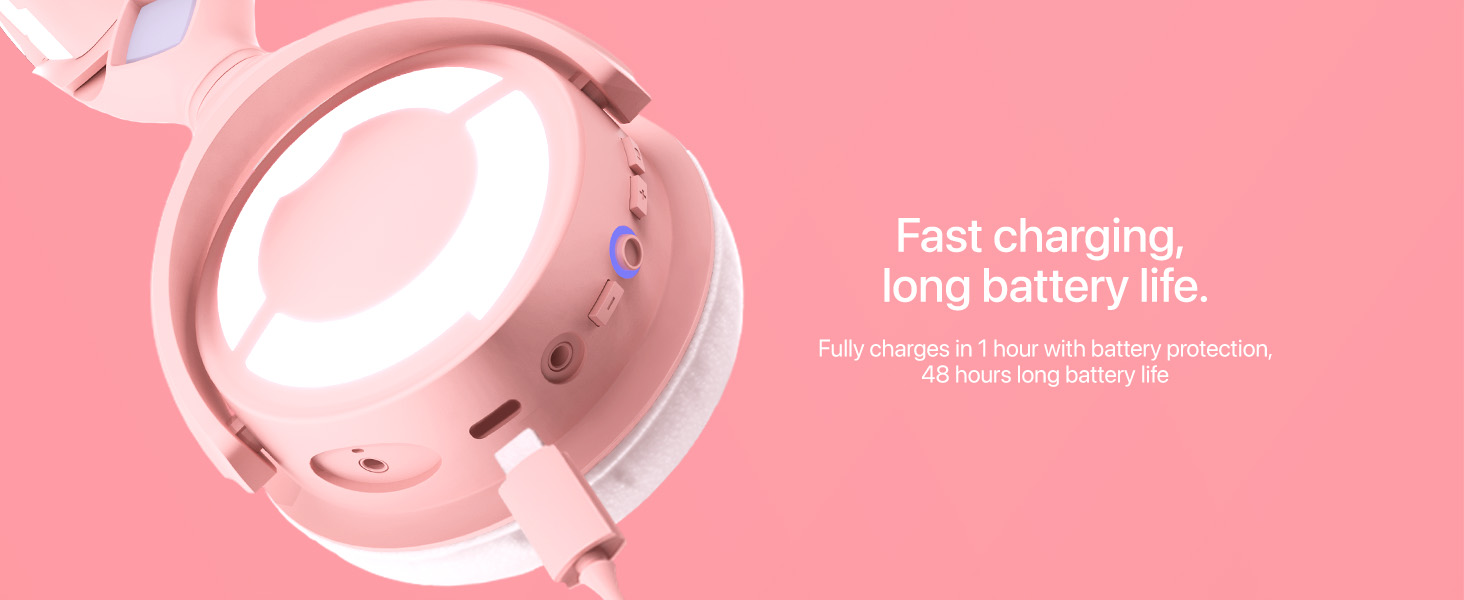
Figure 3: Close-up of the YOWU SELKIRK-4 headphone's charging port with a USB-C cable connected, illustrating the fast charging capability.
4.2 A mikrofon csatlakoztatása
The HD microphone is detachable for convenience.
- Locate the microphone port on the left earcup.
- Align the microphone's connector with the port and gently push it in until it clicks into place.
- A leválasztáshoz óvatosan húzza ki a mikrofont egyenesen a portból.

Figure 4: A model wearing the YOWU SELKIRK-4 headphones with the detachable HD microphone attached, highlighting its position for clear communication.
5. Használati útmutató
5.1 Be-/Kikapcsolás
- To power on: Press and hold the Power/Light Switch button (refer to Figure 6) for 3 seconds until the indicator light illuminates.
- To power off: Press and hold the Power/Light Switch button for 3 seconds until the indicator light turns off.
5.2 Vezeték nélküli kapcsolat (Bluetooth)
The headset supports Bluetooth 5.0 for wireless connectivity.
- Ellenőrizze, hogy a fülhallgató be van-e kapcsolva.
- Activate Bluetooth on your device (mobile, tablet, laptop, desktop).
- Keressen rá "YOWU SELKIRK-4" in the list of available Bluetooth devices.
- Select the headset to pair. The indicator light will confirm successful pairing.
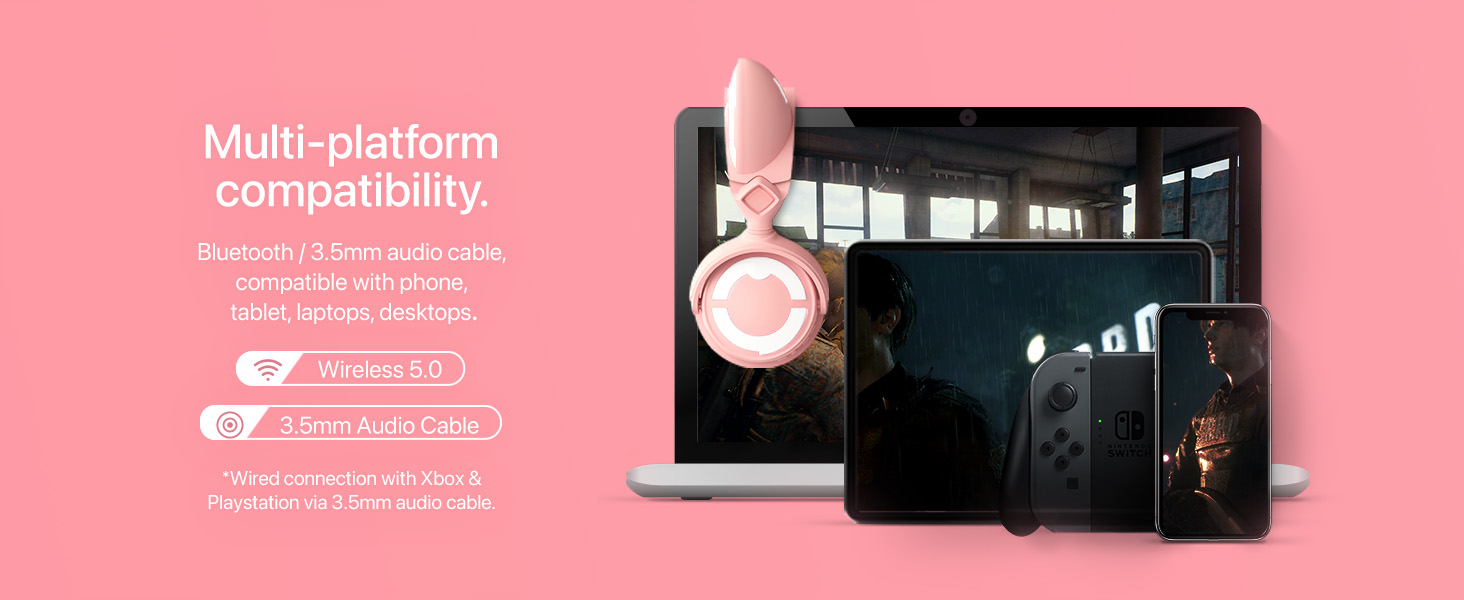
Figure 5: Image showing the YOWU SELKIRK-4 headphones connected wirelessly to various devices like a mobile phone, tablet, laptop, and desktop, demonstrating multi-platform compatibility.
5.3 Vezetékes kapcsolat
For wired use or when battery is low, use the 3.5mm audio cable.
- Connect one end of the 3.5mm audio cable to the audio input port on the headset.
- Csatlakoztassa a másik végét a készülék 3.5 mm-es audiocsatlakozójához.
- Note: Wired connection with Xbox & PlayStation may require a 3.5mm audio cable.
5.4 Mikrofonhasználat
The detachable microphone features a mute button.
- To mute/unmute: Press the button located on the microphone itself.
5.5 On-Ear Controls
The right earcup features several control buttons:
- Vol +/-: A hangerő növelése vagy csökkentése.
- Lejátszás/Szünet: A médialejátszás vezérlése.
- Főkapcsoló/Világítókapcsoló: Powers the headset on/off and controls lighting.
- Fény módok: Cycles through different lighting effects.
- Világos színek: Changes the color of the RGB lighting.

6. ábra: Részletes view of the YOWU SELKIRK-4 headphone's right earcup, showing the on-ear control buttons for volume, power, light modes, and light colors.
6. YOWU App Control
Enhance your experience by downloading the YOWU app to customize your headset's lighting and sound.
- Download the "YOWU" app from your device's app store.
- Ensure your headset is connected via Bluetooth.
- Open the app to access customization options for:
- Millions of light colors
- 5 light effects, including a new rhythm mode
- Various sound effects for different scenarios

Figure 7: A smartphone screen displaying the YOWU app interface with options to customize millions of light colors and various light effects for the headphones.
7. Enhanced Sound Experience
The YOWU SELKIRK-4 is engineered to deliver superior audio quality for both gaming and music.
- 50 mm-es meghajtóegység: Experience powerful and clear audio with the large 50mm dynamic drivers, designed to capture every detail.
- Dual-Channel Stereo: Élvezze az magával ragadó hangokattage that brings your games and music to life.
- Professzionális hangolás: The headphones are professionally tuned to provide balanced and rich audio across all frequencies.

8. ábra: Egy felrobbantott view of the YOWU SELKIRK-4 headphone's earcup, highlighting the 50mm driver unit responsible for improved sound quality.

Figure 9: The YOWU SELKIRK-4 headphones with glowing earcups and cat ears, set against a background of sound waves, representing professional tuning for an immersive audio experience.
8. Karbantartás
8.1 Tisztítás
- Használjon puha, száraz ruhát a fejhallgató külső felületének letörléséhez.
- A fülpárnákat finoman törölje át egyamp cloth and mild soap solution, then dry thoroughly.
- Ne használjon erős vegyszereket vagy súroló hatású anyagokat.
8.2 Tárolás
- When not in use, store the headphones in the provided protective case to prevent damage.
- Ne tárolja szélsőséges hőmérsékleten vagy magas páratartalom mellett.
9. Hibaelhárítás
Ha bármilyen problémába ütközik, tekintse meg az alábbi táblázatot a gyakori problémákért és megoldásaikért.
| Probléma | Lehetséges ok | Megoldás |
|---|---|---|
| Nincs hang/Alacsony hangerő | Headset not powered on, low battery, incorrect connection, device volume too low. | Ensure headset is powered on and charged. Check Bluetooth connection or 3.5mm cable. Increase headset and device volume. |
| Mikrofon nem működik | Microphone not properly attached, muted, or incorrect input device selected. | Ensure microphone is securely attached. Check if the microphone is muted. Verify correct microphone input is selected in device settings. |
| Lights not changing/working | Low battery, light function turned off, app connection issue. | Charge the headset. Press the Light Switch button. Reconnect to the YOWU app and check settings. |
| A Bluetooth párosítás nem sikerült | Headset not in pairing mode, device Bluetooth off, interference. | Ensure headset is powered on and discoverable. Turn device Bluetooth off/on. Move closer to the device. |
10. Műszaki előírások
| Funkció | Specifikáció |
|---|---|
| Modell neve | SELKIRK-4 |
| Márka | YOWU |
| Csatlakozási technológia | Vezeték nélküli (Bluetooth 5.0), Vezetékes (3.5 mm-es jack) |
| Vezeték nélküli kommunikációs technológia | Bluetooth |
| Zajszabályozás | Sound Isolation, Active Noise Reduction (Microphone) |
| Audio Driver típusa | Dinamikus illesztőprogram |
| Audio Driver mérete | 50 mm |
| Impedancia | 32 Ohm |
| Az akkumulátor élettartama | 48 Hours (without lighting), 2-10 Hours (with lighting) |
| Töltési idő | 1 óra |
| Kompatibilis eszközök | Mobile, Tablets, Laptops, Desktops, Cellphones |
| Vezérlés típusa | Call Control, App Control |
| Anyag | Műanyag |
| Tétel súlya | 3.3 font (1.5 kilogramm) |
| Termék méretei | 12.99 x 9.45 x 6.3 hüvelyk |
11. Garancia és támogatás
For warranty information, technical support, or further assistance, please refer to the official YOWU website or contact YOWU customer service. Keep your purchase receipt for warranty claims.