
1. Bevezetés
This manual provides detailed instructions for the setup, operation, maintenance, and troubleshooting of your Leopold FC750R PD 87-key High-end Mechanical Keyboard. Please read this manual thoroughly before using the product to ensure proper functionality and longevity.
2. A csomag tartalma
A csomag felbontása után kérjük, ellenőrizze, hogy a következő tételek mindegyike megvan-e:
- Leopold FC750R PD Mechanical Keyboard body
- Billentyűzet fedele
- PS/2 kábel
- USB cable (removable type, 1.8m)
- Kulcstartó lehúzó
- Felhasználói kézikönyv (ez a dokumentum)
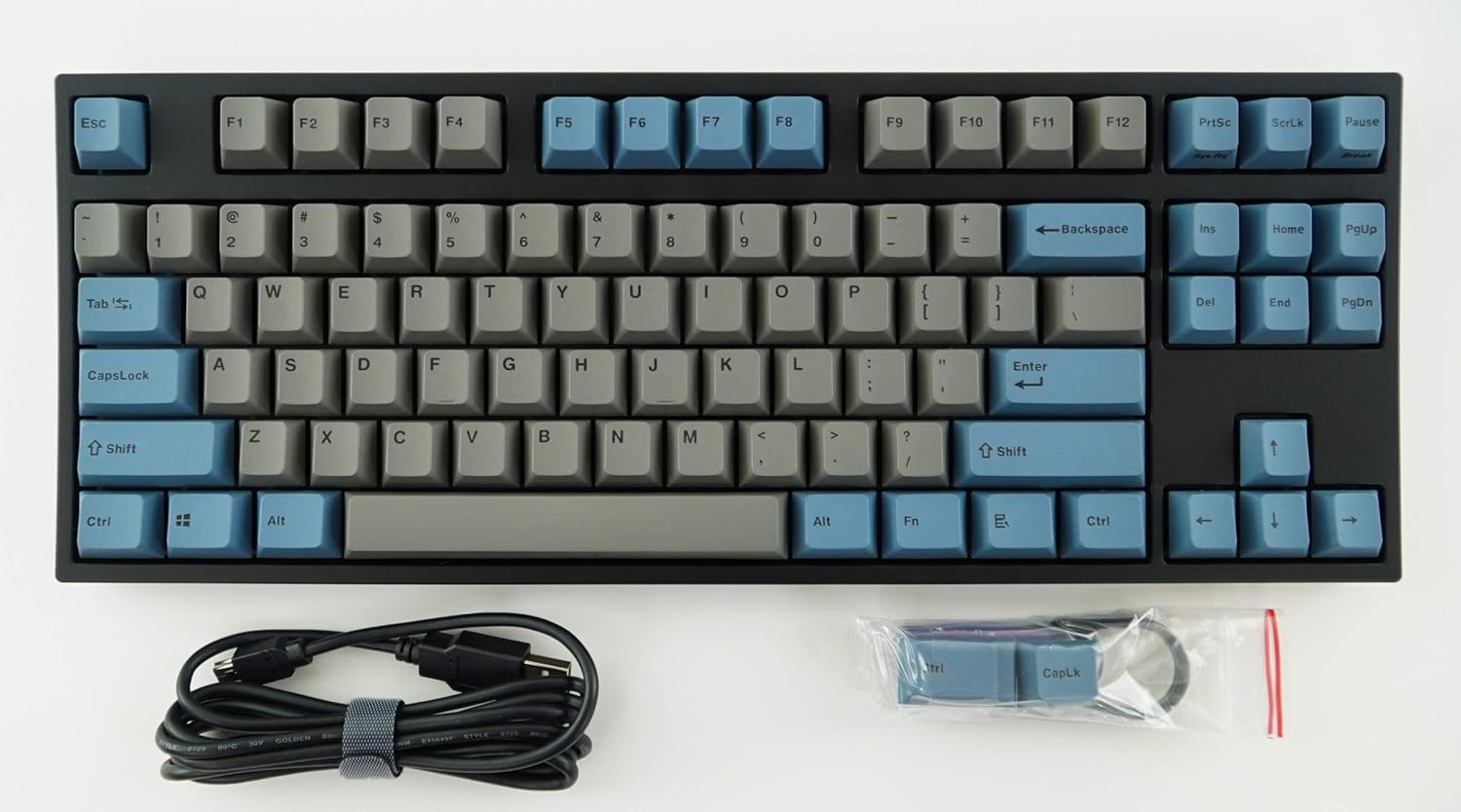
Image: The Leopold FC750R PD Mechanical Keyboard shown with its included accessories, including the USB cable and keycap puller.
3. Beállítás
Follow these steps to set up your Leopold FC750R PD Mechanical Keyboard:
- Csomagolja ki a billentyűzetet: Óvatosan vegye ki a billentyűzetet és az összes tartozékot a csomagolásból.
- Csatlakoztassa a kábelt: The keyboard supports both USB and PS/2 interfaces.
- For USB connection: Connect the removable USB cable to the port on the back of the keyboard and then to an available USB port on your computer.
- For PS/2 connection: Connect the PS/2 cable to the port on the back of the keyboard and then to the PS/2 keyboard port on your computer.
- Operációs rendszer kompatibilitás: The keyboard is compatible with Microsoft Windows 7, 8, 10, Vista, and XP. No special drivers are typically required for basic functionality.
- Elhelyezés: Place the keyboard on a stable, flat surface. You can adjust the keyboard's angle using the flip-out feet located on the underside.

Kép: Oldal view of the Leopold FC750R PD keyboard showing the adjustable feet extended for ergonomic tilt.
4. Használati útmutató
The Leopold FC750R PD is an 87-key mechanical keyboard designed for standard typing and gaming. Its layout is a Tenkeyless (TKL) design, omitting the numeric keypad for a more compact form factor.
4.1. Alapvető használat
Once connected, the keyboard should be immediately recognized by your operating system. You can begin typing and using it for all standard computer input tasks.

Kép: Teljesen felülről lefelé view of the Leopold FC750R PD mechanical keyboard, showcasing its 87-key layout with grey and blue keycaps.
4.2. Function Keys (Fn Combinations)
The keyboard may feature secondary functions accessible via the Fn key. Refer to the keycaps for printed legends indicating these functions (e.g., media controls, volume adjustment, etc.). To activate a secondary function, hold down the Fn key and press the desired function key (F1-F12) or other designated key.

Kép: Közeli kép view of the left side of the Leopold FC750R PD keyboard, highlighting the Esc, F1-F4, Tab, CapsLock, Shift, and Ctrl keys.
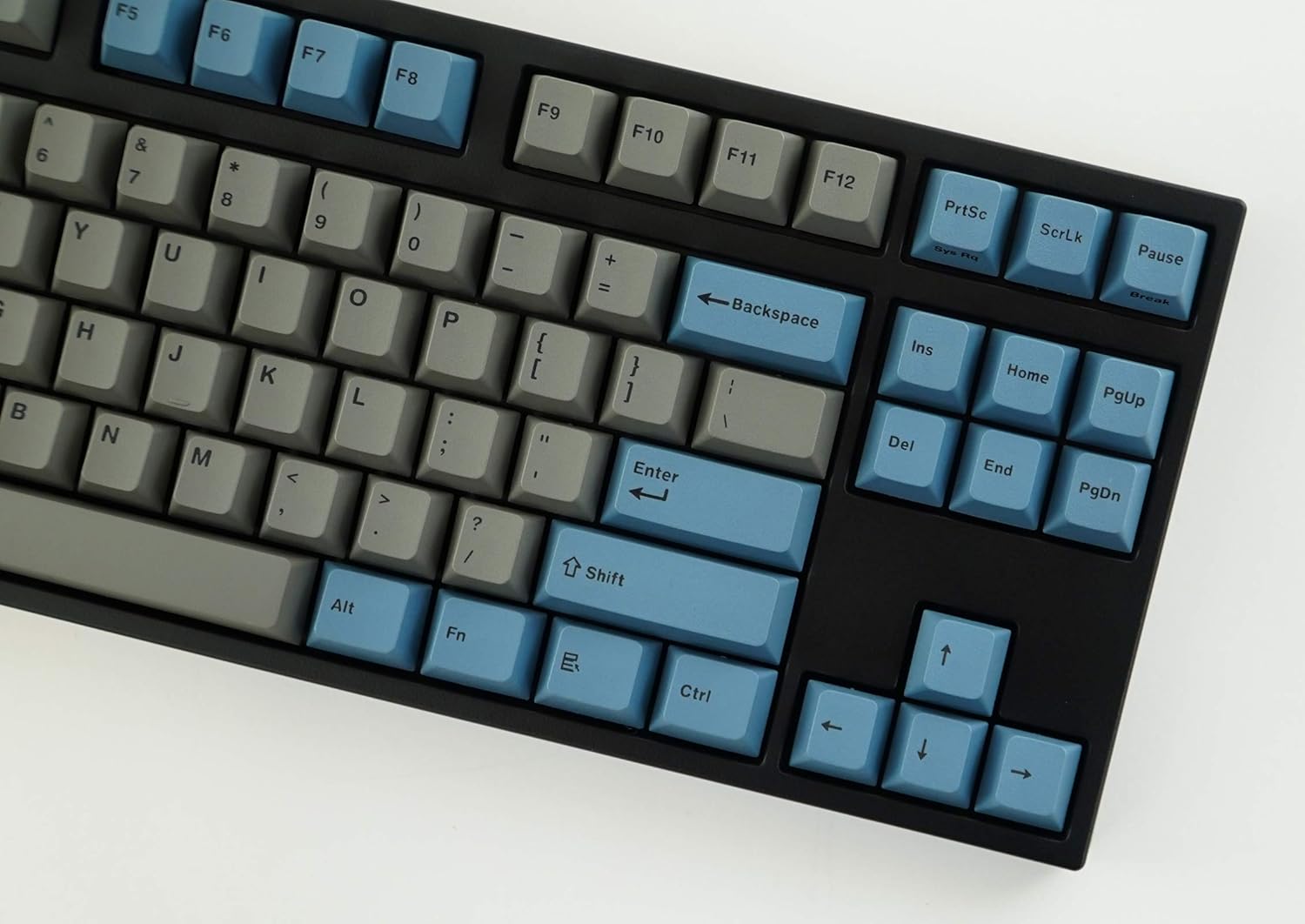
Kép: Közeli kép view of the right side of the Leopold FC750R PD keyboard, showing the Backspace, Enter, Shift, and arrow keys, along with the Insert, Home, Page Up, Delete, End, and Page Down keys.
5. Karbantartás
Proper maintenance will extend the lifespan of your mechanical keyboard.
- Billentyűsapkák tisztítása: Használjon puha, damp cloth to wipe down the keycaps. For deeper cleaning, you can use the included keycap puller to remove keycaps and clean them with mild soap and water. Ensure keycaps are completely dry before reattaching.
- A billentyűzet testének tisztítása: Use a soft, dry cloth to wipe dust from the keyboard body. For stubborn dirt, a slightly damp Használhat kendőt, de kerülje a túlzott nedvességet.
- Por eltávolítása: Sűrített levegővel fújja ki a port és a törmeléket a billentyűsapkák és a kapcsolók közül.
- Kerülje a folyadékokat: Ne öntsön folyadékot a billentyűzetre. Ha mégis kiömlik valami, azonnal húzza ki a billentyűzetet a számítógépből, és hagyja teljesen megszáradni, mielőtt újra csatlakoztatja.
- Tárolás: When not in use, store the keyboard in a clean, dry environment, ideally using the included keyboard cover to protect it from dust.

Image: A low-angle side profile of the Leopold FC750R PD keyboard, showcasing the keycap profile and the keyboard's sturdy build.
6. Hibaelhárítás
If you encounter issues with your Leopold FC750R PD keyboard, try the following steps:
- A billentyűzet nem válaszol:
- Ensure the USB or PS/2 cable is securely connected to both the keyboard and the computer.
- Try connecting the keyboard to a different USB or PS/2 port on your computer.
- Test the keyboard on another computer to determine if the issue is with the keyboard or your computer's setup.
- Indítsa újra a számítógépet.
- Bizonyos billentyűk nem működnek:
- Ellenőrizze, hogy nincs-e fizikai akadály a billentyűsapka alatt.
- Carefully remove the keycap using the keycap puller and inspect the switch for any visible damage or debris.
- Beviteli késleltetés vagy megszakítások:
- Győződjön meg arról, hogy a kábel nem sérült vagy megtört.
- Avoid connecting the keyboard through unpowered USB hubs; connect directly to the computer if possible.
If the problem persists after trying these steps, please contact Leopold customer support for further assistance.
7. Műszaki adatok
| Funkció | Részlet |
|---|---|
| Modellszám | FC750R_EGBPD |
| Switch márka | Cherry MX (Black Switch) |
| Kulcsszám | 87 kulcs |
| Key Pitch | 19 mm |
| Billentyűleütés | 4 ± 0.5 mm |
| Kulcstartó anyaga | 1.5mm PBT (Polybutylene Terephthalate) |
| Méretek (H x Sz x Ma) | 36.00cm X 14.00cm X 3.30cm (14.17"L x 5.51"W x 1.3"H) |
| Súly | 1 kg (2.2 font) |
| Kábel hossza | 1.8m (Removable type) |
| PCB | FR-4 Dual Layer |
| Támogatott operációs rendszer | Microsoft Windows 7, 8, 10, Vista, XP |
| Felület | USB & PS/2 |
| Szín | Grey/Blue |
8. Garancia és támogatás
Leopold products are manufactured to high quality standards. For information regarding warranty coverage, please refer to the warranty card included with your product or visit the official Leopold website. For technical support or service inquiries, please contact Leopold customer service through their official channels.
You can visit the Leopold Store on Amazon for more information: Leopold Store