Bevezetés
Thank you for choosing the JBL Flip 3 Splashproof Portable Bluetooth Speaker. This manual provides essential information for setting up, operating, and maintaining your speaker to ensure optimal performance and longevity. Please read this manual thoroughly before using your device.
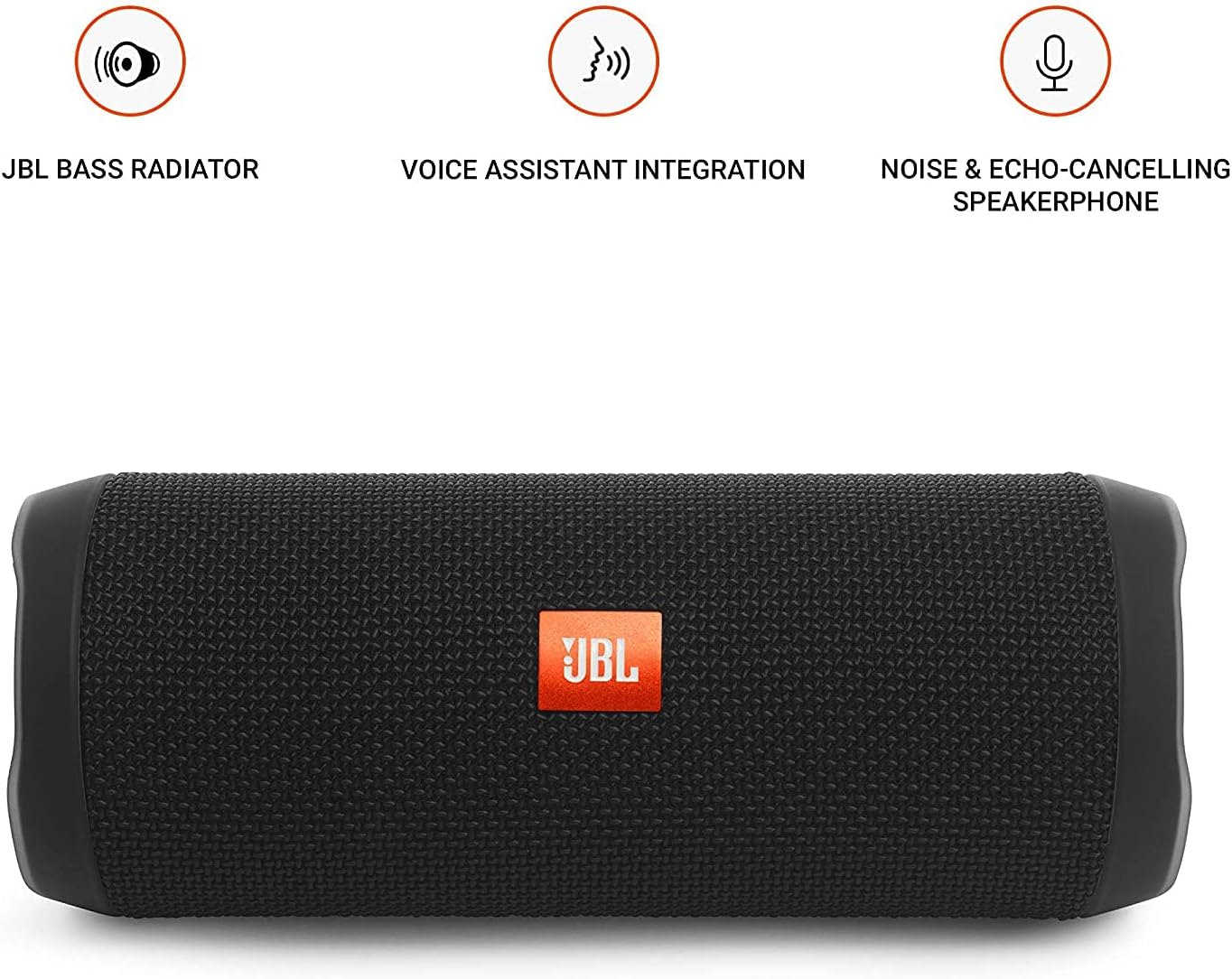
Image: JBL Flip 3 highlighting key features like the bass radiator, voice assistant integration, and noise & echo-cancelling speakerphone.
Mi van a dobozban
- JBL Flip 3 Splashproof Portable Speaker
- USB Charging Cable (orange)
- Gyors üzembe helyezési útmutató (nem része ennek a kézikönyvnek)
- Biztonsági adatlap (nem része ennek a kézikönyvnek)
- Jótállási jegy (nem része ennek a kézikönyvnek)
Beállítás
1. Az akkumulátor töltése
Before first use, fully charge your JBL Flip 3 speaker. The built-in 3000mAh Li-ion battery supports up to 10 hours of playtime and takes approximately 3.5 hours to fully charge.
- Locate the charging port on the side of the speaker, usually protected by a rubber flap.
- Connect the orange USB charging cable to the speaker's charging port.
- Csatlakoztassa az USB-kábel másik végét egy kompatibilis USB-hálózati adapterhez (nem tartozék) vagy a számítógép USB-portjához.
- The LED indicators on the speaker will illuminate to show the charging status. All five LEDs will be solid white when fully charged.

Image: The JBL Flip 3 speaker connected to a charging cable, with its battery indicator LEDs lit.
2. Be- / kikapcsolás
- A bekapcsoláshoz nyomja meg a gombot Bekapcsoló gomb (usually indicated by a circle with a vertical line). The power indicator light will illuminate.
- A kikapcsoláshoz tartsa lenyomva a gombot Bekapcsoló gomb ismét, amíg a jelzőfény ki nem alszik.
Kezelési útmutató
1. Bluetooth párosítás
The JBL Flip 3 can wirelessly connect up to 3 smartphones or tablets simultaneously.
- Kapcsold be a JBL Flip 3 hangszórót.
- Nyomja meg a Bluetooth gomb (usually indicated by the Bluetooth logo) on the speaker. The Bluetooth indicator light will flash, indicating it's in pairing mode.
- On your smartphone or tablet, go to the Bluetooth settings and select "JBL Flip 3" from the list of available devices.
- A csatlakozás után a Bluetooth jelzőfény folyamatosan világít.
- To connect additional devices, repeat steps 2-3. The speaker will automatically switch between connected devices when music is played.
2. Zene lejátszása
- Lejátszás/Szünet: Nyomja meg a Lejátszás/Szünet gomb (usually indicated by a triangle or two vertical bars).
- Hangerőszabályzó: Használja a Hangerő növelése (+) és Lehalkít (-) gombokat a hangszórón vagy a csatlakoztatott eszközön.
- Ugrás a pályára: Nyomja meg kétszer a gombot Lejátszás/Szünet gomb a következő számra ugráshoz.
3. Kihangosító funkció
The JBL Flip 3 features a noise and echo-cancelling speakerphone for clear calls.
- Hívás fogadása/befejezése: Nyomja meg a Telefon gomb (usually indicated by a phone icon) to answer an incoming call or end an ongoing call.
- Hívás elutasítása: Nyomja meg és tartsa lenyomva a gombot Telefon gomb a bejövõ hívás elutasításához.
4. JBL Connect
Amplify your listening experience by wirelessly connecting multiple JBL Connect enabled speakers together.
- Győződjön meg arról, hogy mindkét JBL Connect-képes hangszóró be van kapcsolva.
- Nyomja meg a JBL Connect button (usually indicated by an hourglass or infinity symbol) on both speakers.
- The speakers will automatically connect to each other. Once connected, they will play audio in sync.

Image: The JBL Flip 3 speaker shown vertically, highlighting its compact and portable design.
Karbantartás
Tisztítás
The JBL Flip 3 is splashproof, meaning it can withstand splashes and light rain. You can clean it with running tap water. Important: Do not submerge the speaker in water. Ensure the rubber flap covering the ports is securely closed before cleaning or exposing to water.
Az akkumulátor gondozása
- To prolong battery life, fully charge the speaker at least once every 3 months.
- Avoid exposing the speaker to extreme temperatures (hot or cold) as this can affect battery performance.
Hibaelhárítás
| Probléma | Lehetséges megoldás |
|---|---|
| A hangszóró nem kapcsol be. | Győződjön meg arról, hogy az akkumulátor fel van töltve. Csatlakoztassa a hangszórót egy áramforráshoz USB-kábellel. |
| A hangszóróból nincs hang. | Ellenőrizd a hangerőt mind a hangszórón, mind a csatlakoztatott eszközön. Győződj meg róla, hogy a hangszóró megfelelően párosítva van Bluetooth-on keresztül. |
| Bluetooth connection fails or is unstable. | Move the speaker closer to your device. Ensure no other devices are interfering with the Bluetooth signal. Try unpairing and re-pairing the speaker. |
| A JBL Connect nem működik. | Ensure both speakers are JBL Connect enabled and are within range. Press the JBL Connect button on both speakers simultaneously. |
If you encounter issues not listed here, please refer to the official JBL support webweboldalon, vagy további segítségért forduljon az ügyfélszolgálathoz.
Műszaki adatok
- Modell neve: JBLFLIP3BLK
- Márka: JBL
- Méretek (Ma x Szé x Mé): 7.5 x 4.5 x 3.9 hüvelyk
- Tétel súlya: 16 uncia (1 font)
- Anyag: Szövet
- Hangszóró típusa: Szabadtéri
- Csatlakozástechnika: Bluetooth, vezeték nélküli
- Vezeték nélküli kommunikációs technológia: Bluetooth
- Bluetooth hatótávolság: 10 méter
- Áramforrás: Elemről működik
- Akkumulátor típusa: 1 lítium-polimer elem szükséges
- Akkumulátor kapacitás: 3000 mAh
- Szünet: Akár 10 óra
- Töltési idő: 3.5 óra
- Hangszóró maximális kimeneti teljesítménye: 16 watt
- Frekvenciaválasz: 20 KHz (Megjegyzés: Ez valószínűleg a felső határ, a tipikus tartomány szélesebb)
- Jel-zaj arány: 80 dB
- Impedancia: 4 Ohm
- Audio kimeneti mód: Sztereó
- Különleges funkció: Built-in Microphone, Echo-certified
- Vízállósági szint: Water Resistant (Splashproof, do not submerge)
- Kompatibilis eszközök: Okostelefon, táblagép
- Javasolt felhasználás: For Smartphones or Tablets, outdoor activities, parties, travel, portable usage
Garancia és támogatás
A JBL Flip 3 egy ... Korlátozott garancia. For detailed warranty information, please refer to the warranty card included with your product or visit the official JBL webtelek.
For technical support, troubleshooting, or service inquiries, please visit the JBL-támogatás Webtelek vagy vegye fel a kapcsolatot közvetlenül az ügyfélszolgálatukkal.


