Bevezetés
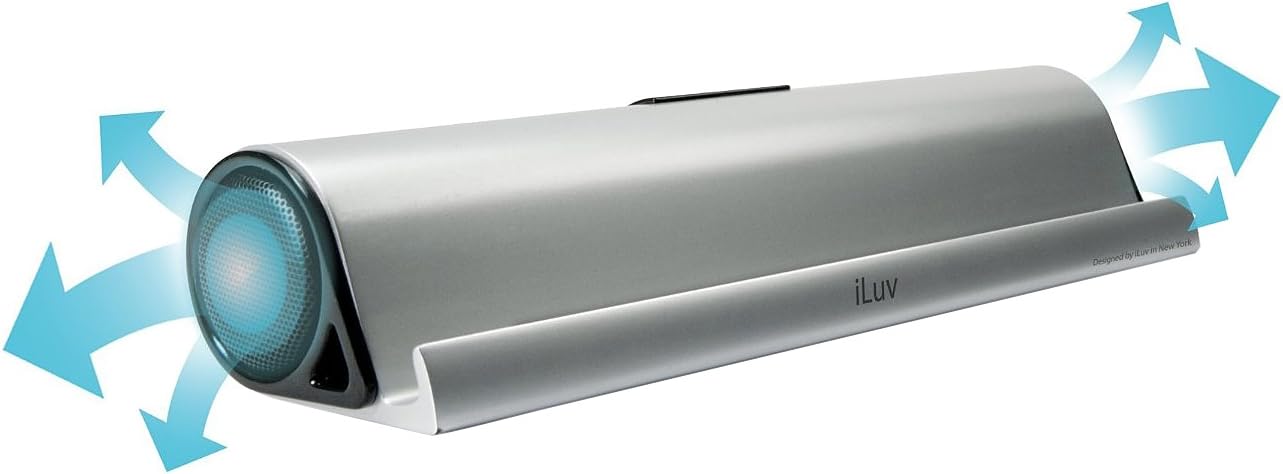
The iLuv Mo'Beats is a slim, compact portable stereo speaker stand designed to enhance your audio experience with tablets and smartphones. It features a cradle that supports your device for hands-free viewing in both landscape and portrait orientations, accommodating most cases. Equipped with opposing high-fidelity speakers, it delivers a wide sound stage. The built-in rechargeable lithium-ion battery provides portability, and Bluetooth connectivity allows for wireless audio streaming. An auxiliary input is also included for devices without Bluetooth or to conserve battery life.
Mi van a dobozban
- iLuv Mo'Beats Portable Stereo Bluetooth Speaker Stand (iSP245)
- Mini USB töltőkábel
- Hordtáska
Please inspect the contents of the package to ensure all items are present and undamaged.
Beállítási utasítások
1. A készülék töltése
Before initial use, fully charge your Mo'Beats speaker stand. Connect the included Mini-USB charging cable to the charging port on the speaker and the other end to a USB power source (e.g., computer USB port, USB wall adapter). The charging indicator light will show the charging status. A full charge provides up to 8 hours of playtime.
Kép leírása: This image displays the rear of the iLuv Mo'Beats speaker stand. It highlights the central control panel which includes an ON/OFF switch, a 'PAIR' button, a 'LINE IN' auxiliary port, and a Mini-USB charging port. A blue LED light is visible above the 'PAIR' button, indicating Bluetooth pairing status.
2. Be- / kikapcsolás
Locate the ON/OFF switch on the rear of the speaker. Slide the switch to the ON position to power on the device. Slide it to the LE position to power it off.
3. Bluetooth párosítás
- Ensure the Mo'Beats speaker is powered on.
- Activate Bluetooth on your mobile device (smartphone or tablet).
- Mobileszközén keressen elérhető Bluetooth-eszközöket.
- Válassza a "iLuv Mo'Beats" or a similar name from the list of devices.
- Once paired, the Bluetooth indicator light on the speaker will typically turn solid blue.
- Your device is now connected and ready to stream audio wirelessly.

Kép leírása: This image shows the iLuv Mo'Beats speaker stand in silver, holding an iPad in landscape orientation. The iPad's screen displays its home interface with various app icons. The speaker stand itself is sleek and minimalist, providing a stable base for the tablet.
4. Using Auxiliary Input (Line-In)
If your device does not support Bluetooth or if you prefer a wired connection, use the auxiliary input. Connect a 3.5mm audio cable (not included) from your audio device's headphone jack to the "LINE IN" port on the Mo'Beats speaker. The speaker will automatically switch to auxiliary mode when a cable is detected.
Kezelési útmutató
1. A készülék elhelyezése
The Mo'Beats speaker stand features a cradle designed to securely hold your tablet or smartphone. Place your device into the cradle in either landscape or portrait mode. The design accommodates most cases, allowing for unobstructed viewing and optimal sound projection from the opposing speakers.

Kép leírása: This image shows the iLuv Mo'Beats speaker stand from the rear, with an iPad resting in its cradle in landscape orientation. The back of the iPad is visible, along with the central control panel of the speaker stand, which includes the power switch, pairing button, line-in port, and USB charging port.
2. Hangerő beállítása
Volume control is managed directly through your connected mobile device. Adjust the volume on your smartphone or tablet to your desired listening level.
3. Optimizing Sound Experience
The opposing high-fidelity speakers create a wide sound stage. For the best audio experience, ensure the speaker is placed on a stable, flat surface and that the speaker grilles are not obstructed.

Kép leírása: This image features the iLuv Mo'Beats speaker stand positioned next to a silver laptop. The speaker is connected to the laptop, likely for charging or audio input via USB. The laptop screen displays a music library interface, suggesting the speaker is being used for audio playback.
Karbantartás
- Tisztítás: A hangszóró külsejének tisztításához puha, száraz ruhát használjon. Ne használjon folyékony tisztítószereket vagy aeroszolos tisztítószereket.
- Tárolás: Ha hosszabb ideig nem használja a hangszórót, tárolja hűvös, száraz helyen.
- Az akkumulátor gondozása: Az akkumulátor élettartamának meghosszabbítása érdekében kerülje az akkumulátor gyakori teljes lemerítését. Töltse fel rendszeresen a készüléket, még akkor is, ha nem használja folyamatosan.
- Kerülje a nedvességet: Keep the speaker away from water and excessive moisture. It is not waterproof.
Hibaelhárítás
- Nincs áram:
- Győződjön meg arról, hogy az ON/OFF kapcsoló ON állásban van.
- Charge the device using the provided USB cable. The battery may be depleted.
- Nem lehet párosítani Bluetooth-on keresztül:
- Győződjön meg arról, hogy a Bluetooth engedélyezve van mobileszközén.
- Ensure the speaker is in pairing mode (blue LED blinking). If not, power cycle the speaker.
- Move your mobile device closer to the speaker.
- Forget the device from your mobile device's Bluetooth settings and try pairing again.
- Ensure no other devices are currently connected to the Mo'Beats speaker.
- Nincs hang:
- Check the volume level on both the Mo'Beats speaker and your connected mobile device.
- Ensure the device is properly paired via Bluetooth or connected via the auxiliary cable.
- If using auxiliary input, ensure the cable is fully inserted and functional.
- Gyenge hangminőség:
- Ensure the speaker grilles are not obstructed.
- Move the speaker closer to the audio source if using Bluetooth, or reduce interference from other wireless devices.
- Ellenőrizze a hangforrás minőségét.
Műszaki adatok
| Modell neve | Mo'Beats (iSP245) |
| Márka | iLuv |
| Csatlakozási technológia | Kiegészítő, Bluetooth, USB |
| Hangkimeneti mód | Sztereó |
| Szerelés típusa | Asztali tartó |
| Hangszóró típusa | Hordozható |
| Vezérlő típusa | Elemről működik |
| Szín | Ezüst |
| Akkumulátor átlagos élettartama | Akár 8 óra |
| Vízálló | Nem |
| Ellenőrzési módszer | Touch (via connected device) |
| Tétel súlya | 1.2 font |
| Kompatibilis eszközök | Laptop, MP3 Player, Smartphone, Tablet (Apple, Android) |
| Áramforrás | Elemről működik |
| Gyártó | jWIN |
Garancia és támogatás
The iLuv Mo'Beats Portable Stereo Bluetooth Speaker Stand comes with a 1 Year iLuv Warranty. For warranty claims, technical support, or further assistance, please contact iLuv customer service. Refer to the official iLuv webweboldal a legfrissebb elérhetőségekért és támogatási forrásokért.
Gyártó: jWIN
Termék végeview Videó
Videó leírása: Ez a videó vizuális áttekintést nyújtview of the iLuv Mo'Beats Portable Stereo Bluetooth Speaker Stand. It demonstrates the product's features, including its use as a tablet stand, Bluetooth connectivity, and auxiliary input. The video highlights the speaker's design and functionality for an enhanced media experience.


