
1. Bevezetés
This manual provides essential information for setting up, operating, maintaining, and troubleshooting your NIMO 15.6-inch Laptop N152. Please read this manual thoroughly before using your device to ensure proper functionality and longevity.

Image 1.1: NIMO 15.6-inch Laptop, top-down view.
2. Beállítás
2.1 Kicsomagolás és első ellenőrzés
Carefully remove all components from the packaging. Verify that all items listed in the 'What's in the Box' section (Section 6) are present and undamaged. If any items are missing or damaged, contact customer support.
2.2 Charging the Laptop
Before first use, fully charge your NIMO laptop. Connect the provided 65W USB-C PD Fast Charger to the laptop's USB-C port and then to a power outlet. The charging indicator light will illuminate. A 15-minute charge provides approximately 2 hours of use.

Image 2.1: The 65W USB-C PD Fast Charger can charge multiple devices.
2.3 Bekapcsolás és kezdeti konfiguráció
Press the power button to turn on the laptop. Follow the on-screen instructions to complete the Windows 11 Home setup, including language selection, network connection, and user account creation. You can set up the fingerprint reader during this process for secure login.
3. Használati útmutató
3.1 Billentyűzet és érintőpad
The NIMO N152 features an ergonomic backlit keyboard. To adjust the backlight brightness or toggle it on/off, use the dedicated function keys (Fn + F-key combination, refer to keyboard legends). The touchpad supports multi-touch gestures for enhanced navigation.
3.2 ujjlenyomat-olvasó
The fingerprint reader is integrated into the touchpad for secure and instant login. Once configured, simply place your registered finger on the sensor to unlock your device.
3.3 Kijelző jellemzői
The 15.6-inch Full HD (1920x1080) IPS anti-glare display offers clear visuals. The 180° hinge allows the screen to lay completely flat, useful for sharing content or collaborating.

Image 3.1: The 180° lay-flat hinge for versatile viewing.
3.4 Csatlakozás
The laptop is equipped with various ports for external devices:
- USB portok 3.0: Nagy sebességű adatátvitelhez.
- USB 2.0 port: Szabványos USB-eszközökhöz.
- HDMI: Csatlakoztasson külső kijelzőket vagy projektorokat.
- C típusú portok: Töltéshez és adatátvitelhez.
- Micro SD Reader: Tárhely bővítéséhez vagy áthelyezéshez files memóriakártyákról.
- Audio jack: Fejhallgatóhoz vagy külső hangszórókhoz.
- Kensington -zár: A fizikai biztonság érdekében.
3.2. kép: Oldal view of the NIMO laptop showing available ports.
For wireless connectivity, the laptop supports Wi-Fi 6 for stable, high-speed internet and Bluetooth 5.2 for connecting wireless peripherals.
4. Főbb jellemzők
4.1 Teljesítmény
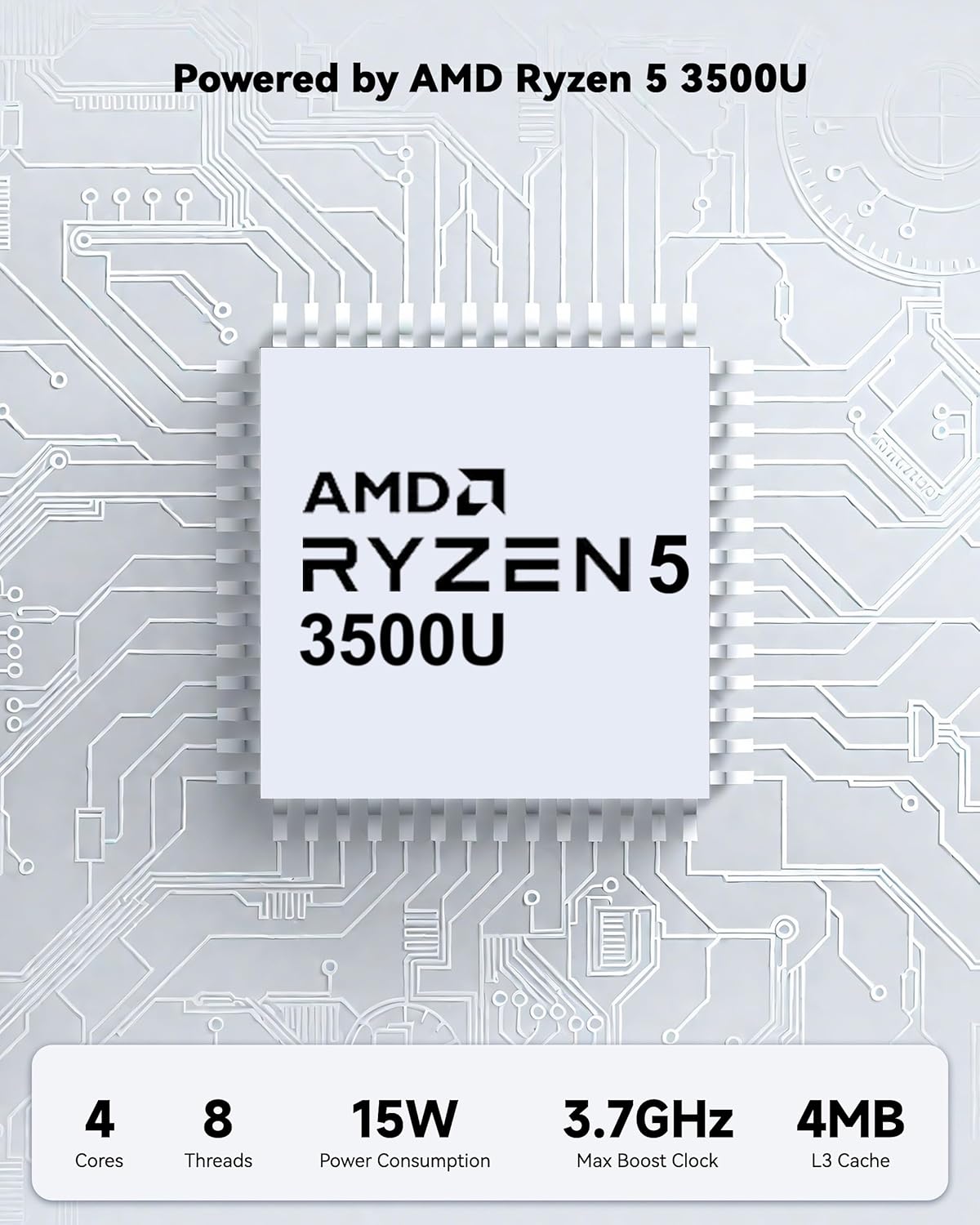
Powered by an AMD Ryzen 5 processor with 4 cores up to 3.7GHz and 16GB DDR4 RAM, the NIMO N152 is designed for efficient multitasking. The 512GB PCIe SSD ensures fast boot-ups and quick file transfers. The RAM is upgradable for future needs.

Image 4.1: AMD Ryzen 5 processor details.
4.2 Visuals and Audio
The 15.6-inch Full HD (1920x1080) IPS anti-glare display provides vibrant visuals with an 85% screen-to-body ratio. The integrated 2MP webcam allows for clear video calls.
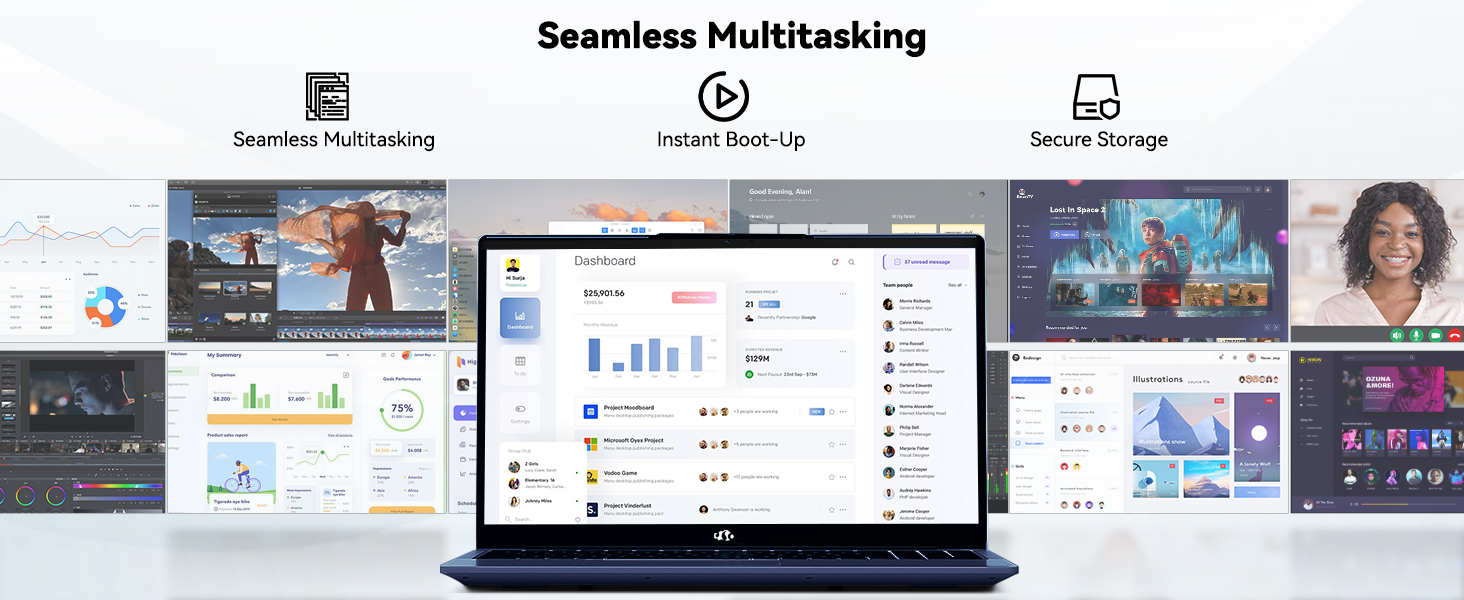
Image 4.2: The laptop's stunning Full HD display.

Image 4.3: The 1080p FHD camera for clear video conferencing.
4.3 Az akkumulátor élettartama
The laptop features a 54WH battery with smart battery optimization for extended lifespan and efficient power control, providing approximately 9 hours of average battery life.

Image 4.4: Smart Battery Optimization features.
4.4 Tervezés és hordozhatóság
The NIMO N152 has a durable metal A-shell and a slim, lightweight design, weighing approximately 3.75 pounds.

Image 4.5: The NIMO laptop's lightweight and slim profile.
4.5 Termék végeview Videó
4.1. videó: Egy tábornokview of the NIMO 15.6-inch laptop, highlighting its features and design.
4.6 Power and Portability Video
Video 4.2: This video demonstrates the power and portability aspects of the NIMO 15.6-inch laptop.
5. Karbantartás
5.1 Tisztítás
- A képernyő és a külső felület tisztításához puha, szöszmentes kendőt használjon.
- Makacs foltok esetén enyhén dörzsöljeampTörölje át a kendőt vízzel vagy képernyőkímélő tisztítószerrel.
- Kerülje az erős vegyszereket, súrolószereket vagy oldószereket.
- Keep vents clear of dust and debris to ensure proper airflow.
5.2 Az akkumulátor gondozása
- Kerülje az akkumulátor gyakori teljes lemerítését.
- Hosszabb használaton kívül a laptopot hűvös, száraz helyen tárolja.
- Use only the provided NIMO charger.
5.3 Szoftverfrissítések
Regularly update your operating system and drivers to ensure optimal performance and security. Windows 11 Home will prompt you for updates.
6. Hibaelhárítás
6.1 A laptop nem kapcsol be
- Győződjön meg arról, hogy a töltő megfelelően csatlakozik mind a laptophoz, mind egy működő konnektorhoz.
- Ellenőrizze a konnektor működését egy másik eszköz csatlakoztatásával.
- Allow the laptop to charge for at least 30 minutes before attempting to power on again.
6.2 Screen Issues
- If the screen is blank, try connecting an external monitor to check if the display output is working.
- A funkcióbillentyűk segítségével állítsa be a képernyő fényerejét.
- Indítsa újra a laptopot.
6.3 Csatlakozási problémák
- Wi-Fi: Check your router and internet connection. Ensure Wi-Fi is enabled on the laptop.
- Bluetooth: Verify Bluetooth is enabled and devices are in pairing mode.
- USB eszközök: Try connecting the device to a different USB port or another computer to rule out device issues.
6.4 Lassú teljesítmény
- Zárja be a háttérben futó felesleges alkalmazásokat.
- Ellenőrizze és telepítse a függőben lévő Windows-frissítéseket.
- Győződjön meg arról, hogy elegendő szabad hely van az SSD-n.
- Futtasson víruskeresést.
7. Műszaki adatok
| Funkció | Specifikáció |
|---|---|
| Modell neve | NIMO N152 |
| Képernyőméret | 15.6 hüvelyk |
| Képernyőfelbontás | 1920 x 1080 pixel (Full HD IPS) |
| Processzor | AMD Ryzen 5 (4 Cores, up to 3.7 GHz) |
| RAM | 16 GB DDR4 (bővíthető) |
| Memória sebesség | 3200 MHz |
| Merevlemez | 512 GB SSD (PCIe) |
| Grafikus társprocesszor | AMD Integrated graphics |
| Operációs rendszer | Windows 11 Home |
| Vezeték nélküli típus | Wi-Fi 6 (802.11a/b/g/n/ac), Bluetooth 5.2 |
| USB 2.0 portok | 1 |
| USB 3.0 portok | 3 |
| Átlagos akkumulátor-élettartam | 9 óra |
| Tétel súlya | 3.75 font |
| Termék méretei | 14.07 x 8.98 x 0.76 hüvelyk |
| Szín | Kék |
| Hátulsó Webbütyök Felbontás | 2 MP |
| Különleges jellemzők | Backlit Keyboard, Fingerprint Reader, HD Audio, Numeric Keypad |
7.1 A doboz tartalma
- 1 x NIMO N152 Laptop
- 1 x Type-C 65W PD Fast Charger
- 1 x Felhasználói kézikönyv
- Windows 11 Home (Pre-installed)
8. Garancia és támogatás
Your NIMO N152 laptop comes with a 2 év gyártói garancia. Additionally, NIMO offers a 90-day hassle-free return and exchange policy. For any product-related questions, technical assistance, or warranty claims, please contact NIMO customer service.
8.1 Elérhetőségek
For support, you can reach out to the professional after-sales team via email or phone. Please refer to the official NIMO website or product page for the most current contact details.

Image 8.1: NIMO products are covered by a 2-year support.

Image 8.2: 90-Day Return policy.