
1. Bevezetés
This manual provides essential information for setting up, operating, and maintaining your NIMO 15.6-inch Light-Gaming Laptop, Model N15A. Designed for productivity, content creation, and light gaming, this laptop features an 8-core AMD Ryzen 7 Pro 6850U processor, AMD Radeon 680M integrated GPU, 16GB LPDDR5 RAM, and a 1TB PCIe 4.0 SSD. Enjoy vibrant visuals on its 15.6-inch Full HD IPS anti-glare display, secure login with an integrated fingerprint touchpad, and convenient typing with a backlit keyboard. The device also supports 100W USB-C fast charging for quick power-ups.
2. A doboz tartalma
- 1 x NIMO N15A Laptop
- 1 x Type-C 100W PD Fast Charger
- 1 x Felhasználói kézikönyv
- Windows 11 Home (Pre-installed)
- 2 Years Warranty, 90 Days Return Information
3. Beállítás
3.1 Első bekapcsolás és töltés
Before first use, ensure your NIMO laptop is fully charged. Connect the provided 100W Type-C PD fast charger to the laptop's USB-C port and a power outlet. The charging indicator light will illuminate.

Image: NIMO 15.6-inch laptop displaying the Windows 11 setup screen.
Press the power button located on the top-right of the keyboard to turn on the laptop. Follow the on-screen instructions to complete the initial Windows 11 Home setup, including language selection, network connection, and user account creation.
3.2 Ujjlenyomat-beállítás
During the Windows setup, you will have the option to set up the integrated fingerprint reader for secure and instant login. Follow the prompts to register your fingerprint. This feature allows you to bypass password entry for quick access.
3.3 Csatlakozás a hálózathoz
During setup, select your Wi-Fi network from the list and enter the password. The laptop supports Wi-Fi 6 for fast and stable wireless connectivity.
3.4 Kicsomagolás és kezdeti átdolgozásview
Videó: Overview of the NIMO 15.6-inch laptop, demonstrating its physical features, ports, and initial setup process, including the backlit keyboard and fingerprint reader.
4. Operating Your NIMO Laptop
4.1 Be-/Kikapcsolás
- Bekapcsolás: Nyomja meg a bekapcsoló gombot.
- Kikapcsolás: Click the Start menu, then Power, and select 'Shut down'. Alternatively, press and hold the power button for a few seconds.
4.2 Kijelző
The NIMO N15A features a 15.6-inch Full HD (1920x1080) IPS anti-glare display. This screen provides clear, vibrant visuals with an 85% screen-to-body ratio, ideal for work, streaming, and light gaming.

Image: The NIMO laptop's 15.6-inch Full HD IPS display showcasing vivid colors and sharp details.
4.3 Billentyűzet és érintőpad
The laptop is equipped with a backlit keyboard and a numeric keypad for enhanced productivity in various lighting conditions. The precision gesture touchpad allows for smooth navigation, and the integrated fingerprint touchpad provides secure, instant login.

Image: Close-up of the NIMO laptop's backlit keyboard and the fingerprint sensor on the touchpad.
4.4 Csatlakoztathatóság és portok
The NIMO N15A offers a variety of ports for versatile connectivity:
- USB-C (Multi-function): Supports 100W Power Delivery (PD) fast charging and data transfer.
- USB 3.2: Nagy sebességű adatátvitel.
- USB 2.0: Szabványos USB-csatlakozás.
- HDMI: Külső kijelzők csatlakoztatásához.
- Micro SD kártyaolvasó: Tárhely bővítéséhez vagy áthelyezéshez files.
- Fejhallgató-csatlakozó: Hangkimenethez.
- Kensington -zár: A fizikai biztonság érdekében.
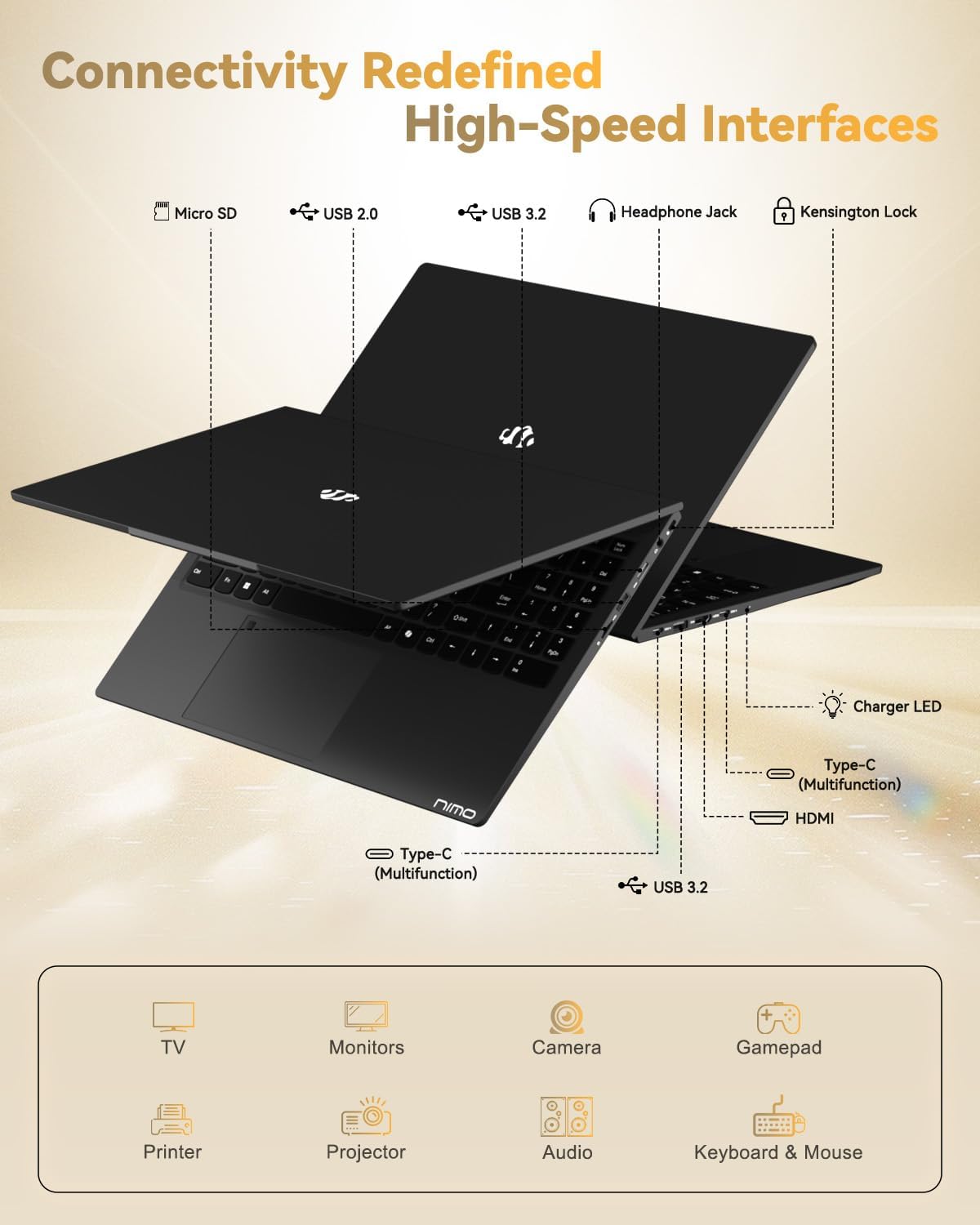
Image: The left and right sides of the NIMO laptop, highlighting the available ports for external devices.
4.5 Webbütyök
The laptop includes a 2.0 MP front-facing webcam with a physical privacy shutter, ensuring your privacy during video calls and online meetings.

Image: The NIMO laptop's integrated webcam, demonstrating the physical privacy shutter mechanism.
4.6 Teljesítmény több mintview
Powered by the AMD Ryzen 7 Pro 6850U processor with 8 cores and 16 threads (up to 4.7GHz), and an AMD Radeon 680M GPU, this laptop delivers smooth multitasking and responsive performance for professional workloads, content creation, and light gaming. It comes with 16GB LPDDR5 RAM and a 1TB PCIe 4.0 SSD for rapid data access and storage.
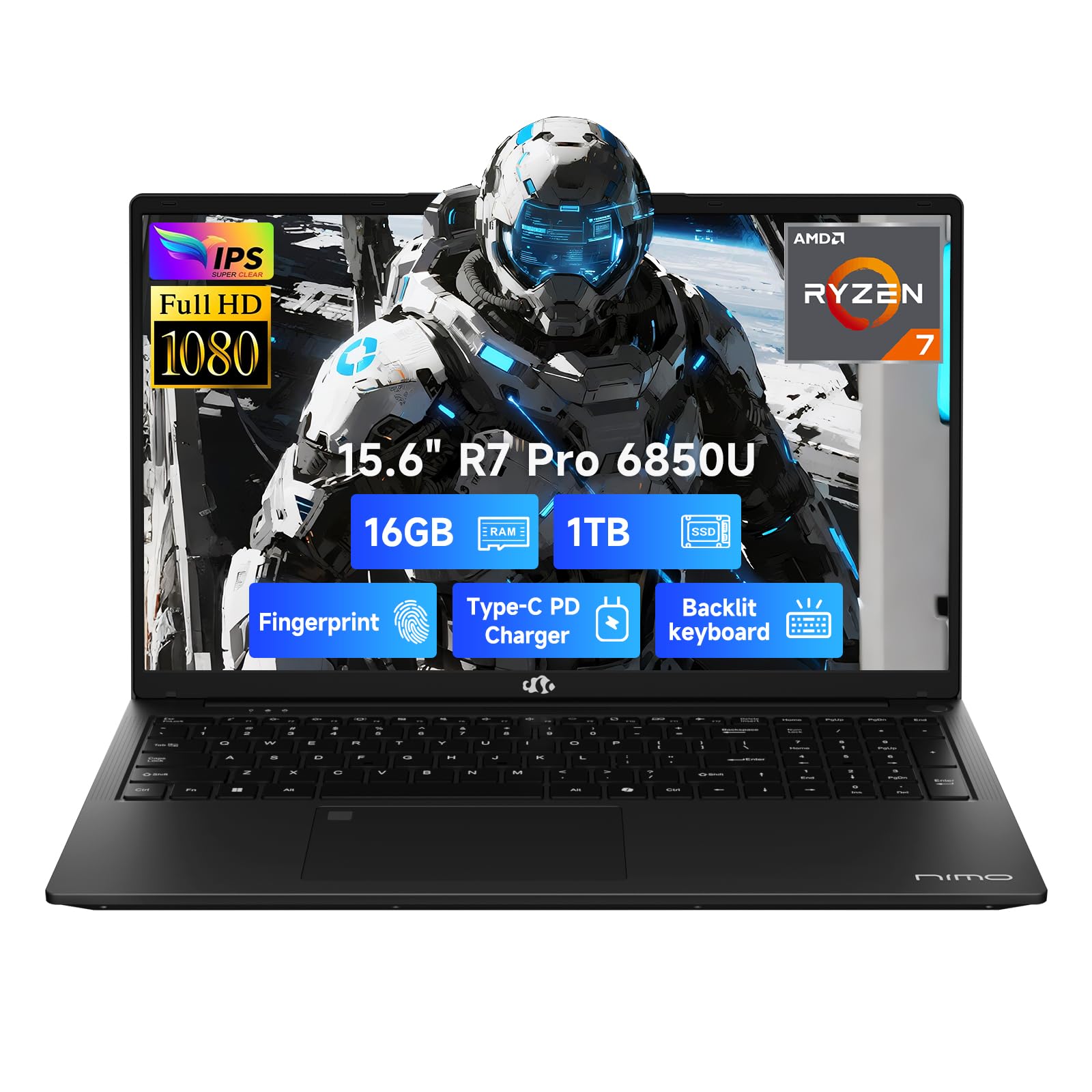
Image: Visual representation of the AMD Ryzen 7 Pro 6850U processor's core specifications.
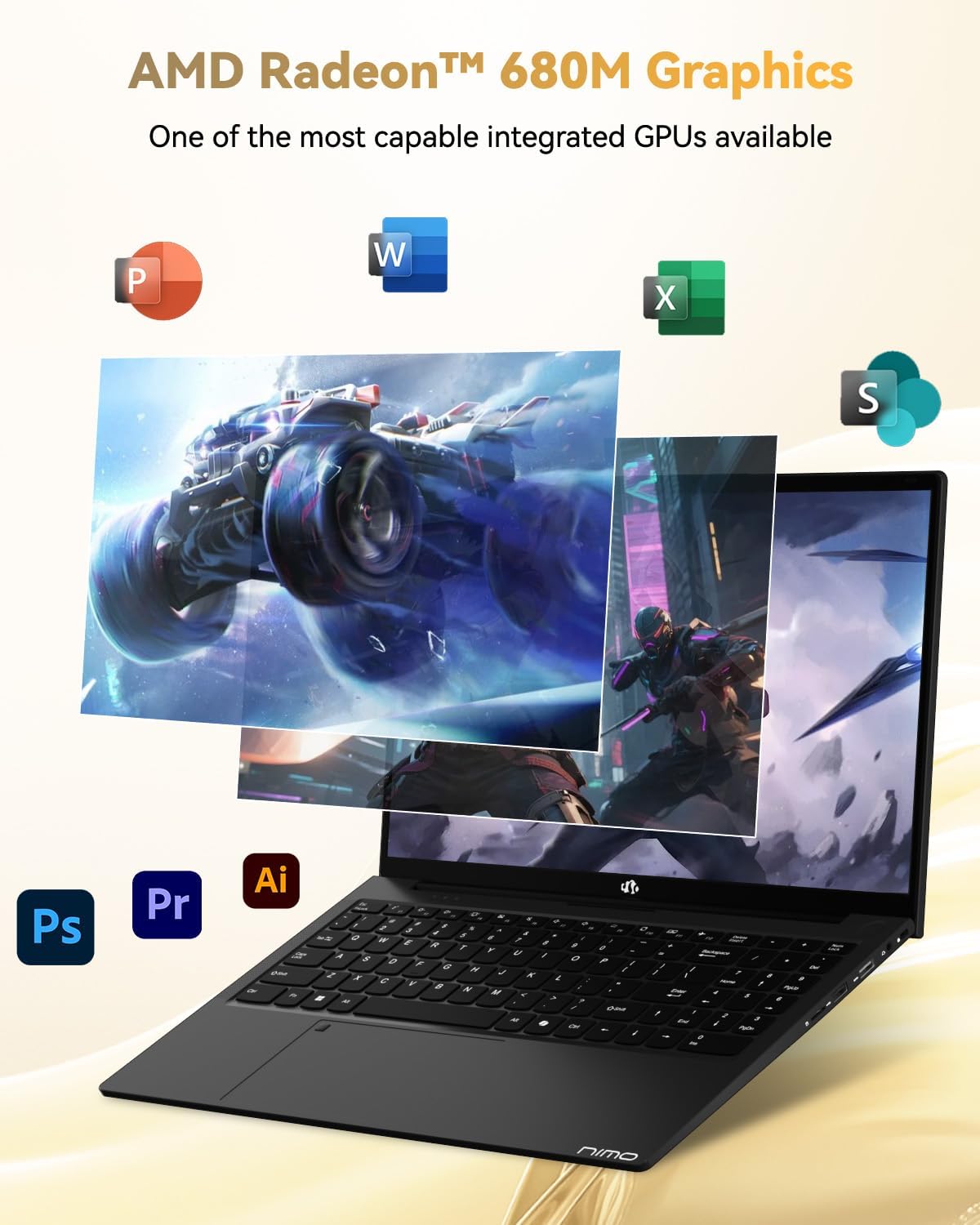
Image: The NIMO laptop showcasing its AMD Radeon 680M graphics performance with various applications.

Image: The NIMO laptop illustrating its capability for seamless multitasking and ample tárolás.
4.7 Akkumulátor és töltés
The laptop is powered by a 53.58 Watt-hour Lithium Polymer battery, offering up to 9 hours of battery life. The included 100W USB-C PD fast charger can provide up to 2 hours of use with just a 15-minute charge, making it ideal for users on the go.

Image: The NIMO laptop connected to its 100W Type-C fast charger.
4.8 General Usage and Features
Videó: Egy promóciós videóbemutatóasing the NIMO 15.6-inch FHD laptop's various features and use cases, including its display, performance, and portability.
Video: A video highlighting the Nimo Student Laptop's features, including its suitability for students and general use, emphasizing its design and functionality.
5. Karbantartás és gondozás
To ensure the longevity and optimal performance of your NIMO laptop, follow these maintenance guidelines:
- Töltő használata: Always use the original 100W Type-C PD fast charger and regularly inspect cables for damage.
- Fizikai kezelés: Hold the laptop by its base, use a protective case, and avoid placing heavy items on it.
- Szellőzés: Place the laptop on a hard, flat surface to ensure proper airflow and prevent overheating. Avoid using it on soft surfaces like beds or couches.
- Környezeti feltételek: Keep the laptop away from extreme temperatures, direct sunlight, and moisture.
- Az akkumulátor gondozása: Avoid overcharging the battery. If the battery shows signs of swelling, discontinue use immediately and contact support.
- Biztonság: Set strong passwords, keep your operating system and software updated, and use antivirus software. Regularly back up your data to prevent loss.
- Folyadék kiömlése: In case of a liquid spill, immediately unplug the laptop and allow it to dry completely before attempting to power it on.
- Javítások: For any issues or repairs, consult qualified professionals. Do not attempt to disassemble the laptop yourself, as this may void your warranty.
6. Hibaelhárítás
If you encounter any issues with your NIMO laptop, consider the following basic troubleshooting steps:
- Nincs áram: Ensure the charger is securely connected and the power outlet is functional. Try a different outlet or charger if available.
- Megjelenítési problémák: Ha a képernyő üres, próbáljon meg külső monitort csatlakoztatni, hogy ellenőrizze, működik-e a kijelző kimenete. Állítsa be a fényerő-beállításokat.
- Lassú teljesítmény: Close unnecessary applications, check for background updates, or restart the laptop. Ensure sufficient free space on the SSD.
- Csatlakozási problémák: Wi-Fi problémák esetén indítsa újra az útválasztót és a laptopot. Bluetooth esetén győződjön meg arról, hogy az eszköz felfedezhető és hatótávolságon belül van.
- Fingerprint Reader Not Working: Győződjön meg róla, hogy az ujja tiszta és száraz. Ha a probléma továbbra is fennáll, regisztrálja újra az ujjlenyomatát a Windows beállításaiban.
- Hangproblémák: Check volume levels, ensure headphones are properly connected, and verify audio drivers are up to date.
For persistent problems or issues not covered here, please refer to the Warranty and Support section for contact information.
7. Műszaki adatok
| Funkció | Specifikáció |
|---|---|
| Márka | NIMO |
| Modell neve | NIMO N15A |
| Képernyőméret | 15.6 hüvelyk |
| Kijelző felbontása | 1920 x 1080 képpont (FHD) |
| Kijelző technológia | IPS |
| CPU modell | AMD Ryzen 7 Pro 6850U |
| Processzor sebesség | Akár 4.7 GHz |
| Processzor magjai | 8 |
| Telepített RAM memória mérete | 16 GB LPDDR5 |
| Memória órajel | 6400 MHz |
| Merevlemez mérete | 1024 GB (1TB PCIe 4.0 SSD) |
| Grafikus társprocesszor | AMD Radeon 680M |
| Operációs rendszer | Windows 11 Home |
| Különleges jellemzők | Backlit Keyboard, Fingerprint Reader, HD Audio, Numeric Keypad |
| Csatlakozási technológia | Bluetooth, Wi-Fi (802.11a/b/g/n/ac) |
| Összes USB port | 5 |
| Videó kimenet | HDMI |
| Az akkumulátor élettartama | 9 Hours (Average) |
| Tétel súlya | 3.75 font |
| A cikk méretei (hossz x szélesség x vastagság) | 14.07 cm H x 8.98 cm SZ x 0.76 cm V |
8. Garancia és támogatás
NIMO stands by the quality of its products. Your NIMO N15A laptop comes with a 2 év gyártói garancia és a 90 napos problémamentes visszaküldési szabályzat. Our laptops undergo rigorous testing to ensure top-tier quality and reliability.

Image: NIMO's commitment to after-sales services, including support and returns.
Kapcsolatfelvétel az ügyfélszolgálattal
Our dedicated support team is ready to provide quick, effective assistance for a worry-free experience. For any product-related questions or warranty claims, please contact us:
- Email: service@nimopc.com
- Online: Látogassa meg a hivatalos NIMO-t website or product page for chat support during business hours.

Image: Professional customer assistance available to help with product inquiries.