
Bevezetés
This manual provides detailed instructions for the installation, operation, and maintenance of your VASTEND VS-9A Magnetic Solar Wireless Backup Camera System. Designed for RVs, trucks, vans, and buses, this system offers enhanced visibility and safety with its HD 1080P display, powerful magnetic solar camera, and advanced features like loop recording and parking assistance. Please read this manual thoroughly before operating the device and retain it for future reference.
A csomag tartalma
Ellenőrizze, hogy az alább felsorolt összes tétel megtalálható-e a csomagban:
- 1x 9.0 hüvelykes monitor
- 1x Magnetic Solar Camera
- 1x U-bracket for Monitor
- 1x Tápkábel monitorhoz
- 1x USB to Type-C Cable for Camera
- 3x antenna
- 1x Product Instruction Manual
- 1x Mounting Screw Set
- 1x szivargyújtó adapter

Beállítás és telepítés
1. Kamera telepítése
The magnetic solar camera features a strong magnetic base for easy attachment to any metal surface on your vehicle, RV, or trailer. Ensure the solar panel is oriented to receive maximum sunlight for optimal charging. The camera's angle can be adjusted as needed after attachment.


2. Monitor telepítése
Mount the 9-inch monitor on your dashboard or windshield using the provided U-bracket or suction cup mount. Connect the monitor to your vehicle's cigarette lighter adapter using the power cable. The adapter includes an on/off button and a USB port.


3. Initial Charging and Pairing
It is recommended to fully charge the camera's built-in 10,000mAh battery using the included USB-C cable before first use. The system is designed for automatic pairing. Once both the camera and monitor are powered on, they should connect wirelessly. If pairing is not automatic, refer to the 'Pairing' option in the monitor's menu.
Kezelési útmutató
1. Be-/Kikapcsolás
The system features a low power consumption auto-on/off function. When you turn off the monitor, the camera automatically turns off. When you turn on the monitor, the camera automatically powers on again. This eliminates the need for manual camera operation and conserves battery life.
2. Megjelenítési módok
The 9-inch monitor can display images in various modes:
- Single Screen: Megjeleníti a view from one camera in full screen.
- Osztott képernyő: Displays feeds from two cameras simultaneously (additional cameras sold separately).

3. Menü navigáció
Use the buttons on the side of the monitor to navigate through the menu options. Common settings include:
- Kép: Adjust brightness, contrast, and hue.
- Tükör/Flip: Change image orientation (normal, mirror, flip, mirror+flip).
- Mód: Select display layout (single, two, three, or four screens).
- Okos: Configure blind zone warnings and calibration.
- Lejátszás: View rögzített footage (requires an SD card).
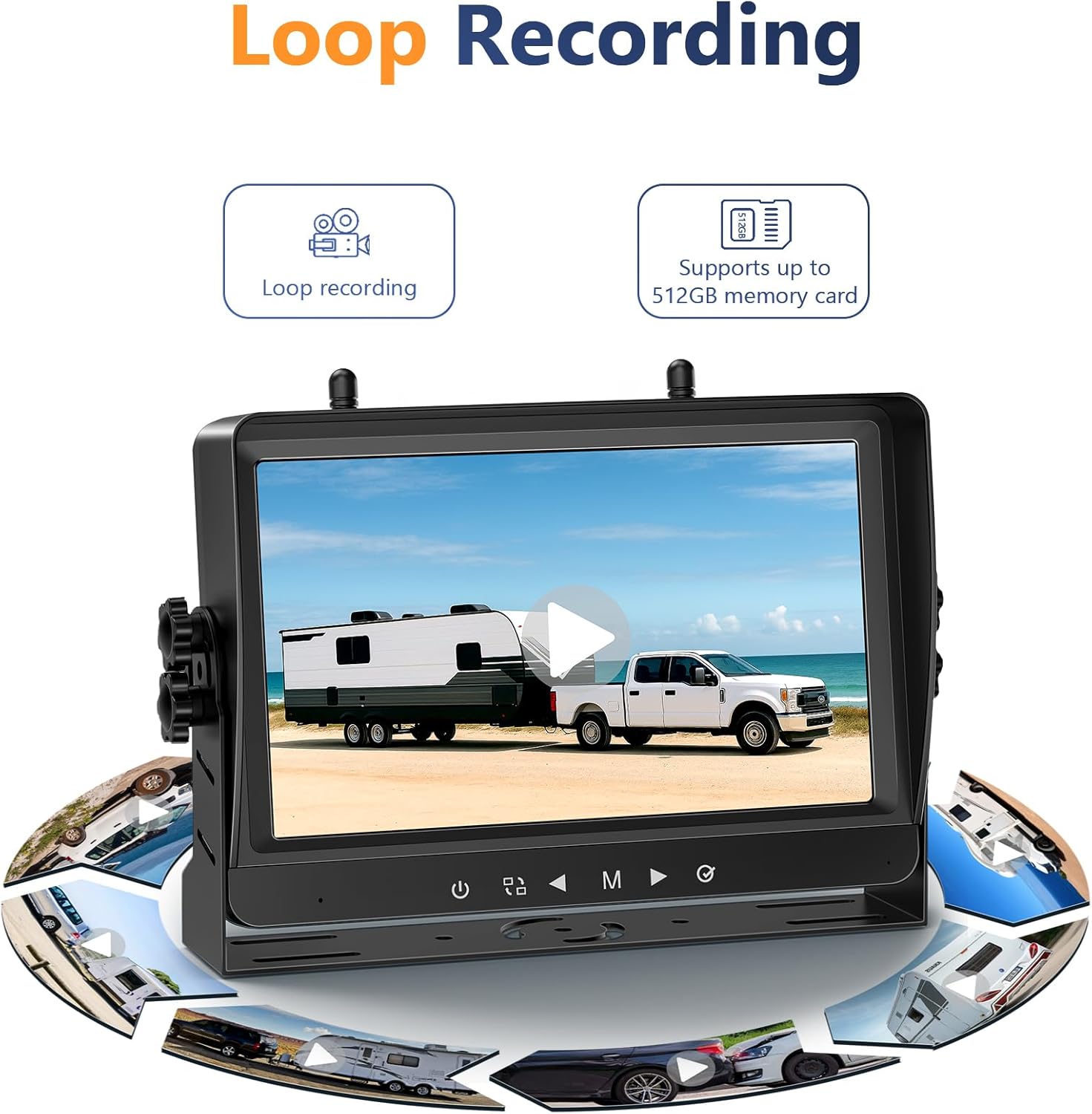
- Felvétel: Enable/disable loop recording and format the SD card.
- Rendszer: Adjust volume, sleep settings, language, and time.
Főbb jellemzők
- Larger 9-inch Split-Screen Display: The large 9-inch screen provides HD 1080p resolution images for clear, detailed views. It can display two camera feeds simultaneously, enhancing confidence and safety during driving and backing up.
- Backup Camera with Strong Magnetic Base: The camera features a powerful magnetic base for secure attachment to any metal surface. Its wireless design allows for easy removal and reinstallation, simplifying setup without professional assistance.
- High-capacity 10000mAh Rechargeable Battery: This 100% wireless system includes a built-in 10,000mAh rechargeable battery, eliminating the need for drilling or complex wiring. Solar-assisted charging ensures extended operation, with a USB-C port available for charging in low sunlight conditions.
- Low Power Consumption Auto-On/Off Camera: Utilizing upgraded technology, the solar-powered camera automatically turns on when the monitor is activated and off when the monitor is turned off, preventing battery drain and requiring less frequent charging.
- Advanced Wireless Digital Signal Technology: The system employs advanced wireless digital signal technology for superior anti-interference capabilities, ensuring fast, stable transmission without image freezes. It offers a transmission distance of up to 300ft (open air) and displays real-time images without lag.
- Loop Recording & Parking Assist: Loop recording continuously records driving footage, providing potential evidence if needed. Adjustable parking lines enhance safety and ease of parking, making maneuvers simpler for various vehicles including cars, RVs, trucks, and trailers.

Karbantartás
- Töltés: Ensure the camera's solar panel is exposed to sunlight for continuous charging. In periods of low sunlight or during winter, use the provided USB-C cable to charge the camera.
- Tisztítás: Rendszeresen tisztítsa meg a kamera lencséjét és a napelemet puha, száraz kendővel.amp kendőt az optimális teljesítmény és töltési hatékonyság biztosítása érdekében.
- Tárolás: When not in use for extended periods, store the camera and monitor in a cool, dry place. Ensure the camera is fully charged before storage.
Hibaelhárítás
- Nincs jel: Check if both the camera and monitor are powered on. Ensure antennas are securely attached. Reduce the distance between the camera and monitor, or check for potential signal interference from other wireless devices.
- Gyenge képminőség: Clean the camera lens. Ensure adequate lighting conditions. Verify that the camera is securely mounted and not vibrating excessively.
- Az akkumulátor nem töltődik: Confirm the solar panel is clean and receiving direct sunlight. If using the USB-C cable, ensure it is properly connected to a power source.
- A monitor nem kapcsol be: Check the cigarette lighter connection and ensure the adapter's on/off button is pressed. Verify the vehicle's power outlet is functional.
Műszaki adatok
| Márka | VASTEND |
| Modell | VS-9A |
| Képernyőméret | 9 hüvelyk |
| Videórögzítési felbontás | 1080p |
| Voltage | 24 Volt |
| Akkumulátor kapacitása | 10,000mAh (Camera) |
| Lencse típusa | Széles szög |
| Vízálló minősítés | IP69 |
Garancia és támogatás
For warranty information, technical support, or any questions regarding your VASTEND VS-9A system, please contact VASTEND customer service. Refer to the contact details provided in your product packaging or visit the official VASTEND weboldal segítségért.