
1. Bevezetés
The EARU Automatic Voltage Protector (Model EARU-1005) is an advanced electrical safety device designed to protect your valuable home and office appliances from damaging power fluctuations. This device offers comprehensive protection against over-voltage, al-voltage, and overcurrent conditions, ensuring the longevity and safe operation of your electrical equipment. It features adjustable thresholds and an auto-reconnect function for convenience and continuous protection.
2. Főbb jellemzők
- Mindent egyben védelem: Safeguards appliances from power surges, over-voltage (above 275V), under-voltage (below 175V), and adjustable overcurrent (1A-63A).
- Precíziós beállítás: Customizable cut-off thresholds for over-voltage (200V-275V) and under-voltage (175V-200V) to suit specific grid conditions and appliance needs.
- Automatikus visszaállítás funkció: Automatically restores power within 60-300 seconds once grid voltage stabilizes within the set safe range, eliminating manual intervention.
- Kiváló vezetőképesség: Constructed with 100% pure copper conductors for minimal resistance, efficient operation, and enhanced long-term reliability under heavy 63A loads.
- DIN sínre szerelés: Designed for easy and secure integration into standard 2-Pole, 36mm width DIN Rail electrical panels.
- Átfogó biztonság: Provides robust protection for an entire household against unpredictable voltage ingadozások és túlfeszültségek.
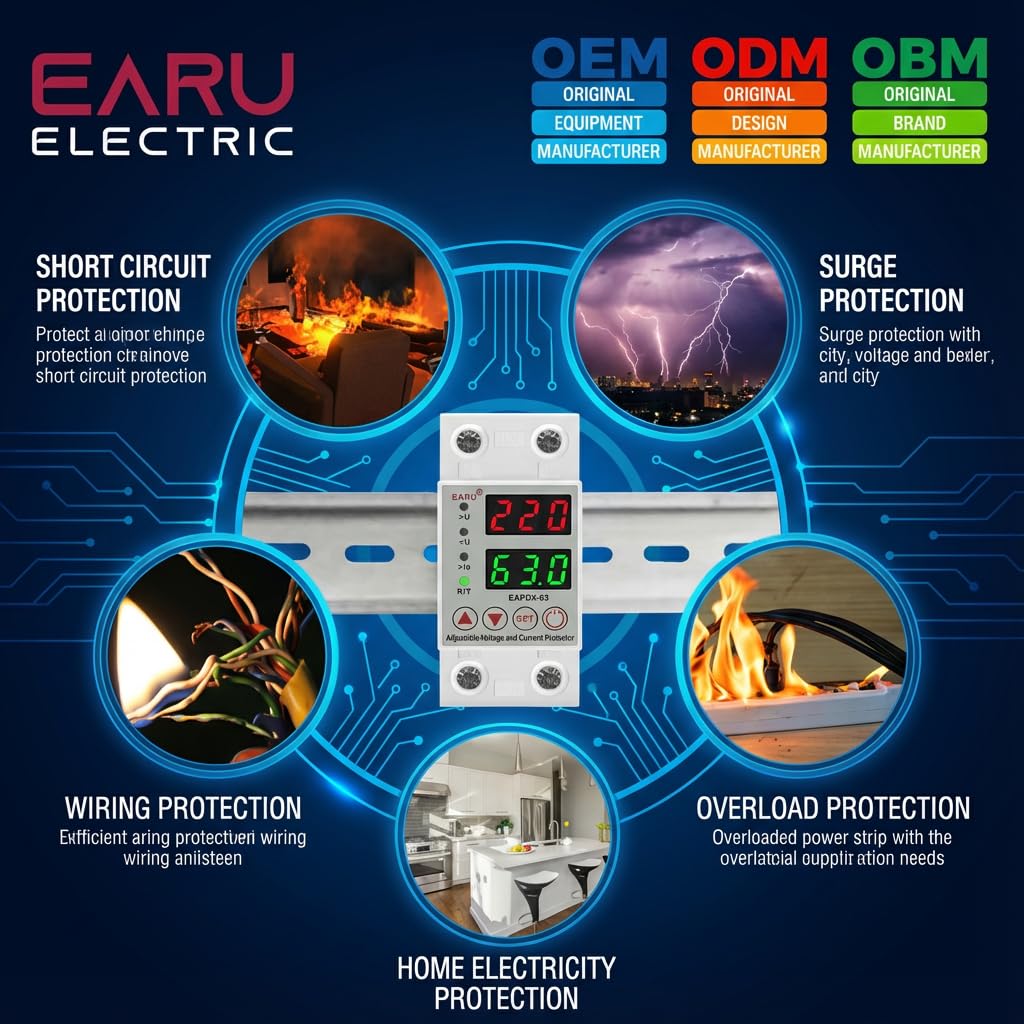
2.1. kép: Végeview of the protection capabilities of the EARU Automatic Voltage Védő.
3. Biztonsági információk
Please read and understand all safety instructions before installing or operating the device. Failure to do so may result in electric shock, fire, or serious injury.
- A telepítést csak szakképzett villanyszerelő végezheti a helyi elektromos előírásoknak és előírásoknak megfelelően.
- Bármilyen telepítési vagy karbantartási munka megkezdése előtt győződjön meg arról, hogy a fő tápellátás ki van kapcsolva.
- Ne üzemeltesse a készüléket, ha sérültnek tűnik, vagy nedvesség érte.
- Verify correct wiring connections (Line and Neutral) to prevent malfunction or damage.
- A készüléket kizárólag beltéri használatra tervezték.
- Ne lépje túl a 63 A-es maximális áramerősséget.
4. Termék végeview
4.1. Alkatrészek és kijelző
The EARU Automatic Voltage Protector features a clear digital display and intuitive control buttons for easy monitoring and adjustment.
- Voltage Kijelző: Megjeleníti az aktuális sor hangerejéttage.
- Jelenlegi kijelző: Shows the current load in Amperes.
- Jelzőlámpák:
>U: Over-voltage jelző.<U: Voltage jelző.>Ie: Overcurrent indicator.R/T: Reset/Time indicator.
- Vezérlőgombok:
- Up Arrow (▲) / Down Arrow (▼): Paraméterértékek beállítására szolgál.
- SET gomb: Press and hold for 3 seconds to enter setting mode.
- Be- / kikapcsoló gomb: Toggles power to the protected circuit.
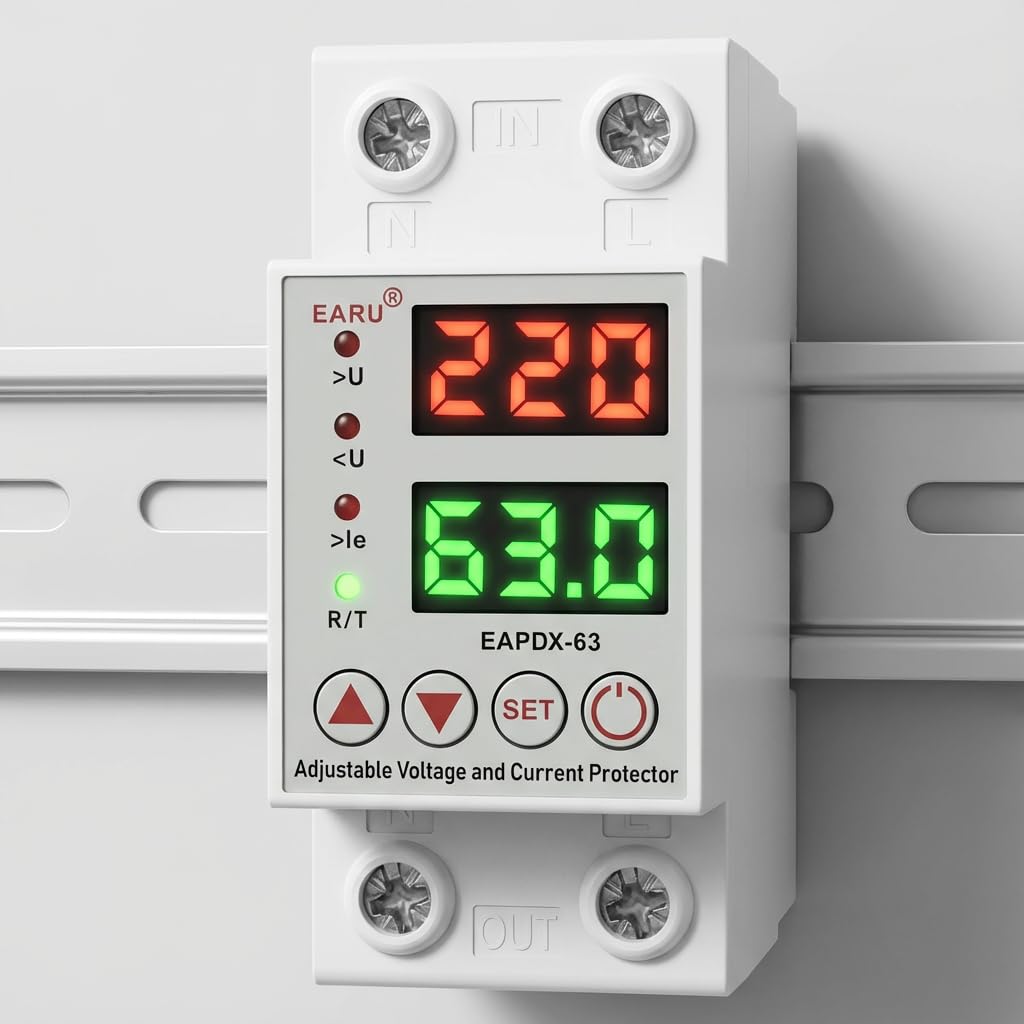
4.1. kép: Elöl view of the EARU Automatic Voltage Protector, highlighting its digital display and control buttons.
5. Beállítás és telepítés
The EARU Automatic Voltage Protector is designed for DIN Rail mounting. Ensure proper wiring and secure installation.
5.1. Szerelés
Mount the device onto a standard 36mm width DIN Rail within your electrical panel. Ensure it is securely clipped into place.
5.2. Bekötési rajz
Connect the incoming power supply (Line and Neutral) to the "IN" terminals and the outgoing load to the "OUT" terminals. Refer to the diagram below for correct wiring.

5.1. ábra: Példaample wiring configuration for DIN Rail installation.

Image 5.2: Device dimensions for installation planning.
6. Használati útmutató
The device allows for precise adjustment of protection parameters. Follow these steps to configure your voltage védő.
6.1. Parameter Setting Mode
- Győződjön meg arról, hogy a készülék be van kapcsolva.
- Nyomja meg és tartsa lenyomva a gombot KÉSZLET button for approximately 3 seconds until the display changes to show "P-1" or a similar setting indicator. This indicates you are in parameter setting mode.
- Használja a Felfelé mutató nyíl (▲) és Lefelé mutató nyíl (▼) buttons to navigate through the different parameters (P-1 to P-6).
- Once you have selected a parameter, press the KÉSZLET button briefly to enter its adjustment mode.
- Használja a Felfelé mutató nyíl (▲) és Lefelé mutató nyíl (▼) gombokkal módosíthatja az értéket.
- Nyomja meg a KÉSZLET button again to confirm the value and move to the next parameter, or wait a few seconds for the device to automatically save and exit the setting mode.
6.2. Paraméterleírások
| Paraméter | Leírás | Állítható tartomány |
|---|---|---|
| P-1 | Over-voltage beállítás | 240V - 300V (or OFF) |
| P-2 | Voltage beállítás | 140V - 200V (or OFF) |
| P-3 | Overcurrent setting | 1A - 40A / 63A / 80A (depending on model) |
| P-4 | Visszaállítás/indítás késleltetése | 1 mp - 300 mp |
| P-5 | Relay recovery delay | 1 mp - 300 mp |
| P-6 | Overcurrent recovery delay | 1 mp - 300 mp |
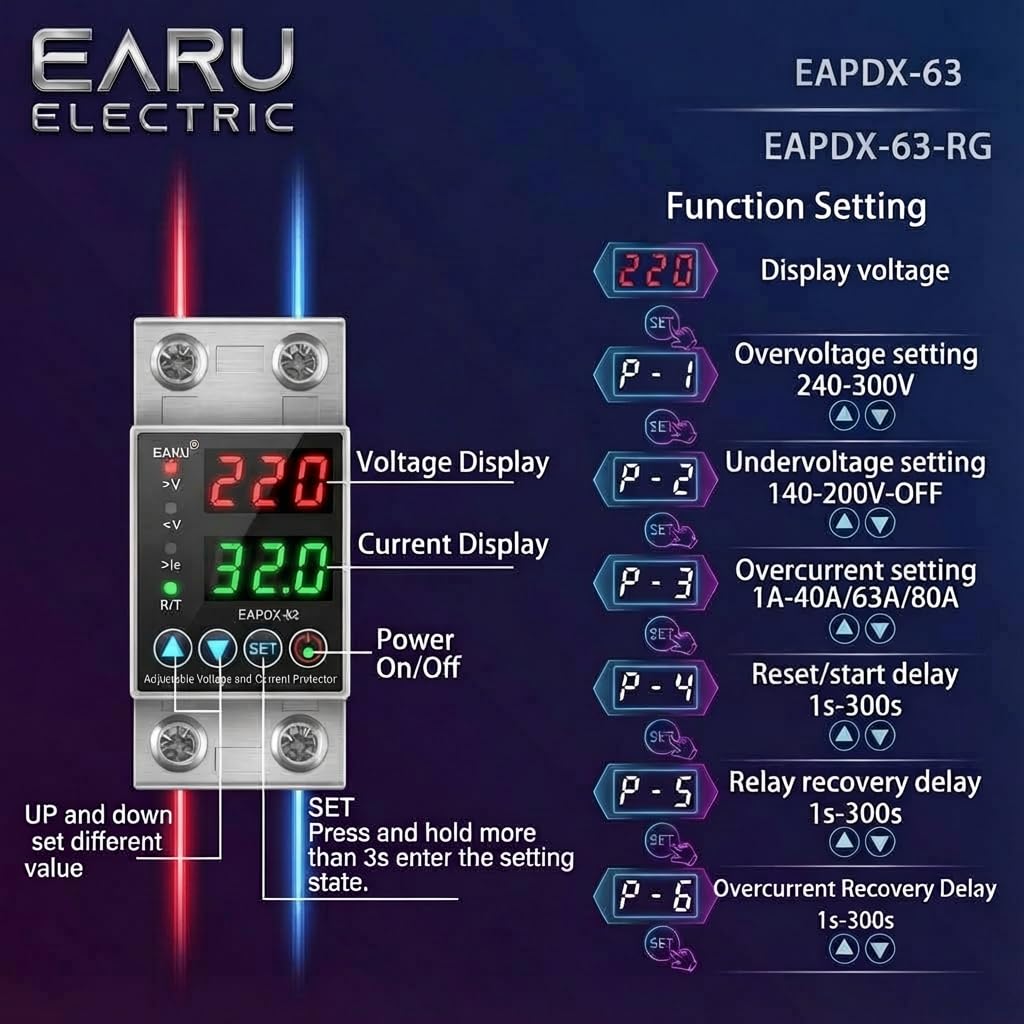
Image 6.1: Function setting guide for the device.
6.3. Video Guide: Setting Parameters
Video 6.1: This video demonstrates how to adjust the over-voltage, al-voltage, overcurrent, and recovery delay settings on the EARU Automatic Voltage Protector. It shows the step-by-step process of entering the setting mode and modifying each parameter.
7. Karbantartás
The EARU Automatic Voltage Protector requires minimal maintenance. Regular checks can ensure optimal performance.
- Rendszeresen ellenőrizze a készüléket, hogy nincs-e rajta látható sérülés vagy laza csatlakozás.
- Ensure the ventilation slots are clear of dust and debris to prevent overheating.
- Clean the exterior with a dry, soft cloth. Do not use liquid cleaners or solvents.
- Do not attempt to open or repair the device yourself. Refer to qualified personnel for servicing.
8. Hibaelhárítás
If you encounter issues with your EARU Automatic Voltage Protector, refer to the following common troubleshooting steps:
| Probléma | Lehetséges ok | Megoldás |
|---|---|---|
| A készülék nem kapcsol be | No input power; incorrect wiring; internal fault. | Check main power supply. Verify wiring connections. If problem persists, contact support. |
| Power cuts off frequently | Voltage/current outside set thresholds; unstable grid. | Check current voltage/current readings. Adjust P-1, P-2, P-3 settings if necessary. Monitor grid stability. |
| Device does not auto-reconnect | Recovery delay (P-4, P-5, P-6) set too long; persistent fault. | Verify recovery delay settings. Ensure grid conditions have stabilized. Manually reset if safe to do so. |
| Helytelen köttage/current reading | Calibration issue; faulty sensor. | Segítségért forduljon az ügyfélszolgálathoz. |
9. Műszaki adatok
| Funkció | Részlet |
|---|---|
| Márka | EARU |
| Modell | EARU-1005 |
| Termék méretei (HxSzxH) | 7.7 x 3.5 x 6.5 cm |
| Tétel súlya | 450 g |
| Input Voltage | 230 V AC |
| Max Wattage | 13800 watt |
| Max Current | 63 Amperes |
| Over-voltage Védelmi tartomány | Adjustable 200V-275V (Cut-off above 275V default) |
| Voltage Védelmi tartomány | Adjustable 175V-200V (Cut-off below 175V default) |
| Auto-Reconnect Delay | 60-300 másodpercig állítható |
| Szerelés típusa | DIN Rail (2-Pole, 36mm width) |
| Vezető anyag | 100% Pure Copper |
| Származási ország | India |
10. Garancia és támogatás
The EARU Automatic Voltage Protector (Model EARU-1005) is backed by a 1-Year Manufacturer Warranty. This warranty covers defects in materials and workmanship under normal use.
- For warranty claims or technical support, please contact EARU customer service.
- Keep your purchase receipt as proof of purchase for warranty validation.
- A jogosulatlan javítások vagy módosítások érvénytelenítik a garanciát.