
Bevezetés
This user manual provides detailed instructions for the C idea CM817 Pro Max 8-inch Tablet. Please read this manual thoroughly before using your device to ensure proper operation and to maximize its features. Keep this manual for future reference.
A csomag tartalma
Ellenőrizze, hogy minden elem megvan-e a csomagban:
- C idea CM817 Pro Max 8-inch Tablet
- Töltőadapter
- USB-C kábel
- Felhasználói kézikönyv (ez a dokumentum)
- Stylus Pen (if included in your specific package)
- Keyboard (if included in your specific package)
- Mouse (if included in your specific package)

Image: The C idea CM817 Pro Max tablet shown with its common accessories, which may include a keyboard, mouse, charging adapter, USB-C cable, and stylus pen.
Termék végeview
Familiarize yourself with the physical components of your C idea CM817 Pro Max tablet.

Image: A diagram illustrating the various ports and buttons on the C idea CM817 Pro Max tablet, including the front camera, rear camera, power button, volume controls, speakers, TF/SIM card slot, USB-C port, and headphone jack.
- Elülső kamera: Videohívásokhoz és szelfikhez.
- Hátsó kamera: Fotók és videók készítéséhez.
- Be- / kikapcsoló gomb: Nyomja meg és tartsa lenyomva a be-/kikapcsoláshoz vagy újraindításhoz. Nyomja meg röviden a képernyő felébresztéséhez/alvó állapotba helyezéséhez.
- Hangerő gombok: Adjust the tablet's audio volume.
- Hangszórók: Output audio.
- TF/SIM Slot: Insert a TF (MicroSD) card for expandable storage or a SIM card for cellular connectivity.
- USB-C port: For charging the tablet and connecting to a computer for data transfer.
- Fejhallgató-csatlakozó: Csatlakoztasson 3.5 mm -es fejhallgatót.
Beállítás
1. A táblagép töltése
Before first use, fully charge the tablet. Connect the USB-C cable to the tablet's USB-C port and the other end to the charging adapter. Plug the adapter into a power outlet. The battery indicator on the screen will show charging status.
2. Be- / kikapcsolás
- Bekapcsolás: Press and hold the Power On/Off button until the C idea logo appears.
- Kikapcsolni: Press and hold the Power On/Off button until the power options menu appears, then select "Power off".
- Újraindítás: Az energiagazdálkodási lehetőségek menüjében válassza az „Újraindítás” lehetőséget.
3. Kezdeti beállítás
Első bekapcsoláskor kövesse a képernyőn megjelenő utasításokat a táblagép konfigurálásához:
- Válassza ki a kívánt nyelvet.
- Csatlakozzon egy Wi-Fi hálózathoz.
- Jelentkezz be Google-fiókoddal, vagy hozz létre egy újat. Erre azért van szükség, hogy alkalmazásokat tölthess le a Google Play Áruházból.
- Képernyőzár beállítása (PIN-kód, minta vagy jelszó).
- Review és elfogadja a feltételeket.
4. SIM- és MicroSD-kártyák behelyezése
Locate the TF/SIM slot on the side of the tablet. Use the provided SIM ejector tool (if applicable) to open the tray. Carefully place your SIM card and/or MicroSD card into the designated slots, ensuring correct orientation. Close the tray securely.
Kezelési útmutató
1. Alapvető navigáció
- Érintés: Koppintson egy ikonra egy alkalmazás megnyitásához vagy egy elem kiválasztásához.
- Elcsór: Húzza az ujját a képernyőn az oldalak vagy a tartalom görgetéséhez.
- Csipet: Két ujjal nagyíthatja vagy kicsinyítheti a képeket, és web oldalakat.
- Kezdőképernyő: A főképernyő, ahol az alkalmazásokhoz és widgetekhez férhetsz hozzá.
- Értesítési panel: Húzza lefelé az ujját a képernyő tetejétől az értesítések és a gyorsbeállítások eléréséhez.

Image: The C idea CM817 Pro Max tablet showcasing its Android home screen, featuring various application icons and a clean user interface.
2. Wi-Fi and Cellular Connectivity
Wi-Fi-hez való csatlakozáshoz látogasson el a következő oldalra: Beállítások > Hálózat és internet > Wi-Fi. Turn Wi-Fi on and select your desired network. Enter the password if prompted. For cellular data, ensure a SIM card is inserted and go to Beállítások > Hálózat és internet > Mobilhálózat to configure data settings.
3. A kamera használata
Open the Camera app from the home screen or app drawer. Tap the shutter button to take a photo. Switch between the 5MP front camera and 8MP rear camera using the camera switch icon. You can also record videos.
4. Tároláskezelés
Your tablet comes with 512GB of internal storage and supports up to 512GB expandable storage via a MicroSD card. To view tárhelyhasználat, látogasson el ide Beállítások > Tárhely. Regularly clear unnecessary files and uninstall unused apps to maintain performance.

Image: Multiple C idea tablets demonstrating the ample storage capacity, highlighting 8GB RAM, 512GB internal ROM, and support for an additional 512GB via TF (MicroSD) card.
5. Az akkumulátor élettartama
The 8000mAh battery provides extended usage. To optimize battery life, reduce screen brightness, disable Wi-Fi/Bluetooth when not in use, and close background apps. You can monitor battery usage in Beállítások> Akkumulátor.
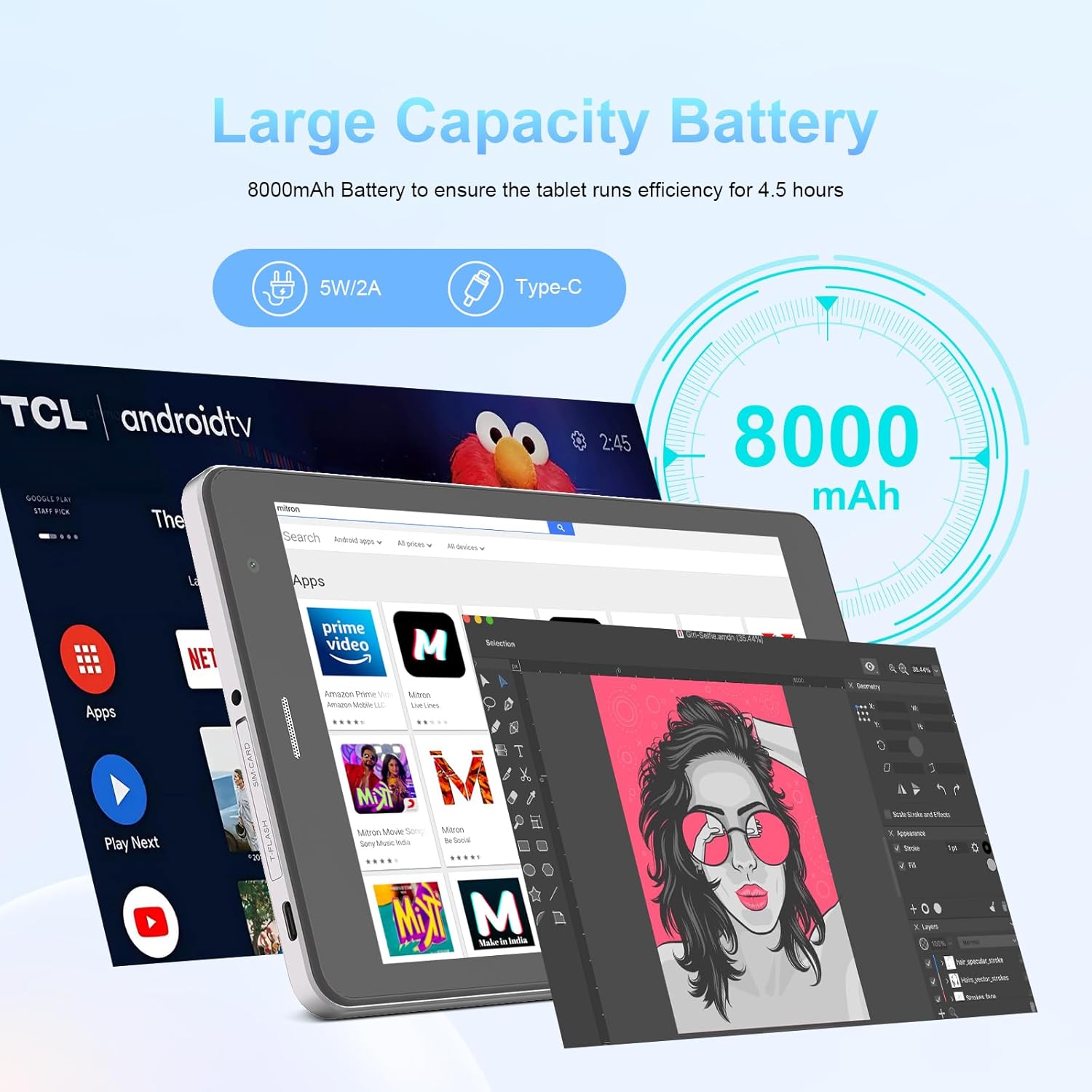
Image: The C idea CM817 Pro Max tablet, emphasizing its 8000mAh large capacity battery, designed for extended operational hours.
6. Kijelző beállítások
The tablet features an 8-inch 1280x800 IPS HD display. Adjust brightness, font size, and display timeout in Beállítások > Kijelző a kényelmes viewtapasztalattal.

Image: The C idea CM817 Pro Max tablet showcasing its 8-inch IPS HD screen with a resolution of 800x1280 pixels, providing clear visuals.
Karbantartás
1. Tisztítás
Use a soft, lint-free cloth to clean the screen and body of the tablet. Do not use abrasive cleaners or solvents, as they may damage the surface. Avoid getting moisture into ports.
2. Szoftverfrissítések
Regularly check for system updates to ensure your tablet has the latest features and security patches. Go to Beállítások > Rendszer > Rendszerfrissítés frissítések kereséséhez és telepítéséhez.
3. Az akkumulátor gondozása
To prolong battery lifespan, avoid exposing the tablet to extreme temperatures. Do not let the battery completely drain frequently. Use the original charger or a certified compatible charger.
Hibaelhárítás
- A táblagép nem kapcsol be: Ensure the tablet is charged. Press and hold the Power On/Off button for at least 10-15 seconds to force a restart.
- Wi-Fi csatlakozási problémák: Indítsd újra a Wi-Fi routert és a tabletet. Felejtsd el a hálózatot a Wi-Fi beállításokban, és csatlakozz újra.
- Lassú teljesítmény: Close unused apps, clear cache (Settings > Storage), and restart the tablet. Consider uninstalling large or unnecessary applications.
- Kamera nem működik: Ensure the Camera app has necessary permissions (Settings > Apps > Camera > Permissions). Restart the tablet.
- Tárhely megtelt: Delete old photos/videos, uninstall unused apps, or move files to an inserted MicroSD card.
- Alkalmazások összeomlása: Clear the app's cache and data (Settings > Apps > [App Name] > Storage > Clear cache/Clear data). If the issue persists, uninstall and reinstall the app.
Műszaki adatok
| Funkció | Részlet |
|---|---|
| Márka | C ötlet |
| Modell neve | CM817 Pro Max |
| Operációs rendszer | Android 15 |
| Processzor | Octa-core (MediaTek) |
| RAM | 8 GB |
| Belső tárhely (ROM) | 512 GB |
| Bővíthető tárhely | Up to 512GB (via TF/MicroSD card) |
| Képernyőméret | 8 hüvelyk |
| Képernyőfelbontás | 1280 x 800 pixel (IPS HD) |
| Elülső kamera | 5 MP |
| Hátsó kamera | 8 MP |
| Akkumulátor kapacitása | 10 000 mAh (lítium-polimer) |
| Kapcsolódás | Wi-Fi, 5G SIM, Bluetooth |
| Portok | USB-C, 3.5 mm-es fejhallgató-csatlakozó |
| Tétel súlya | 1 kg 80 g |
| Csomag méretei | 29.8 x 18 x 6.4 cm |
Garancia és támogatás
For warranty information and technical support, please refer to the warranty card included in your package or contact C idea customer service. Keep your purchase receipt as proof of purchase.