1. Bevezetés
This manual provides essential information for setting up, operating, and maintaining your FOSSiBOT S1 smartphone. Please read it carefully to ensure proper use and to maximize the device's performance and longevity.
2. A csomag tartalma
Ellenőrizze, hogy minden elem megvan-e a termék dobozában:
- FOSSiBOT S1 Smartphone
- TPU tok
- SIM-kártya PIN-kódja
- C típusú USB kábel
- 10W töltő
- Felhasználói kézikönyv / jótállási jegy

3. Eszköz végeview
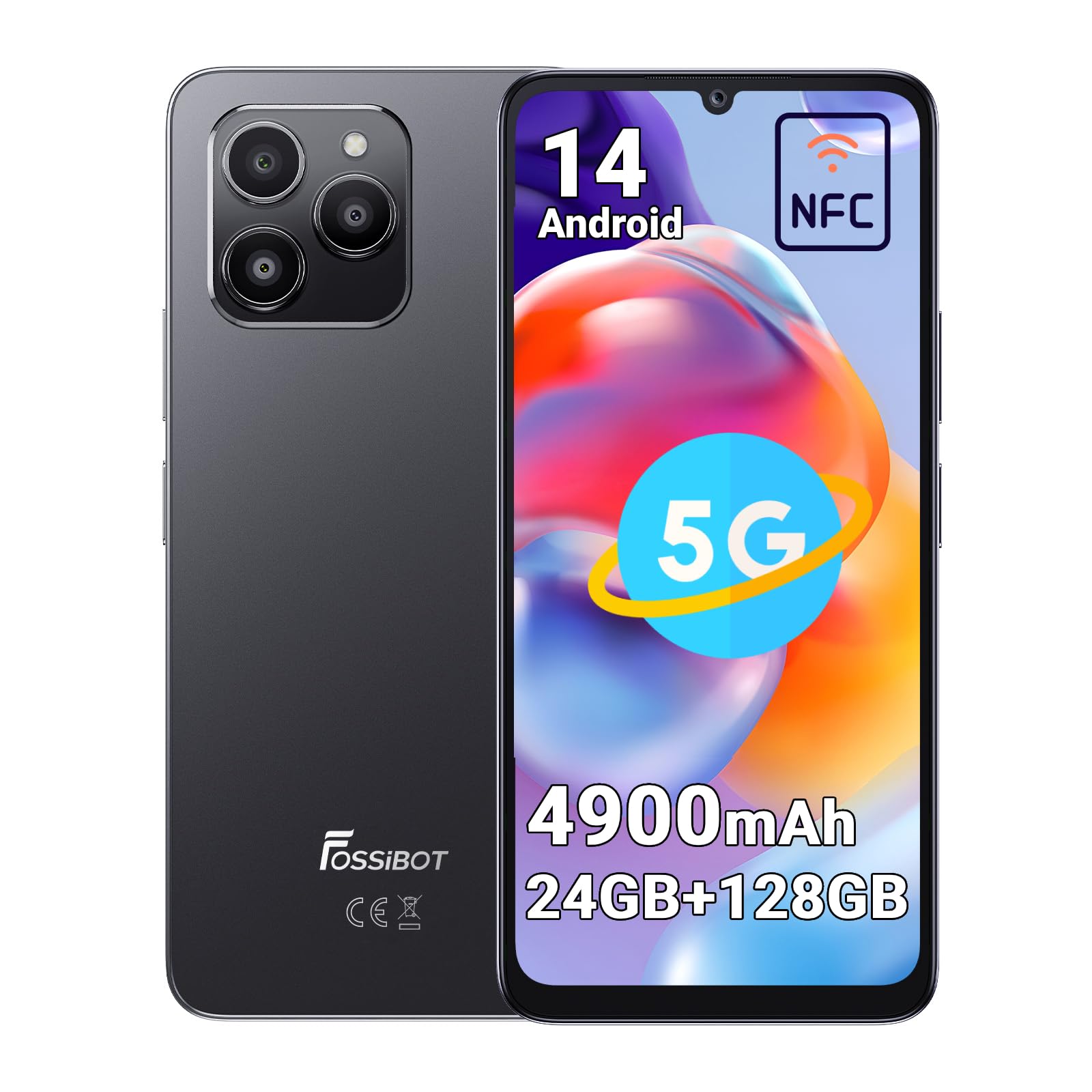
The FOSSiBOT S1 features a sleek design with a large display and strategically placed components for ease of use.
3.1 Fizikai összetevők
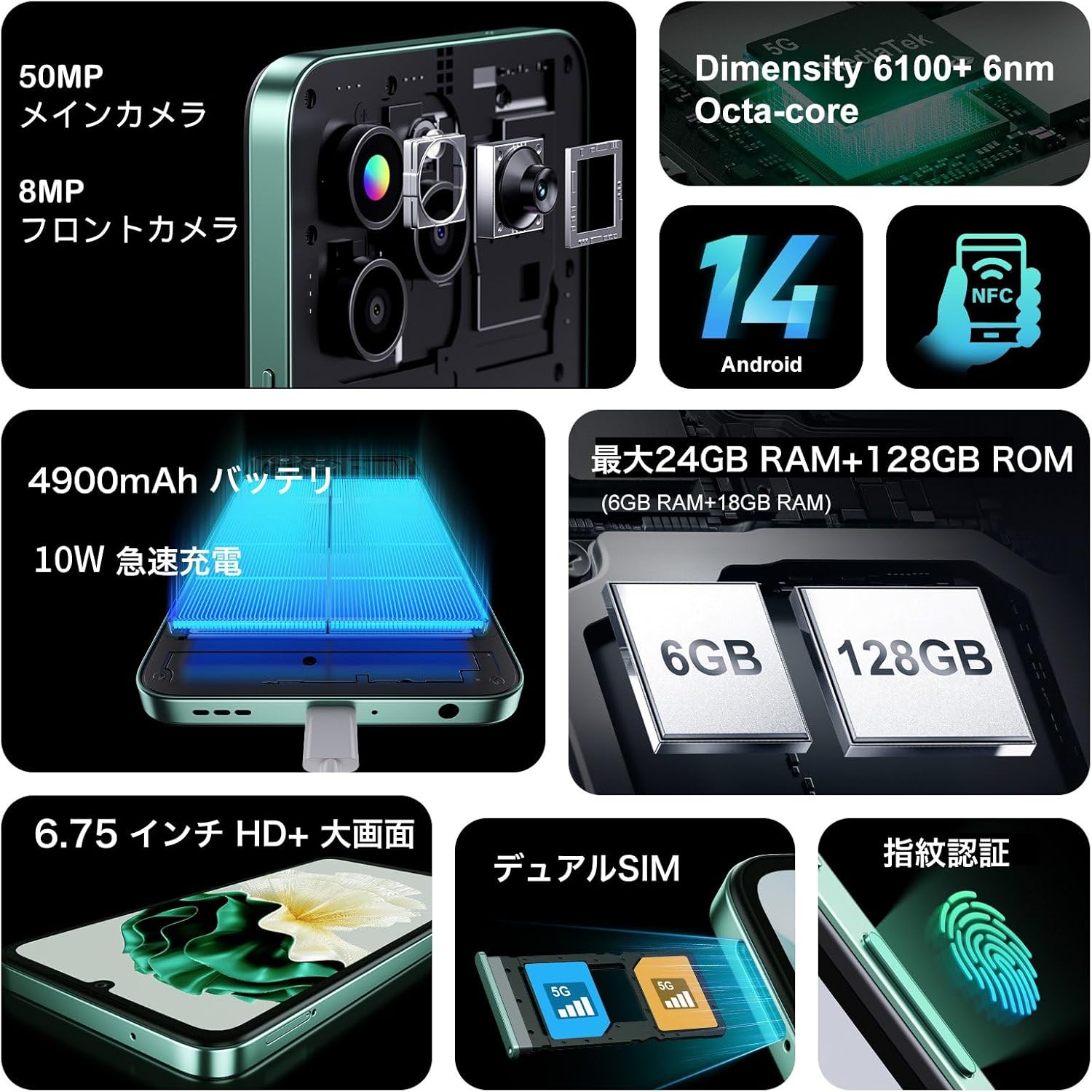
- Kijelző: 6.75 hüvelykes HD+ képernyő.
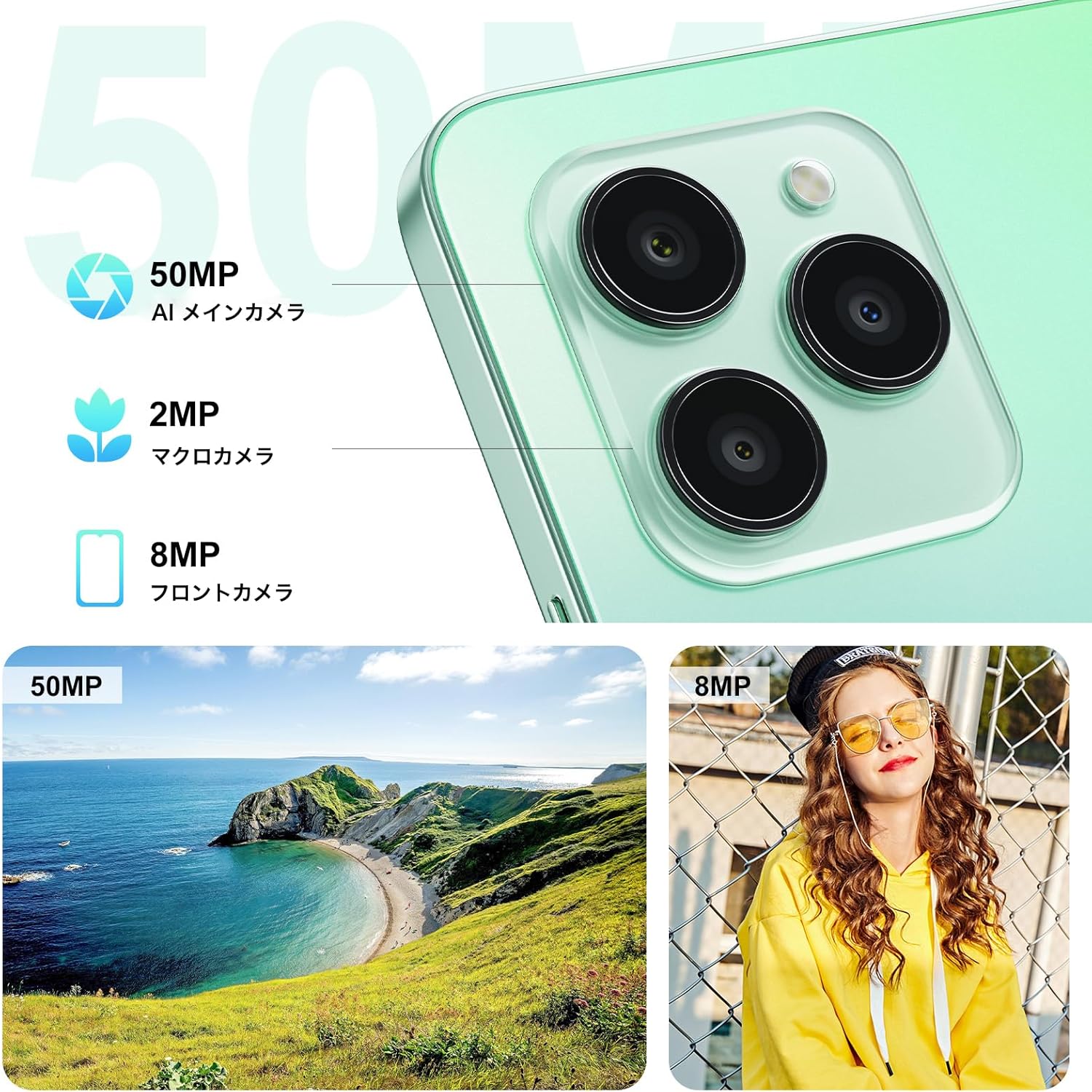
- Hátsó kamerák: 50MP-es AI fő kamera, 2MP-es makró kamera.
- Elülső kamera: 8MP.
- Oldalra szerelt ujjlenyomat-érzékelő: Integrated into the power button.
- USB Type-C port: Töltéshez és adatátvitelhez.
- SIM/MicroSD kártyahely: Supports Dual SIM and expandable storage.
4. Beállítás
4.1 SIM-kártya és MicroSD-kártya behelyezése
- Keresse meg a SIM-kártya tálcáját a készülék oldalán.
- Helyezze be a mellékelt SIM-kártya kiadó eszközt a tálca melletti kis lyukba, és óvatosan nyomja meg, amíg a tálca ki nem ugrik.
- Place your Nano-SIM cards (up to two) and/or a MicroSD card (for storage expansion up to 1TB) into the designated slots on the tray. Ensure the metal contacts face downwards.
- Óvatosan helyezze vissza a tálcát a telefonba, amíg a helyére nem kattan.
4.2 Kezdeti bekapcsolás és alapvető beállítások
- Press and hold the Power button (located on the side) until the FOSSiBOT logo appears.
- Kövesd a képernyőn megjelenő utasításokat a nyelv kiválasztásához, csatlakozz egy Wi-Fi hálózathoz, és állítsd be Google-fiókodat.
- Configure security features such as Face ID and Fingerprint ID for convenient and secure unlocking.
5. Használati útmutató
5.1 Be-/kikapcsolás és újraindítás
- Bekapcsolás: Tartsa lenyomva a bekapcsológombot, amíg a készülék rezegni nem kezd, és meg nem jelenik a logó.
- Kikapcsolás/Újraindítás: Press and hold the Power button for a few seconds. A menu will appear with options to Power Off or Restart.
5.2 Navigáció a képernyőn
The FOSSiBOT S1 runs on Android 14, offering intuitive touch and gesture navigation:
- Csap: Elemek kijelölése, alkalmazások megnyitása.
- Elcsór: Scroll through pages, navigate between home screens.
- Csippentéses nagyítás: Adjust zoom level in photos, maps, and web oldalakat.
5.3 Fingerprint and Face Unlock
For enhanced security and convenience, the FOSSiBOT S1 supports both fingerprint and face recognition.
- Ujjlenyomat-azonosító: Register your fingerprints via Beállítások > Biztonság > Ujjlenyomat-feloldás. The sensor is integrated into the side power button.
- Arcazonosító: Set up face recognition via Beállítások > Biztonság > Arcfelismerés.

5.4 Kamerahasználat
Készítsen kiváló minőségű fényképeket és videókat a sokoldalú kamerarendszerrel.
- 50MP-es mesterséges intelligenciával vezérelt fő kamera: For detailed and vibrant shots. Supports Night Mode, Portrait Mode, HDR, Macro, and Panorama.
- 8MP-es előlapi kamera: Ideális szelfikhez és videohívásokhoz.
- 2MP-es makró kamera: Kis tárgyak közeli fényképezéséhez.
5.5 NFC-funkció
The FOSSiBOT S1 supports NFC (Near Field Communication) for contactless payments and quick data exchange.
- Enable NFC in Beállítások > Csatlakoztatott eszközök > Kapcsolati beállítások > NFC.
- Tap your phone to compatible NFC readers for payments or to other NFC-enabled devices for data transfer.

5.6 Connectivity (5G, Wi-Fi, GPS)
Stay connected with high-speed 5G, reliable Wi-Fi, and precise GPS navigation.
- 5G hálózat: Enjoy fast mobile data speeds. Ensure your SIM card and plan support 5G.
- Wi-Fi: Csatlakozzon vezeték nélküli hálózatokhoz az internet eléréséhez.
- GPS: Használja a helymeghatározó szolgáltatásokat navigációhoz és helyalapú alkalmazásokhoz.

5.7 Akkumulátor és töltés
The FOSSiBOT S1 is equipped with a 4900mAh battery and supports 10W fast charging.
- Use the provided 10W charger and Type-C USB cable for optimal charging speed.
- Kerülje a sérült töltők vagy kábelek használatát.

6. Főbb jellemzők
6.1 Kijelző
Experience immersive visuals on the 6.75-inch HD+ display.
- Méret: 6.75 hüvelyk
- Felbontás: 720*1600
- Képarány: 20:9
- Képernyő-test arány: 94%

6.2 Processzor
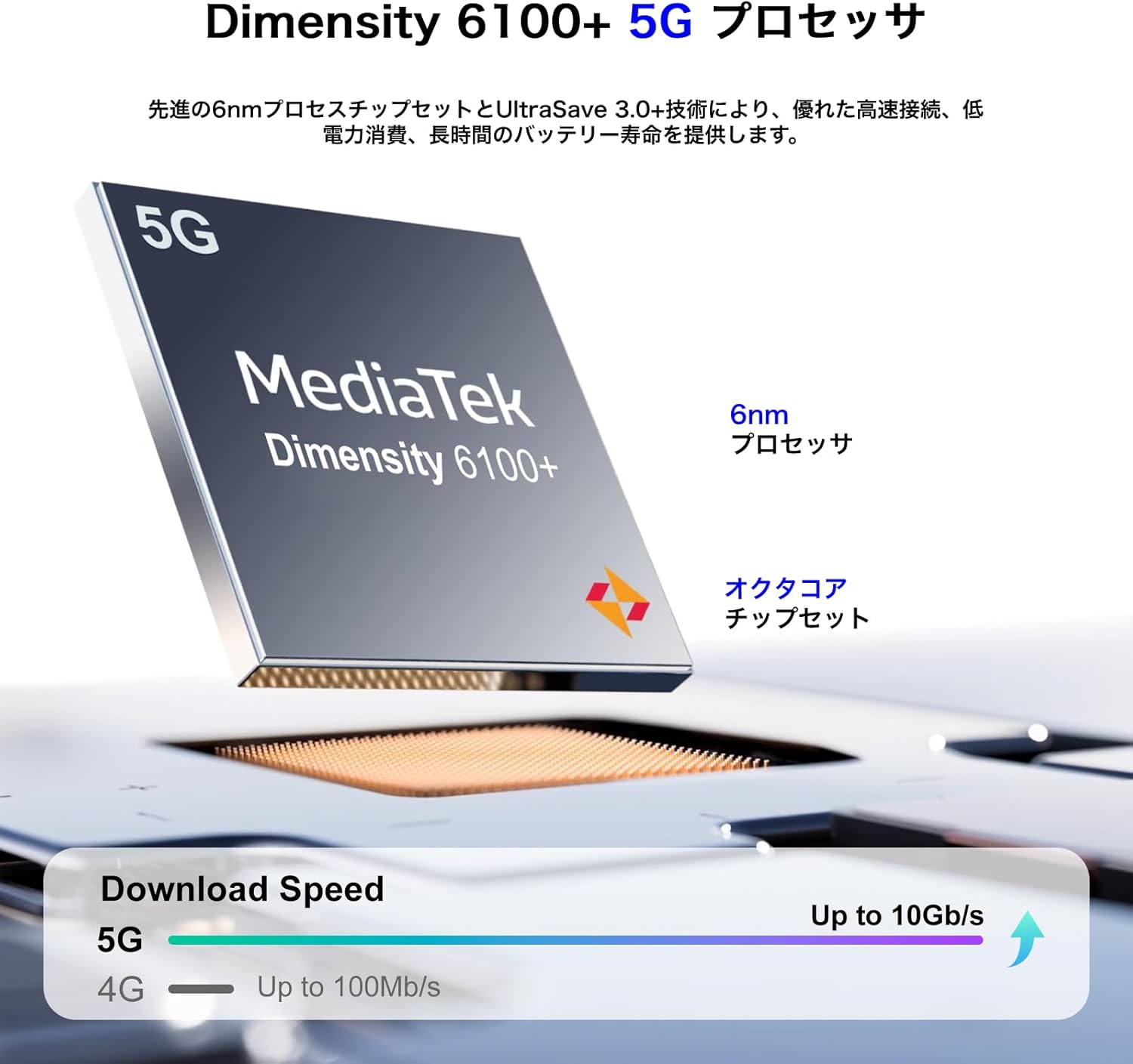
Powered by the MediaTek Dimensity 6100+ 5G Octa-core processor for smooth performance.
- Lapkakészlet: Mérete 6100+
- Folyamat: 6 nm
- Magok: Nyolcmagos
- Csatlakozás: 5G engedélyezve
6.3 Memória és tárolás
Generous memory and expandable storage for all your needs.
- RAM: Akár 24 GB (6 GB fizikai + 18 GB virtuális)
- Belső tárhely (ROM): 128 GB
- Bővíthető tárhely: Up to 1TB via TF card (MicroSD)

6.4 operációs rendszer
The FOSSiBOT S1 runs on the latest Android 14, providing a smooth and secure user experience with access to the Google Play Store.
7. Karbantartás
7.1 A készülék tisztítása
- A telefon képernyőjének és burkolatának tisztításához puha, szöszmentes kendőt használjon.
- Kerülje az erős vegyszerek vagy dörzsölő anyagok használatát.
- Tartsa a portokat por- és törmelékmentesen.
7.2 Szoftverfrissítések
Rendszeresen ellenőrizze és telepítse a szoftverfrissítéseket, hogy biztosítsa az eszközön a legújabb funkciókat, biztonsági javításokat és teljesítménybeli fejlesztéseket. Látogasson el a következőre: Beállítások > Rendszer > Rendszerfrissítés.
7.3 Az akkumulátor gondozása
- Kerülje a szélsőséges hőmérsékleteket, mivel ezek ronthatják az akkumulátor élettartamát.
- Ne merítse le gyakran teljesen az akkumulátort.
- Ha hosszabb ideig tárolja a készüléket, töltse fel körülbelül 50%-ra, mielőtt kikapcsolja.
8. Hibaelhárítás
8.1 Az eszköz nem kapcsol be
- Győződjön meg róla, hogy az akkumulátor fel van töltve. Csatlakoztassa a töltőt, és várjon néhány percet, mielőtt megpróbálja bekapcsolni.
- Tartsa lenyomva a bekapcsológombot legalább 10-15 másodpercig az újraindítás kényszerítéséhez.
8.2 Alkalmazások összeomlása vagy lefagyása
- Töröld a problémás alkalmazás gyorsítótárát (Beállítások > Alkalmazások > [Alkalmazás neve] > Tárhely > Gyorsítótár törlése).
- Frissítsd az alkalmazást a legújabb verzióra a Google Play Áruházból.
- Ha a probléma továbbra is fennáll, távolítsa el, majd telepítse újra az alkalmazást.
8.3 Gyenge hálózati kapcsolat
- Ellenőrizd, hogy a SIM-kártya megfelelően van-e behelyezve.
- Indítsa újra a készüléket.
- Toggle Airplane Mode on and off (Settings > Network & internet > Airplane mode).
- Verify that your mobile data or Wi-Fi is enabled and configured correctly.
9. Műszaki adatok
| Funkció | Specifikáció |
|---|---|
| Márka | FOSSiBOT |
| Modellszám | S1 |
| Operációs rendszer | Android 14 |
| Képernyőméret | 6.75 hüvelyk |
| Telepített RAM memória mérete | 128 GB (virtuális RAM-mal akár 24 GB-ig bővíthető) |
| Memória tárolási kapacitása | 128 GB (TF kártyával akár 1 TB-ig bővíthető) |
| Folyamatos felhasználási idő | 22 óra |
| Csomag méretei | 22.8 x 22 x 6.4 cm; 540 g |
| Első elérhető dátum | 2024/9/14 |
10. Garancia és támogatás
Your FOSSiBOT S1 smartphone comes with a standard manufacturer's warranty. Please refer to the warranty card included in your package for specific terms and conditions.
For technical support, troubleshooting assistance, or warranty claims, please contact FOSSiBOT customer service through their official weba weboldalon vagy a jótállási dokumentációban megadott elérhetőségeken.
Always ensure you purchase from authorized retailers to guarantee valid warranty support.