
Bevezetés
The BAOFENG UV-5RM is a versatile multi-band two-way radio designed for reliable communication across various environments. It features a 1.77-inch LCD screen, 999 memory channels, and supports USB-C charging. This device is suitable for outdoor activities, professional use, and emergency communication, offering features like NOAA weather alerts, frequency hopping, and scramble functions for enhanced privacy.
This manual provides essential information for the proper setup, operation, and maintenance of your UV-5RM radio to ensure optimal performance and longevity.
A csomag tartalma
Before proceeding with setup, please verify that all items are present in your package:
- BAOFENG UV-5RM rádióegység
- Antenna
- Újratölthető lítium-ion akkumulátor
- USB-C töltőkábel
- Desktop Charger Dock
- Övcsipesz
- Kézszíj
- Felhasználói kézikönyv (ez a dokumentum)
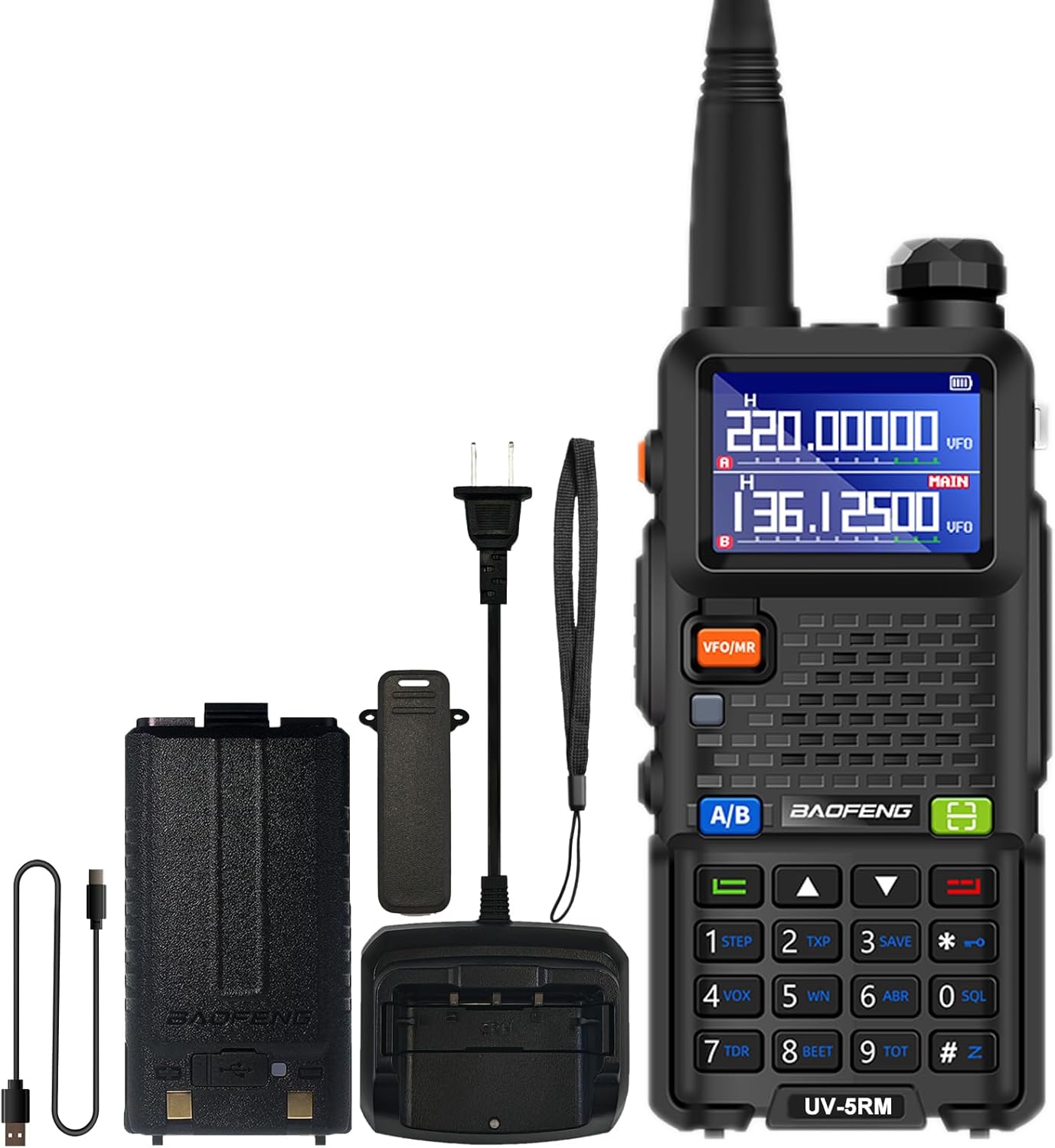
Image: The BAOFENG UV-5RM radio unit with its standard accessories, including the antenna, battery, and charging components.
Beállítás
1. Az antenna csatlakoztatása
Carefully screw the antenna clockwise into the connector on the top of the radio until it is finger-tight. Do not overtighten.
2. Az akkumulátor beszerelése
Align the battery pack with the grooves on the back of the radio. Slide the battery upwards until it clicks into place. To remove, press the release latch (if present) and slide the battery downwards.
3. Az akkumulátor töltése
The UV-5RM offers two charging methods:
- Az asztali töltő használata: Helyezze a rádiót (a behelyezett akkumulátorral együtt) a töltődokkolóba. Győződjön meg arról, hogy a töltőérintkezők illeszkednek. A töltőn lévő jelzőfény mutatja a töltés állapotát.
- Az USB-C port használata: Connect the provided USB-C cable to the port on the back of the battery pack and to a compatible USB power source (e.g., car charger, power bank, laptop, USB wall adapter).
A full charge typically takes several hours. The radio can be charged in your car, with a power bank, or any USB interface device, providing flexibility for charging on the go.

Image: The BAOFENG UV-5RM radio demonstrating both USB-C direct charging and charging via its desktop dock.
4. Az övcsipesz és a kézszíj felhelyezése
Rögzítse az övcsipeszt a rádió hátuljához a mellékelt csavarokkal. Csatlakoztassa a kézszíjat a kijelölt hurokhoz a használat közbeni fokozott biztonság érdekében.
Kezelési útmutató
Rádió végeview és Vezérlők

Image: Labeled diagram of the BAOFENG UV-5RM radio highlighting key components and controls.
- Antenna: Jelek továbbítására és vételére.
- Zseblámpa: Beépített LED világítás a megvilágításhoz.
- Bekapcsoló/hangerő gomb: Forgassa el a rádió be-/kikapcsolásához és a hangerő beállításához.
- 1.77"-os LCD-képernyő: Kijelzi a frekvenciát, a csatornát, az akkumulátor állapotát és egyéb információkat.
- FM gomb: Aktiválja az FM-rádió funkciót.
- PTT (Push-To-Talk) gomb: Nyomja meg és tartsa lenyomva az adáshoz, engedje el a vételhez.
- VFO/MR gomb: Váltás frekvencia mód (VFO) és csatorna mód (MR) között.
- 2-pin Jack: Külső audiotartozékok, például fejhallgatók vagy programozókábelek csatlakoztatásához.
- Mic: Mikrofon hangbevitelhez.
- Szkennelés gomb: Elindítja a frekvencia- vagy csatornakeresést.
- Menü gomb: A rádió menübeállításainak eléréséhez.
- Billentyűzet: Közvetlen frekvenciabevitelhez, csatornaválasztáshoz és menünavigációhoz.
- USB-C port: Közvetlen akkumulátortöltéshez.
1. Be-/kikapcsolás és hangerőszabályozás
Rotate the Power/Volume knob clockwise to turn the radio on. Continue rotating clockwise to increase volume, and counter-clockwise to decrease volume. Rotate fully counter-clockwise until a click is heard to turn the radio off.
2. Frequency and Channel Mode (VFO/MR)
Nyomja meg a VFO/MR gombbal válthat a következők között:
- Frekvencia üzemmód (VFO): Allows direct input of frequencies using the keypad.
- Csatorna mód (MR): Allows selection of pre-programmed memory channels (up to 999).
3. One Key Match Frequency Function
Ez a funkció lehetővé teszi a gyors frekvenciaillesztést egy másik rádióval.
- 1. lépés: Turn on your UV-5RM radio. Press and hold the KERESÉS button (often labeled with a magnifying glass icon or similar) until the screen displays "SEARCH".
- 2. lépés: Press and hold the transmit button on the other radio you wish to match. Your UV-5RM will search for and decode its frequency and CTCSS/DCS tones. Once finished, press a confirmation button (e.g., MENÜ or EXIT) on your UV-5RM to save.
- 3. lépés: Switch to channel mode to select the newly matched channel. The screen will display the frequency of the other radio, enabling communication.

Image: Visual guide for the 'One Key Match Frequency' feature, illustrating the steps to quickly synchronize frequencies with another radio.
4. Átvitel és vétel
Küldéshez nyomja meg és tartsa lenyomva a PTT button and speak clearly into the microphone. Release the PTT button to switch to receive mode.
5. VOX Function (Hands-Free Communication)
The Voice Operated eXchange (VOX) function allows you to transmit without pressing the PTT button. When VOX is enabled, the radio will automatically transmit when it detects your voice. Adjust VOX sensitivity in the menu settings.
6. FM rádió funkció
Nyomja meg a FM button to activate the built-in FM radio. You can scan for local radio stations and enjoy entertainment when not actively communicating.
7. NOAA időjárás-rádió
The UV-5RM supports NOAA weather channels, providing access to real-time weather alerts and forecasts. Refer to the menu for specific NOAA channel settings and activation.
8. Programozás
The radio can be programmed using CHIRP software and a compatible programming cable (sold separately). This allows for advanced customization of frequencies, channels, and other settings.
Karbantartás
- Tisztítás: Használjon puha, damp ruhával tisztítsa a rádió külsejét. Ne használjon erős vegyszereket vagy súrolószereket.
- Az akkumulátor gondozása: Az akkumulátor élettartamának meghosszabbítása érdekében kerülje az akkumulátor túltöltését vagy teljes lemerítését. Ha hosszabb ideig nem használja, a rádiót és az akkumulátort hűvös, száraz helyen tárolja.
- Tárolás: A rádiót száraz, pormentes helyen tárolja, távol a közvetlen napfénytől és a szélsőséges hőmérsékletektől.
- Vízállóság: The BAOFENG UV-5RM is nem vízálló. Avoid exposing the radio to rain, splashes, or immersion in water.
Hibaelhárítás
| Probléma | Lehetséges ok | Megoldás |
|---|---|---|
| A rádió nem kapcsol be. | Az akkumulátor nincs feltöltve, vagy nem megfelelően van behelyezve. | Győződjön meg arról, hogy az akkumulátor teljesen fel van töltve és megfelelően van behelyezve. |
| Nem lehet küldeni vagy fogadni. | Helytelen frekvencia/csatorna, antenna nincs csatlakoztatva, vagy alacsony az akkumulátor töltöttsége. | Ellenőrizze a frekvenciát/csatornát, ellenőrizze az antenna csatlakozását, töltse fel az akkumulátort. |
| Gyenge hangminőség. | Túl alacsony a hangerő, túl magas a zajzár, vagy interferencia van. | Adjust volume, lower squelch level, move away from interference sources. |
| A billentyűzet nem reagál. | Billentyűzár aktiválva. | Refer to the manual for keypad unlock procedure (usually a long press of a specific key). |
Műszaki adatok
| Modellszám | UV-5RM |
| Márka | BAOFENG |
| Csatornák száma | 999 |
| Frekvencia tartomány | VHF: 144-148 MHz / UHF: 420-450 MHz (Multi-Band) |
| Kijelző | 1.77 hüvelykes LCD képernyő |
| Töltés | USB-C Charging, Desktop Charger |
| Akkumulátor típusa | Lítium-ion (tartozék) |
| Akkumulátor átlagos élettartama | Akár 48 óra |
| Maximális beszédtávolság | Akár 6 km (környezettől függően) |
| Különleges jellemzők | NOAA, VOX, FM Radio, LED Flashlight, Squelch, Battery Save, Repeater, CTCSS/DCS, Scan, TOT, BCL, DTMF, Power-on Password, Frequency Hopping, Scramble Functions |
| Vízállósági szint | Nem vízálló |

Image: A comparison chart detailing the enhanced features of the BAOFENG UV-5RM model compared to the UV-5R, including channel capacity, screen size, battery, and charging options.
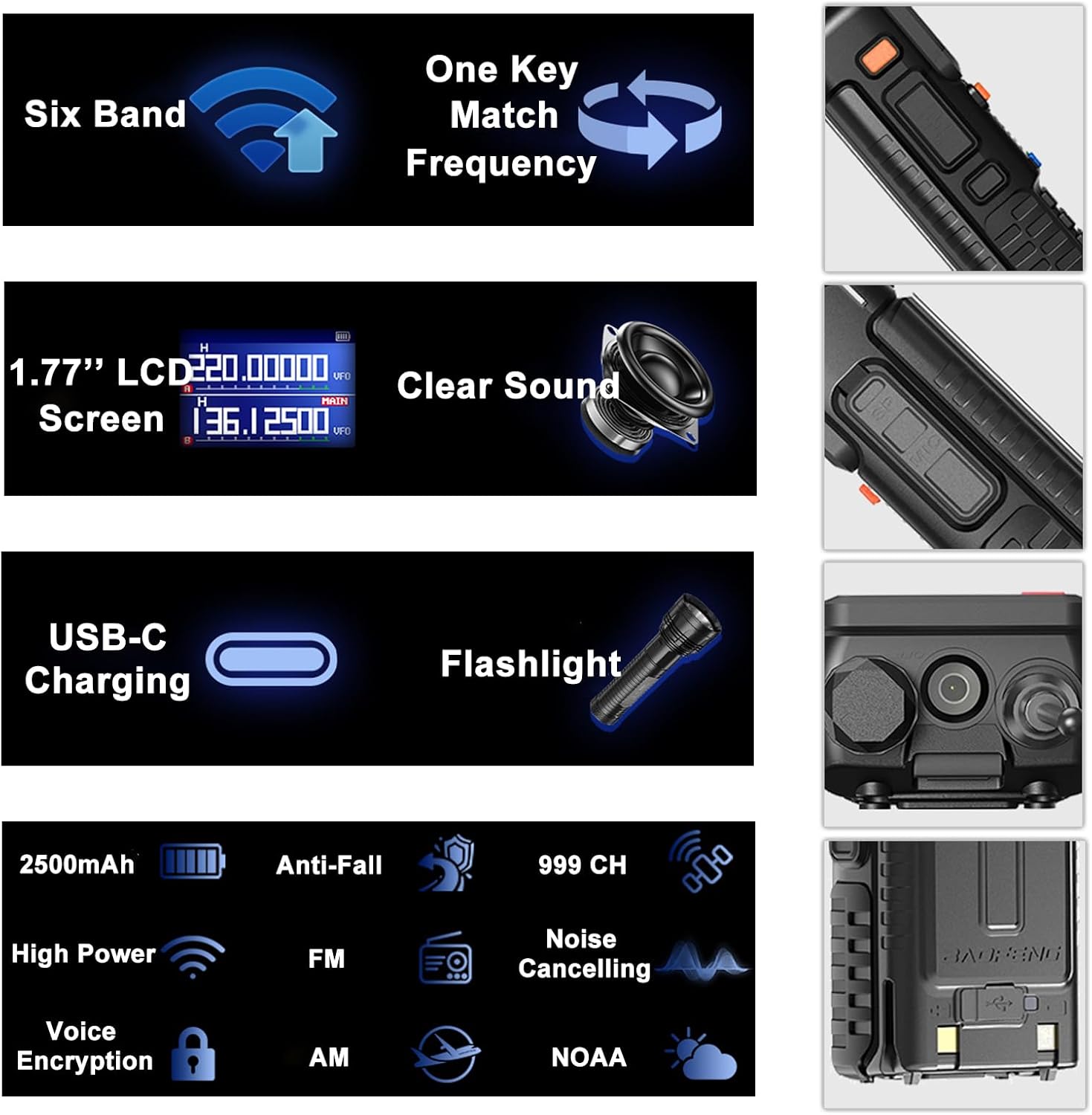
Image: An infographic summarizing the main features of the BAOFENG UV-5RM, such as multi-band capability, one-key frequency matching, USB-C charging, and a 1.77-inch LCD screen.

Kép: Részletes view of the 1.77-inch LCD screen on the BAOFENG UV-5RM, illustrating its dual display capability and clear readability.
Garancia és támogatás
Garancia: The BAOFENG UV-5RM Two Way Radio comes with a 1-year warranty. This warranty is provided exclusively through "Shiqun Electronics Co., Ltd." Please retain your proof of purchase for warranty claims.
Műszaki támogatásért, hibaelhárítási segítségért vagy garanciális kérdésekért forduljon az eladóhoz vagy a hivatalos szervizközponthoz. A pontos elérhetőségeket lásd a vásárlási dokumentációban.