
1. Bevezetés
This manual provides detailed instructions for the installation, setup, operation, and maintenance of your eudic 2K Outdoor Security Camera, Model eudic-T4Q. Please read this manual thoroughly before using the product to ensure correct usage and optimal performance. Keep this manual for future reference.
2. Termék végeview
The eudic 2K Outdoor Security Camera is a wired surveillance device designed for outdoor use, offering advanced features for comprehensive property monitoring. Key features include:
- 2K/4MP Resolution: Tiszta és részletes videót biztosíttage.
- Kétsávos WiFi: Supports both 2.4GHz and 5GHz wireless networks for flexible connectivity.
- Pan-Tilt 360° View: Allows remote control of horizontal (355°) and vertical (90°) camera movement.
- Éjszakai látás módok: Offers Infrared, Full-Color, and Alarmed night vision options for visibility in low-light conditions.
- AI Motion Detection & Auto Track: Automatically detects motion and tracks subjects within the camera's field of view.
- Kétirányú hang: Enables communication through the camera's built-in speaker and microphone.
- Helyi és felhőalapú tárhely: Supports local storage via an SD card (not included) and optional cloud storage.
- Vezetékes tápellátás: Operates via a standard 110-240V electrical receptacle.
- Vízálló kivitel: Suitable for various outdoor weather conditions.

Image 2.1: The eudic 2K Outdoor Security Camera highlighting its main features including 2K/4MP resolution, color night vision, AI motion detection, auto track, cloud storage, two-way audio, SD card storage, notifications, siren, alarm, and 2.4GHz/5GHz WiFi.

Image 2.2: A visual comparison demonstrating the enhanced detail provided by 2K/4MP resolution compared to 1080p resolution.
3. A csomag tartalma
Kérjük, ellenőrizze a csomagot, hogy megvannak-e a következő tételek:
- eudic 2K Outdoor Security Camera
- Használati útmutató
- Power Adapter (Wired)
- Rögzítőcsavarok és horgonyok
4. Beállítás
4.1 Fizikai telepítés
- Válasszon helyet: Válasszon egy szabadban lévő, tiszta helyet view of the area you wish to monitor. Ensure the location is within range of your WiFi network and has access to a 110-240V power outlet.
- A kamera felszerelése: Use the provided mounting screws and anchors to securely attach the camera to a wall or suitable surface. The camera is designed for wall-mounted installation.
- Csatlakoztassa az áramot: Plug the camera's power adapter into a compatible electrical receptacle.
4.2 Alkalmazás telepítése és WiFi-kapcsolat
- Töltse le az alkalmazást: Keressen rá the official eudic security camera application on your smartphone's app store (iOS or Android).
- Fiók létrehozása: Kövesd az alkalmazáson belüli utasításokat egy új felhasználói fiók létrehozásához.
- Eszköz hozzáadása: Power on the camera. In the app, select the option to add a new device.
- Csatlakozás WiFi-hez: Follow the app's prompts to connect the camera to your home WiFi network. The camera supports both 2.4GHz and 5GHz bands. Ensure your router is within effective range.

Image 4.1: Illustration of the camera's ability to connect to both 2.4GHz and 5GHz dual-band WiFi networks, indicating improved range and stability.
5. Használati útmutató
5.1 Élőben View and Pan-Tilt Control
Once connected, open the app to access the live video feed. Use the on-screen controls to pan (rotate horizontally up to 355°) and tilt (rotate vertically up to 90°) the camera lens to adjust the viewing angle. Digital zoom is also available.
5.2 Mozgásérzékelés és automatikus követés
The camera features AI-powered motion detection and auto-tracking capabilities.
- Mozgásérzékelés engedélyezése: Navigate to the camera settings in the app and enable motion detection. You can adjust sensitivity levels to minimize false alerts.
- Custom Area Detection: Határozza meg a kamera adott területeit view for motion detection to focus on, ignoring irrelevant zones.
- Automatikus pálya: When enabled, the camera will automatically follow detected movement within its range.
- Valós idejű riasztások: Receive instant notifications on your smartphone when motion is detected.
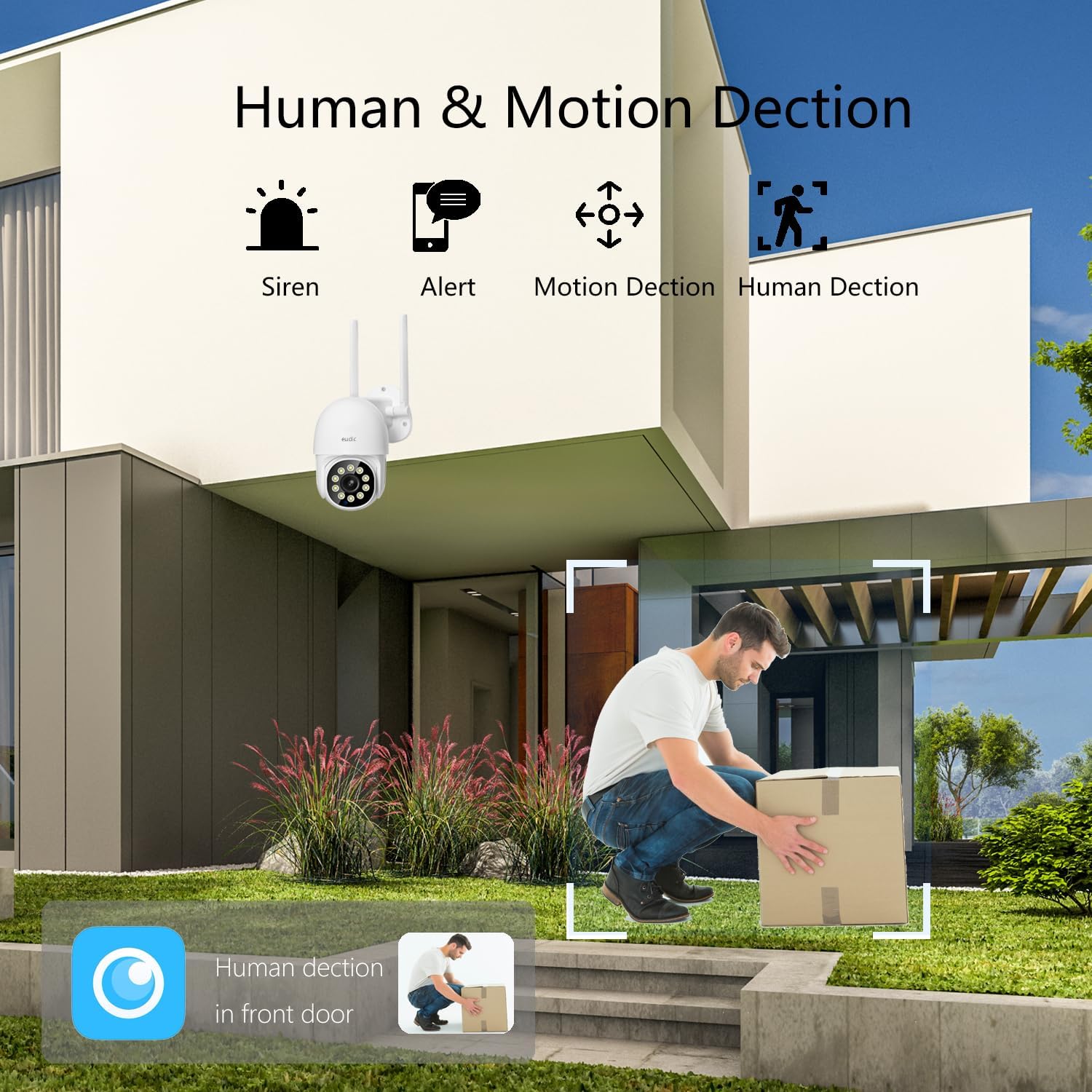
Image 5.1: Visual representation of the camera's human and motion detection capabilities, including siren and alert functions.

5.2. kép: Egy voltample of the auto-tracking feature, showing the camera identifying and following a moving subject.
5.3 Éjjellátó módok
A kamera három éjjellátó módot kínál:
- Infravörös mód: Provides black and white video in complete darkness.
- Teljes színű mód: Utilizes built-in lights to provide color video at night.
- Alarmed Mode: Activates lights and/or a siren upon detection of motion at night.
You can switch between these modes in the camera settings within the app.

Image 5.3: A comparison showing the difference between 2K Color Night Vision and 2K Infrared Vision, demonstrating the clarity and detail in various night settings.
5.4 Kétirányú hang
Use the microphone and speaker icons in the app to engage in two-way communication. This allows you to speak to visitors or deter intruders remotely.
5.5 Felvétel és tárolás
The camera supports two storage options:
- SD kártya tárolása: Insert a microSD card (up to a specified maximum capacity, typically 128GB, not included) into the designated slot on the camera for local recording.
- Felhőbeli tárhely: Subscribe to the optional cloud storage service through the app for secure, remote storage of your video footage.
Felvett footage can be accessed and played back through the app.

Image 5.4: The camera's SD card slot for local storage and an icon representing cloud storage support.
5.6 Megosztás a családdal
The app allows you to share access to your camera's live feed and recordings with trusted family members. Follow the in-app instructions to invite and manage shared users.
6. Karbantartás
- Tisztítás: Regularly wipe the camera lens and exterior with a soft, damp ronggyal távolítsa el a port és a szennyeződéseket. Ne használjon erős vegyszereket vagy súrolószereket.
- Firmware frissítések: Check the app periodically for available firmware updates. Keeping your camera's firmware updated ensures optimal performance and security.
- Tárhelykezelés: SD-kártya használata esetén rendszeresen ellenőrizzeview és kezeli a tárolt élelmiszerekettage to prevent the card from becoming full. For cloud storage, monitor your subscription and storage limits.
7. Hibaelhárítás
- A kamera nem csatlakozik a Wi-Fi-hez:
- Győződjön meg arról, hogy a kamera a router hatótávolságán belül van.
- Ellenőrizze, hogy a helyes WiFi jelszót adta-e meg.
- Confirm your router supports 2.4GHz or 5GHz, and the camera is attempting to connect to a compatible band.
- Try restarting both the camera and your router.
- Rossz képminőség:
- Tisztítsa meg a kamera lencséjét a szennyeződésektől és a foltoktól.
- Ensure a stable WiFi connection; a weak signal can affect video streaming quality.
- Check app settings to ensure video resolution is set to 2K/4MP.
- Hamis mozgási figyelmeztetések:
- Állítsa be a mozgásérzékelés érzékenységét az alkalmazásban.
- Utilize the custom area detection feature to exclude areas with frequent irrelevant movement (e.g., trees swaying).
- Ensure human detection is enabled if you only wish to detect people.
- Camera Not Responding/Dead:
- Ellenőrizze a tápcsatlakozást, hogy megbizonyosodjon arról, hogy a kamera kap-e áramot.
- Attempt a hard reset by unplugging the camera for a few minutes and then plugging it back in.
- Ha a probléma továbbra is fennáll, forduljon az ügyfélszolgálathoz.
- Hőmérséklet érzékenység:
- The camera is designed for outdoor use but extreme temperatures (very high heat or freezing cold) can affect performance. Ensure the camera is installed within its specified operating temperature range.
8. Műszaki adatok
| Videórögzítési felbontás | 4 MP (2K) |
| Méretek (H x Sz x Ma) | 12.7 x 10.16 x 10.16 cm |
| Tétel súlya | 930 g |
| Vezeték nélküli kommunikáció | Wi-Fi (2.4G/5G Dual Band) |
| Áramforrás | Vezetékes elektromos (110-240V) |
| Vízállósági szint | Vízálló |
| Formafaktor | Kupola |
| Telepítés típusa | Falra szerelhető |
| Éjszakai látás típusa | Infravörös |
| Kompatibilis eszközök | Okostelefon |
| Modell neve | eudic-T4Q |
9. Jótállási információk
For detailed warranty information regarding your eudic 2K Outdoor Security Camera, please refer to the product packaging or visit the official eudic webA jótállási feltételek régiónként és vásárlás dátumától függően eltérőek lehetnek.
10. Támogatás
If you encounter any issues or have questions not covered in this manual, please refer to the contact information provided in your product packaging or visit the official eudic website for technical support and customer service.