
1. Bevezetés
The PhoFuta M832 is an ultra-portable wireless thermal printer designed for convenience and efficiency. Weighing approximately 1.5 pounds and compact in size, it is ideal for use in various settings including business trips, vehicles, offices, homes, and schools. This printer utilizes thermal technology, eliminating the need for ink cartridges and simplifying your printing experience.

2. Biztonsági információk
Kérjük, a készülék használata előtt figyelmesen olvassa el az összes biztonsági utasítást a biztonságos és megfelelő működés biztosítása érdekében.
- Ne tegye ki a nyomtatót szélsőséges hőmérsékletnek, közvetlen napfénynek vagy magas páratartalomnak.
- Keep the printer away from water or other liquids to prevent electric shock or damage.
- Kizárólag a mellékelt töltőkábelt és adaptert használja.
- Ne próbálja meg szétszerelni vagy megjavítani a nyomtatót. Segítségért forduljon az ügyfélszolgálathoz.
- A készülék töltése során gondoskodjon megfelelő szellőzésről.
3. A doboz tartalma
Ellenőrizze, hogy minden alkatrész megvan-e a csomagban:
- 1 x PhoFuta M832 Portable A4 Printer
- 1 x USB Cable and Type-C Converter
- 1 x A4 Thermal Paper Roll
- 1 x Felhasználói kézikönyv
4. Beállítás
4.1 A készülék töltése
Before first use, fully charge the printer. Connect the provided USB-C cable to the printer's charging port and the other end to a compatible power source (e.g., wall adapter, computer USB port). The indicator light will show charging status.

4.2 Hőpapír betöltése
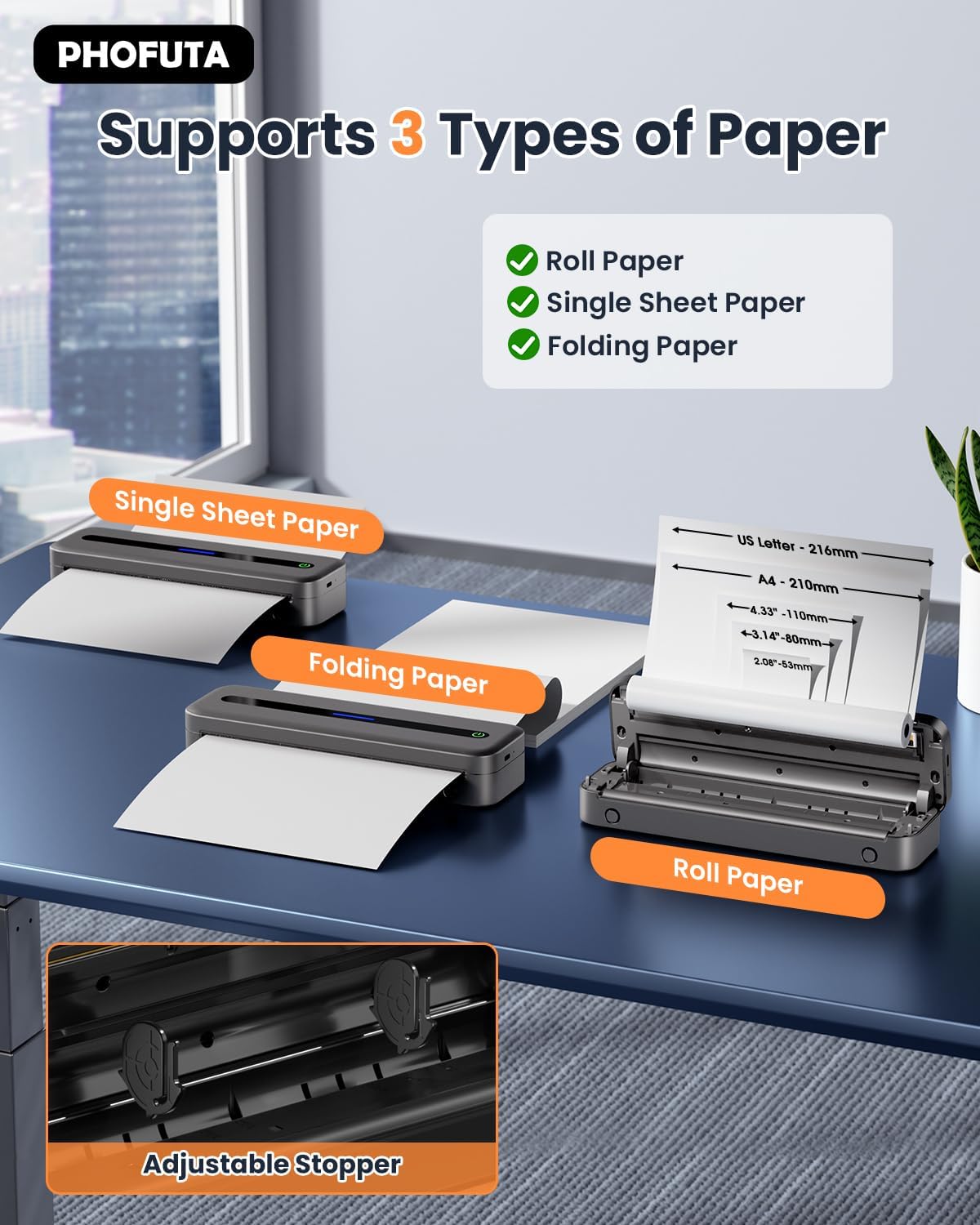
The PhoFuta M832 supports various thermal paper types, including roll paper, single sheets, and folding paper. Open the paper compartment cover, insert the thermal paper according to the diagram, ensuring the printable side faces the print head. Close the cover securely.
4.3 Csatlakozás az eszközhöz
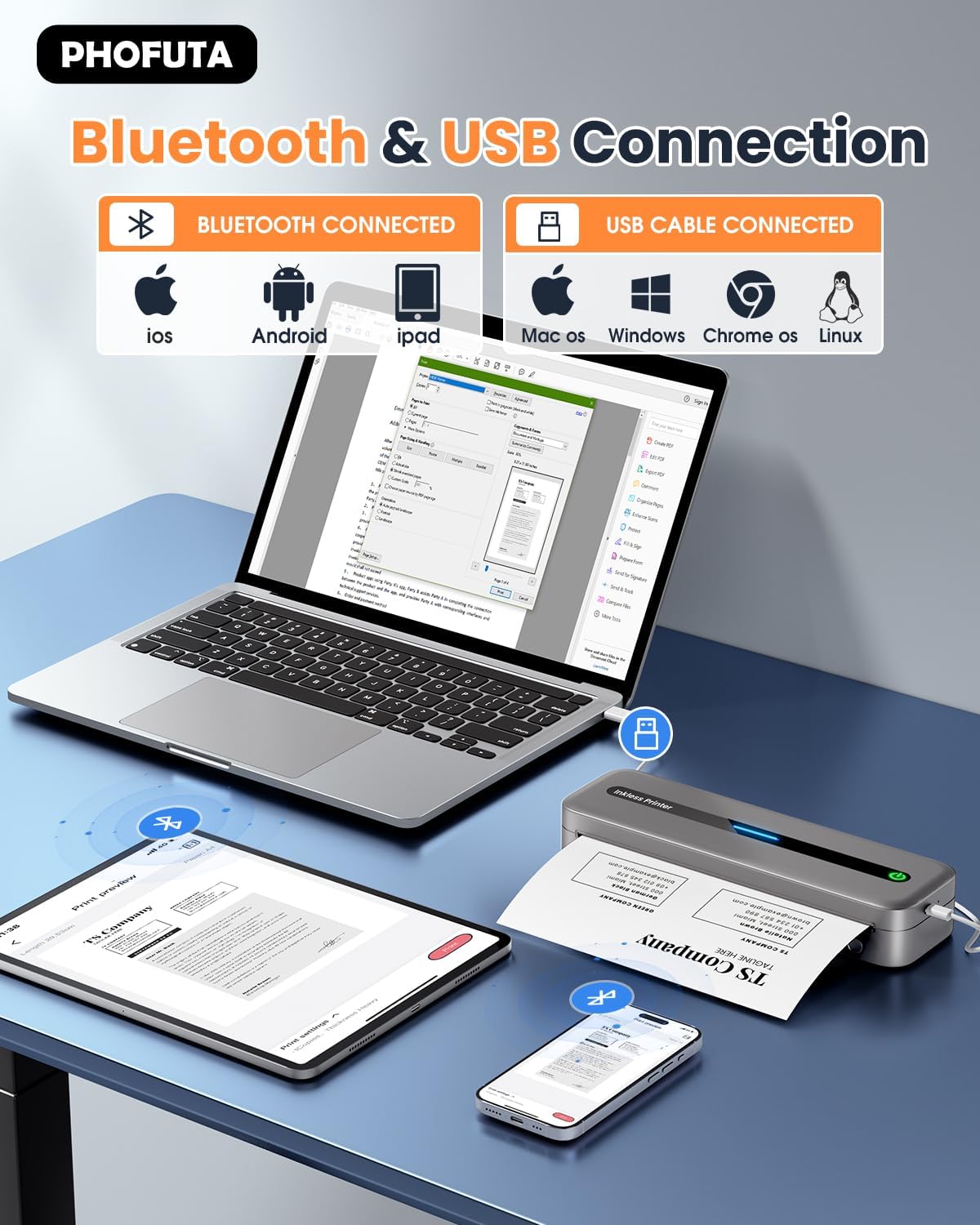
The printer offers both Bluetooth and USB connectivity options.
- Bluetooth kapcsolat: Turn on the printer and enable Bluetooth on your smartphone or tablet. Download the Phomemo app (available for iOS and Android). Open the app, search for the printer, and pair.
- USB csatlakozás: Connect the printer to your laptop or computer using the provided USB-C cable. Install the necessary drivers (usually available from the PhoFuta website or included on a small disk/QR code).
5. Használati útmutató
5.1 Alapvető nyomtatás
Once connected, open the document or image you wish to print from your device. Select the PhoFuta M832 as your printer. Adjust print settings as needed (e.g., paper size, orientation) and initiate the print command. The printer will feed the thermal paper and produce the printout.
5.2 Nyomtatási minőség
The PhoFuta M832 offers a maximum print resolution of 300 DPI (dots per inch) for black and white prints, ensuring clear and legible documents.

5.3 Támogatott papírméretek
The printer supports various paper sizes, including US Letter, A4, and smaller sizes like 4-inch, 3-inch, and 2-inch (216mm, 210mm, 110mm, 80mm, 53mm respectively). Ensure you use thermal paper compatible with these dimensions.
6. Karbantartás
6.1 A nyomtató tisztítása
Regularly clean the printer to maintain optimal performance. Use a soft, dry, lint-free cloth to wipe the exterior. For the print head, use a cotton swab lightly dampened with isopropyl alcohol, wiping gently. Ensure the printer is off and disconnected from power before cleaning.
6.2 Thermal Paper Considerations
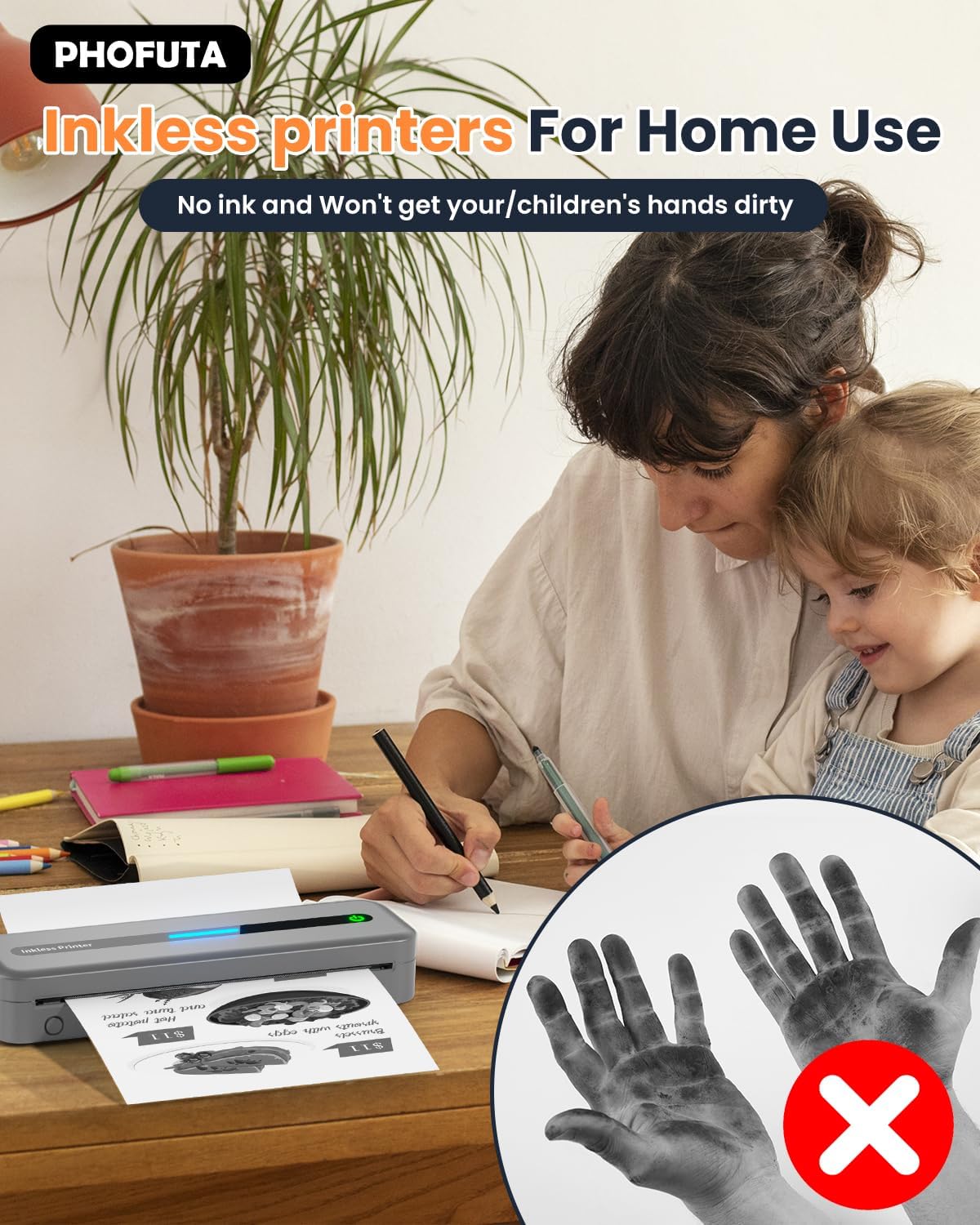
The PhoFuta M832 is an inkless printer, meaning it uses thermal paper that reacts to heat to create images. This eliminates the need for ink cartridges, preventing messy hands and reducing ongoing costs. However, it is crucial to use only thermal paper, as regular paper will not work. Thermal prints may fade over time if exposed to heat, light, or certain chemicals, so store important documents appropriately.

7. Hibaelhárítás
If you encounter issues with your PhoFuta M832 printer, refer to the following common problems and solutions:
- A nyomtató nem kapcsol be: Győződjön meg arról, hogy az akkumulátor fel van töltve. Csatlakoztassa a nyomtatót egy áramforráshoz, és próbálja újra.
- Nem lehet Bluetooth-on keresztül csatlakozni: Make sure Bluetooth is enabled on both devices. Restart the printer and your device. Ensure the Phomemo app is installed and updated.
- Gyenge nyomtatási minőség: Check if you are using thermal paper. Ensure the paper is loaded correctly. Clean the print head if smudges or lines appear.
- Papírelakadás: Turn off the printer, open the paper compartment, and carefully remove any jammed paper. Ensure paper is loaded straight and not wrinkled.
- A nyomtató nem válaszol: Try restarting the printer. If the issue persists, perform a factory reset (refer to the Phomemo app or detailed user manual for instructions).
8. Műszaki adatok
| Funkció | Specifikáció |
|---|---|
| Márka | PhoFuta |
| Modell | M832 |
| Termékszám | PH-M832-GY |
| Szín | Szürke |
| Nyomtatási technológia | Termikus |
| Nyomtató kimenet | Monokróm |
| Max. nyomtatási felbontás (fekete-fehér) | 300 DPI |
| Max. nyomtatási sebesség (monokróm) | 5 oldal percenként |
| Maximális bemeneti lapkapacitás | 300 lap |
| Támogatott hordozótípus | Plain Paper (Thermal Paper) |
| Lapméret | US Letter/A4/4"/3"/2" (216mm/210mm/110mm/80mm/53mm) |
| Kétoldalas nyomtatás | Nem |
| Csatlakozási technológia | Bluetooth |
| Hardware Interface | USB-C |
| Kompatibilis eszközök | Okostelefonok, táblagépek, laptopok, számítógépek |
| Szkenner típusa | Hordozható |
| Szkenner felbontás | 203 x 203 DPI |
| Termék méretei | 31 x 11.4 x 9.2 cm |
| Termék súlya | 992 g |
| Akkumulátor | 1 lítium-ion (tartozék) |
| Az akkumulátor összetétele | Lítium |
| Szoftverfrissítések garantálva eddig: | Ismeretlen |
9. Garancia és támogatás
9.1 Jótállási információk
The PhoFuta M832 Portable Thermal Printer comes with a Élettartam garancia. This warranty covers manufacturing defects and ensures the long-term reliability of your device. Please retain your proof of purchase for warranty claims.
9.2 Ügyfélszolgálat
For technical assistance, troubleshooting, or warranty inquiries, please contact PhoFuta customer support. Refer to the official PhoFuta weba legfrissebb támogatási csatornákért látogasson el a weboldalra vagy a vásárláskor megadott elérhetőségekre.