Bevezetés
This manual provides comprehensive instructions for the installation, operation, maintenance, and troubleshooting of your VOCOlinc BR30 Smart Light Bulbs. These bulbs offer advanced features including RGBW color changing, dimmable brightness, and compatibility with popular smart home platforms like Apple HomeKit, Alexa, and Google Assistant. Please read this manual carefully to ensure proper use and optimal performance of your smart light bulbs.
Beállítás
1. Fizikai telepítés
- Kikapcsolni: Before installation, ensure the power to the light fixture is turned off at the main switch.
- Izzó behelyezése: Carefully screw the VOCOlinc BR30 smart light bulb into a standard E26 base socket. Do not overtighten.
- Bekapcsolás: Turn the power back on to the light fixture. The bulb should light up, indicating it is ready for pairing.

Image: Four VOCOlinc BR30 smart light bulbs in their packaging, showcasing compatibility with Apple Home, Alexa, and Hey Google.

Image: A single VOCOlinc BR30 smart light bulb, highlighting its E26 base and the VOCOlinc logo. This bulb is designed for easy installation into standard light fixtures.
2. Alkalmazás telepítése és párosítása
To control your VOCOlinc BR30 smart light bulbs, you will need to download the VOCOlinc app or use your preferred smart home platform (Apple Home, Google Home, or Alexa).
- Töltse le az alkalmazást: Keressen rá "VOCOlinc" in your device's app store (iOS or Android) and install the application.
- Wi-Fi követelmény: Győződjön meg arról, hogy okostelefonja csatlakozik egy 2.4 GHz-es Wi-Fi hálózat. The smart bulbs require a 2.4GHz connection for initial setup.
- Nyisd meg az alkalmazást és add hozzá az eszközt:
- Open the VOCOlinc app and follow the on-screen instructions to add a new device.
- For Apple HomeKit, open the Home app, tap the "+" icon, and select "Add Accessory". Scan the HomeKit QR code located on the bulb or its packaging.
- For Google Assistant or Alexa, follow the respective app's instructions to link your VOCOlinc account or discover new devices.
- Teljes párosítás: Follow any remaining prompts in the app to complete the pairing process. Once successfully paired, you can control your bulb via the app or voice commands.
Operating Your Smart Light Bulbs
1. Alkalmazásvezérlés
The VOCOlinc app provides full control over your smart light bulbs.
- Be-/kikapcsolás: Koppintson az izzó ikonra az alkalmazásban a teljesítmény váltásához.
- Fényerő beállítása: Use the slider to adjust the brightness from 1% to 100%.
- Színválasztás: Choose from 16 million colors using the color wheel or select from preset colors. You can also adjust the color temperature from 2200K (warm white) to 7000K (cool white).
- Fényhatások: Explore various dynamic light effects such as Blink, Breathe, Flicker, Candle, and Flow for different moods or occasions.
- Ütemtervek és időzítők: Set custom schedules for your lights to turn on/off or change settings at specific times. Create countdown timers for automated actions.
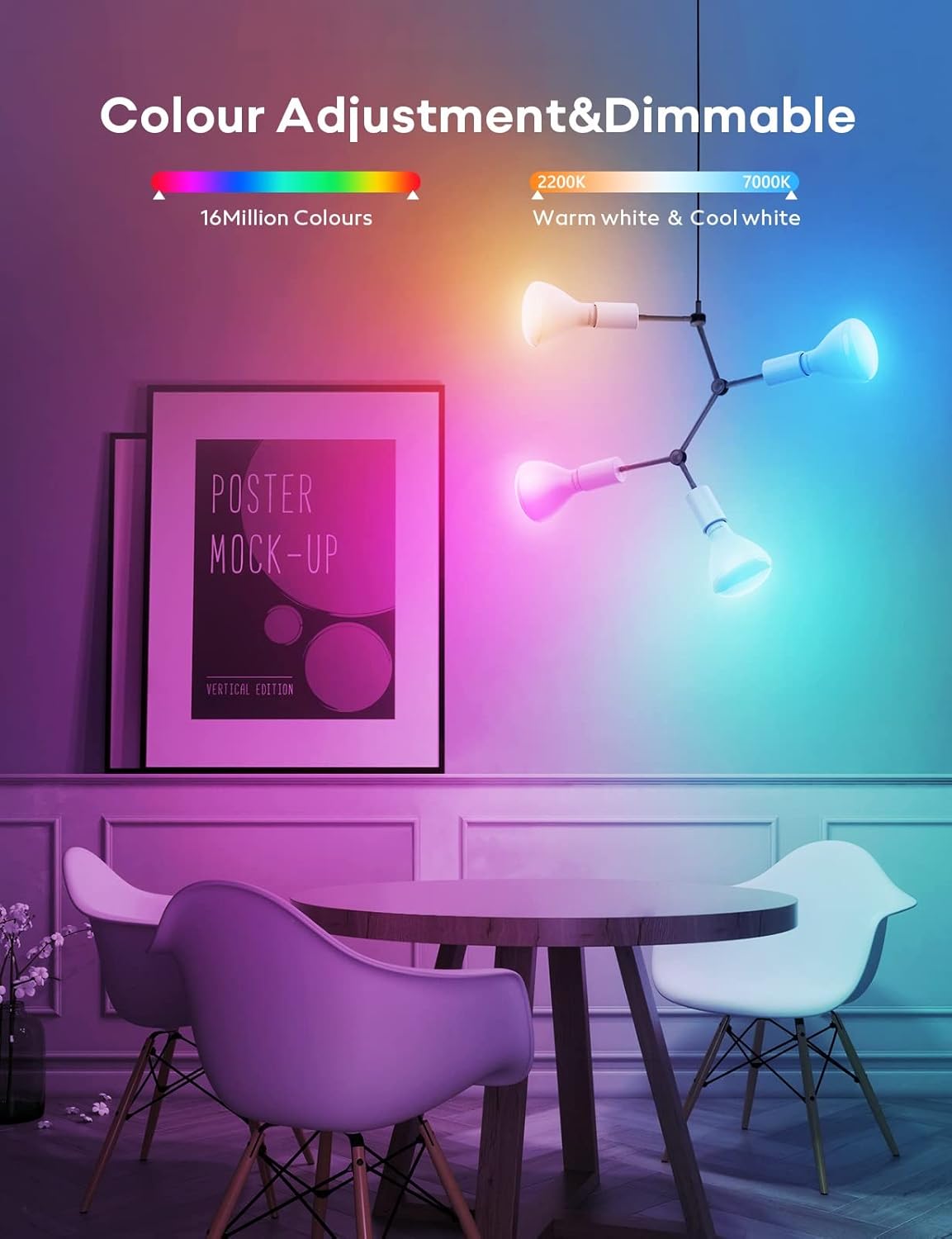
Image: An interior scene featuring multiple VOCOlinc smart light bulbs illuminating a dining area with a range of colors, demonstrating the extensive color adjustment and dimming capabilities.

Image: A hand holding a smartphone displaying the VOCOlinc app interface, with a modern house illuminated by smart lights in the background, illustrating the remote control functionality from anywhere.

Image: A smartphone screen displaying a light scheduling interface, with a bedroom scene in the background. This demonstrates how users can set personal schedules for their lights to turn on or off at specific times with comfortable brightness levels.
2. Hangvezérlés
Control your VOCOlinc BR30 smart light bulbs using voice commands through compatible smart assistants.
- Apple HomeKit (Siri): "Hey Siri, turn on the living room lights." or "Hey Siri, dim the kitchen lights to 50%."
- Amazon Alexa: "Alexa, set the bedroom to blue." or "Alexa, turn off the lights."
- Google Asszisztens: "Hey Google, change the lamp to purple." or "Hey Google, brighten the lights."

Image: A person relaxing on a couch, interacting with a smart speaker to control a VOCOlinc smart light bulb, illustrating the convenience of voice control with compatible smart home systems.
3. Csoportvezérlés
Manage multiple smart bulbs simultaneously by creating groups within the VOCOlinc app or your smart home platform.
- Csoportok létrehozása: In the app, navigate to the group settings and select the bulbs you wish to control together (e.g., "Living Room Lights").
- Control as One: Once grouped, you can turn them on/off, change colors, or adjust brightness for all bulbs in that group with a single command.

Image: An illustrative diagram of a multi-level home, showing various smart light bulbs in different rooms. A smartphone app is depicted controlling these lights collectively, demonstrating the group control feature.
4. Adaptive Lighting
Adaptive lighting automatically adjusts the color temperature and brightness of your bulbs throughout the day to mimic natural light patterns, promoting comfort and well-being. This feature is particularly useful for fixtures that are typically left on.
- Enable Adaptive Lighting: Access the "Daylight" or "Adaptive Lighting" settings within the VOCOlinc app.
- Customize Schedule: You can customize the start and end times for different phases (Sunrise, Day, Evening, Sleep) to match your daily routine.
- Jegyzet: If a bulb is set to adaptive lighting and is turned off, it may automatically turn on at a scheduled time to adjust its color and brightness according to the set schedule.
Karbantartás
The VOCOlinc BR30 Smart Light Bulbs require minimal maintenance.
- Tisztítás: Tisztítás előtt győződjön meg arról, hogy az izzó ki van kapcsolva és lehűlt. Törölje át puha, száraz ruhával. Ne használjon folyékony tisztítószereket vagy súrolószereket.
- Kezelés: Handle the bulbs with care. Avoid dropping or subjecting them to strong impacts.
- Firmware frissítések: Periodically check the VOCOlinc app for available firmware updates to ensure optimal performance and access to new features.
Hibaelhárítás
- Az izzó nem reagál:
- Check if the bulb is securely screwed into the socket and the power switch is on.
- Ensure your Wi-Fi network is active and your smartphone is connected to the 2.4GHz band.
- Restart the bulb by turning the power off and on at the switch.
- If using Apple HomeKit, ensure your Home Hub (HomePod, Apple TV, or iPad) is online and within range.
- Nem sikerült párosítani:
- Confirm your Wi-Fi is 2.4GHz. 5GHz networks are not supported for initial pairing.
- A párosítási folyamat során menjen közelebb a Wi-Fi routerhez.
- Reset the bulb to factory settings (usually by cycling power on/off multiple times, refer to the app for specific instructions).
- A hangutasítások nem működnek:
- Verify that your smart assistant (Alexa, Google Assistant, Siri) is properly linked to your VOCOlinc account or HomeKit.
- Ellenőrizze az internetkapcsolatot.
- Ensure the smart assistant device is powered on and listening.
Műszaki adatok
| Funkció | Részlet |
|---|---|
| Márka | VOCOlinc |
| Modell neve | BR30 |
| Fény típusa | LED |
| Izzóforma mérete | BR30 |
| Izzó alap | E26 |
| Wattage | 9.5 watt |
| Izzó egyenértékű | 60 watt |
| Fényesség | 800 Lumen |
| Színhőmérséklet | 2200K-7000K (állítható fehér) |
| Szín | RGBW (16 millió szín) |
| Voltage | 120 volt (AC) |
| Ellenőrzési módszer | App, Voice (Alexa, Apple HomeKit, Google Assistant) |
| Kapcsolódás | 2.4GHz Wi-Fi (No Hub Required) |
| Átlagos élet | 25,000 óra |
| Beltéri/Kültéri használat | Beltéri |
| Anyag | Akrilnitril-butadién-sztirol (ABS) |
Garancia és támogatás
VOCOlinc is committed to providing high-quality smart home products. For warranty information, technical support, or any inquiries, please refer to the official VOCOlinc webweboldalukon, vagy vegye fel a kapcsolatot közvetlenül az ügyfélszolgálatukkal.
- Ügyfélszolgálat: VOCOlinc offers 24-hour email service and return service for customer satisfaction.
- Online források: Látogassa meg a VOCOlinc Store on Amazon további termékinformációkért és támogatásért.