1. Bevezetés
Köszönöm a vásárlástasing the FunFlix RD-882 Portable Projector. This manual provides essential information for setting up, operating, and maintaining your projector to ensure optimal performance and longevity. Please read this manual thoroughly before use and retain it for future reference.
2. Biztonsági utasítások
- Ne nézzen közvetlenül a projektor lencséjébe, amikor aamp be van kapcsolva. Az erős fény szemkárosodást okozhat.
- Biztosítsa a projektor körüli megfelelő szellőzést. Ne takarja el a szellőzőnyílásokat.
- Tartsa távol a projektort a víztől, nedvességtől és szélsőséges hőmérsékletektől.
- Kizárólag a projektorhoz mellékelt hálózati adaptert használja.
- Ne próbálja meg saját kezűleg megjavítani a projektort. Minden szervizelési munkát bízzon szakképzett személyzetre.
- Villámláskor, vagy ha hosszabb ideig nem használja, húzza ki a projektort a konnektorból.
3. A csomag tartalma
Ellenőrizze, hogy minden tétel megvan-e a csomagban:
- FunFlix RD-882 Portable Projector
- Távirányító (az elemeket nem tartalmazza)
- Tápkábel
- HDMI kábel
- AV kábel
- Felhasználói kézikönyv

3.1. ábra: Mellékelt tartozékok
4. Termék végeview
4.1 elülső View
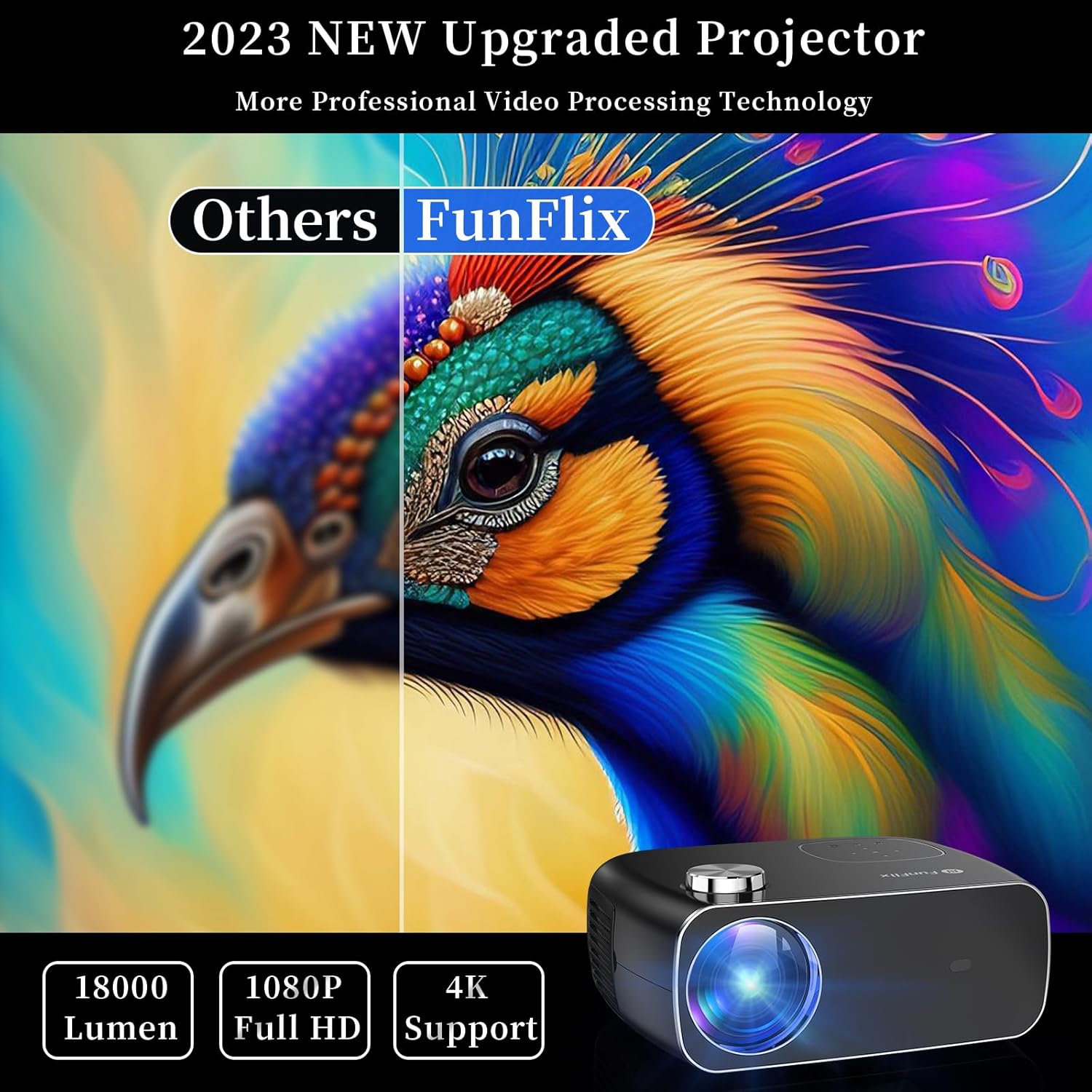
4.1. ábra: Elöl View projektor
The front of the projector features the projection lens and an infrared receiver for the remote control.
4.2 Hátsó View és kikötők

4.2. ábra: Hátsó View with Input Ports
A hátlapon található csatlakozási lehetőségek:
- HDMI portok (x2): Connect to devices like laptops, gaming consoles, or streaming sticks.
- USB portok (x2): Csatlakoztasson USB-meghajtókat médialejátszáshoz vagy külső eszközök tápellátásához.
- AV-port: Csatlakoztasd régebbi eszközökhöz a mellékelt AV-kábellel.
- Hang kimenet: Csatlakoztasson külső hangszórókat vagy fejhallgatót.
- Tápellátás: Csatlakoztassa a hálózati adaptert.
5. Beállítás
5.1 Elhelyezés
Place the projector on a stable, flat surface. Ensure there is enough space around the projector for proper ventilation. The projection distance and screen size can vary. The projector supports projection sizes from 50 to 300 inches.

Figure 5.1: Projector Placement and Projection
5.2 Tápfeszültség csatlakozás
Csatlakoztassa a tápkábelt a projektor tápbemeneti portjához, majd dugja be egy konnektorba.
5.3 Fókusz és trapéztorzítás-korrekció
After powering on the projector, adjust the focus ring on the top of the projector until the image is clear. Use the keystone correction feature to adjust the image shape if it appears trapezoidal. The projector supports both manual focus and digital keystone correction.

Figure 5.2: Keystone Correction and Zoom Function
Video 5.1: Demonstrates projector features including power-on, bulb life, display sizes, precise intelligent focusing, native 1080P resolution, zoom function, 5G WiFi support, wireless projection for iOS/Android, wired HDMI connection, built-in speaker, 15-degree gradient correction, Bluetooth connection, and high color reproduction.
6. Működés
6.1 Be-/Kikapcsolás
Press the power button on the projector or the remote control to turn the projector on or off.
6.2 Bemeneti források
Select the desired input source from the main menu using the remote control or the buttons on the projector.
- HDMI: Connect your device via an HDMI cable.
- USB: USB-meghajtó behelyezése média lejátszásához files.
- AV: Régebbi eszközöket csatlakoztasson AV-kábellel.
6.3 Vezeték nélküli kapcsolat
The FunFlix RD-882 supports 5G WiFi and Bluetooth 5.2 for enhanced connectivity.
6.3.1 5G WiFi Connection
To connect to a 5G WiFi network:
- Navigáljon a projektor „Beállítások” menüjéhez.
- Select 'Network Settings' or 'WiFi'.
- Choose your 5G WiFi network from the list and enter the password.

Figure 6.1: 5G WiFi Wireless Connection
6.3.2 Bluetooth 5.2 kapcsolat
To connect to Bluetooth audio devices:
- Lépjen a „Beállítások” menübe.
- Válaszd a „Bluetooth-beállítások” lehetőséget.
- Engedélyezze a Bluetooth funkciót, és keressen elérhető eszközöket.
- Select your Bluetooth speaker or headphones to pair.

Figure 6.2: Bluetooth 5.2 Connection
6.4 Képernyőtükrözés
The projector supports screen mirroring from iOS and Android devices. Ensure your device and the projector are connected to the same WiFi network.
- iOS-eszközök esetén: Use the 'Screen Mirroring' or 'AirPlay' function on your iPhone/iPad and select the projector from the list of available devices.
- Android készülékekhez: Use the 'Cast', 'Smart View', or 'Wireless Display' function on your Android phone/tablet and select the projector.
6.5 Beállítások módosítása
Access the projector's menu to adjust various settings:
- Képbeállítások: Állítsa be a fényerőt, a kontrasztot, a színt és az élességet.
- Hangbeállítások: Adjust volume, sound mode, and balance.
- Vetítési mód: Select front, rear, ceiling front, or ceiling rear projection.
7. Karbantartás
7.1 A lencse tisztítása
Use a soft, lint-free cloth or lens cleaning paper to gently wipe the lens. Avoid using abrasive cleaners or excessive force, which can scratch the lens.
7.2 Cleaning Air Filters/Vents
Regularly check and clean the air filters and vents to prevent dust buildup, which can affect cooling and performance. Use a soft brush or a vacuum cleaner with a brush attachment to remove dust.
7.3 Tárolás
Használaton kívül a projektort hűvös, száraz helyen, közvetlen napfénytől és szélsőséges hőmérsékletektől védve tárolja. Használja az eredeti csomagolást vagy védőtokot a por és a sérülések elkerülése érdekében.
8. Hibaelhárítás
| Probléma | Lehetséges ok | Megoldás |
|---|---|---|
| Nincs kép a képernyőn | Power not connected, incorrect input source, device not connected. | Check power cable, select correct input source, ensure source device is on and connected. |
| A kép homályos | Focus not adjusted, projector too far/close. | Adjust the focus ring. Ensure projector is within optimal projection distance. |
| A kép trapéz alakú | A trapéztorzítás nincs korrigálva. | Adjust keystone correction in the settings menu. |
| Nincs hang | Volume too low, incorrect audio output, source device muted. | Increase projector volume, check audio output settings, unmute source device. |
| A távirányító nem működik | Batteries low/dead, IR sensor blocked. | Cserélje ki az elemeket, és ügyeljen arra, hogy ne legyen akadály a távirányító és a projektor között. |
9. Műszaki adatok
- Márka: FunFlix
- Modellszám: RD-882
- Tétel súlya: 4.75 font
- Termék méretei: 9.57 x 7.87 x 3.98 hüvelyk
- Kijelző maximális felbontása: 1920 x 1080 (natív 1080P)
- Csatlakozás: 5G WiFi, Bluetooth 5.2, HDMI (x2), USB (x2), AV
- Javasolt felhasználás: Gaming, Home Theater, Outdoor Projection
- Forma tényező: Hordozható
- Szerelés típusa: Asztali tartó
10. Garancia és támogatás
For warranty information and technical support, please refer to the contact details provided on the FunFlix official website or your purchase documentation. Do not attempt to open or repair the device yourself, as this may void your warranty.