
Bevezetés
This manual provides comprehensive instructions for the safe and effective use of your LOAMLIN WS2812B RGB LED Digital Flexible Individually Addressable Panel Light. This product is designed for various lighting applications, offering individual LED control for dynamic visual effects. Please read this manual thoroughly before installation and operation.
Biztonsági információk
- Győződjön meg arról, hogy a tápegység voltage matches the product's requirements (DC 5V).
- This LED panel is nem vízálló. It is intended for indoor use only. Avoid exposure to moisture or liquids.
- Do not apply excessive force when bending the panel to prevent damage to the circuit board or LEDs.
- Csatlakoztatások elvégzése vagy karbantartás megkezdése előtt áramtalanítsa a készüléket.
- Gyermekek elől elzárva tartandó.
A csomag tartalma
Kérjük, ellenőrizze a csomagot, hogy megvannak-e a következő tételek:
- 2 x 4X12 LED pixels panel
- 2 x 3 PIN connector
Termékjellemzők
- Egyedileg címezhető LED-ek: Each LED on the panel can be controlled independently, allowing for complex patterns, scrolling messages, and image displays.
- Széleskörű kompatibilitás: Works seamlessly with popular microcontrollers and LED controllers such as Arduino, Raspberry Pi, SP105E, SP107E, SP108E, K1000C, and T1000S.
- Láncra köthető kialakítás: Multiple panels can be connected together using the included 3-pin JST connectors to create larger display surfaces.
- Flexible FPCB: The flexible printed circuit board allows the panel to be gently bent and curved to fit various surfaces and designs.
- Sokoldalú alkalmazások: Ideal for creating LED screens, LED walls, advertising boards, and decorative lighting in hotels, KTVs, bars, and for special events like Christmas or weddings.
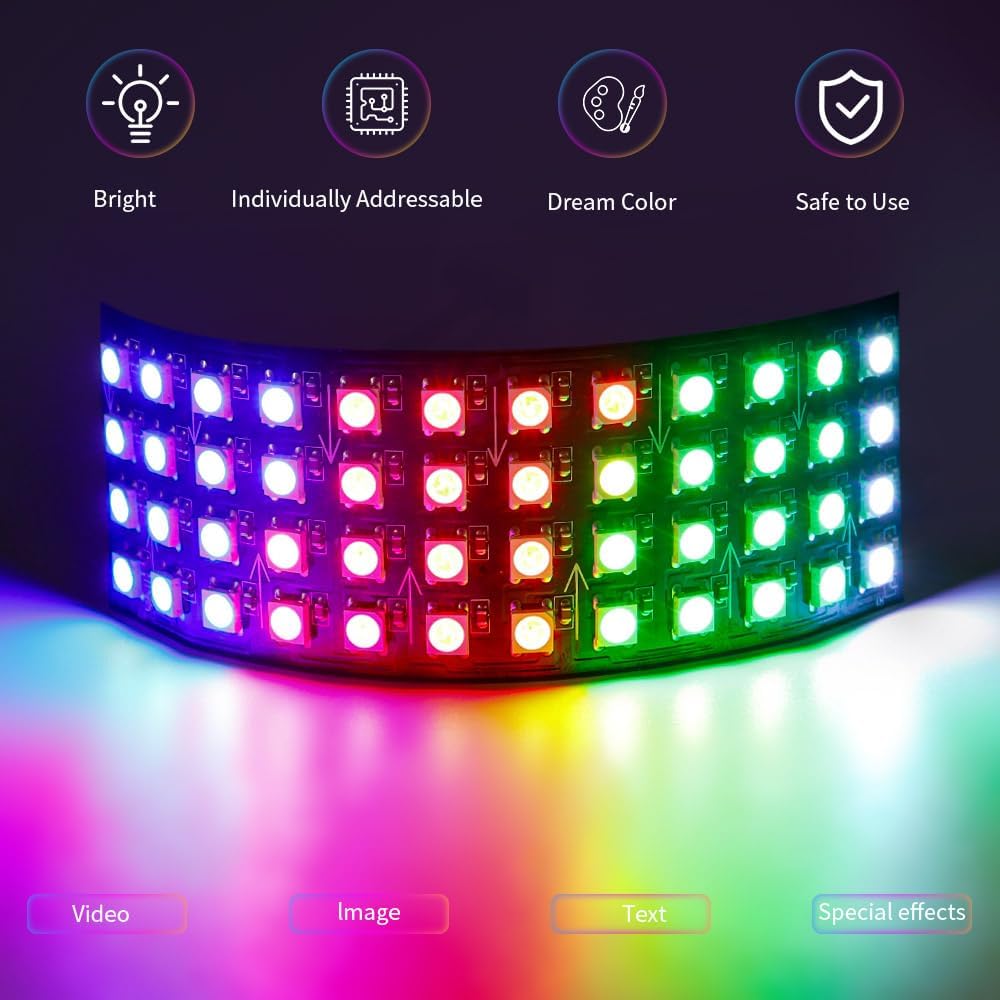

Beállítási útmutató
1. Tápegység bekötése
Connect a stable DC 5V power supply to the LED panel. Ensure the polarity is correct (positive to positive, negative to negative).
2. Adatkapcsolat
The WS2812B panel uses a single data line. Connect the data output from your controller (e.g., Arduino, Raspberry Pi) to the data input of the LED panel. The panel has clearly marked data input and output points.
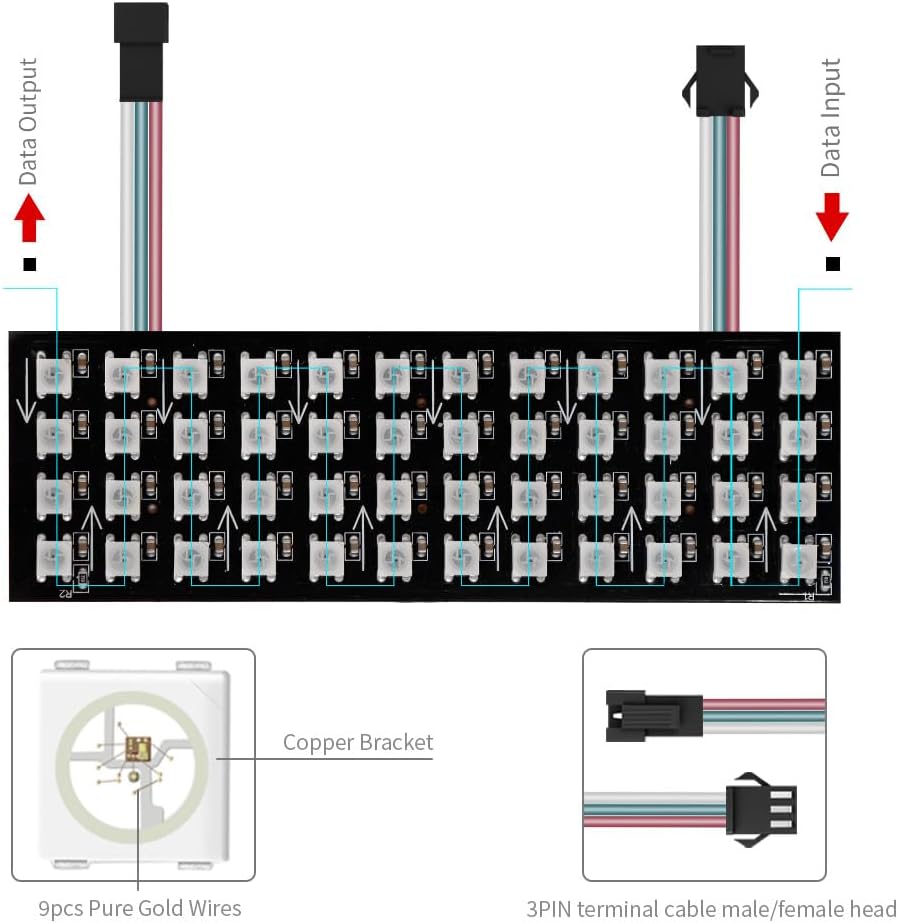
3. Chaining Multiple Panels (Optional)
To create a larger display, connect the data output of one panel to the data input of the next panel using the provided 3-pin JST connectors. Ensure consistent power supply across all chained panels to avoid voltage csepp.

Művelet
Programozás és vezérlés
The WS2812B LED panels require a compatible microcontroller or dedicated LED controller to operate. Popular choices include:
- Arduino: Use libraries like FastLED or Adafruit NeoPixel to easily control individual LEDs.
- Raspberry Pi: Utilize Python libraries (e.g., rpi_ws281x) for advanced control.
- Dedicated Controllers: SP105E, SP107E, SP108E, K1000C, T1000S offer various pre-programmed effects and control options, often via mobile apps or software.

Displaying Effects
Once connected to a controller, you can program the panels to display a wide range of effects, including:
- Statikus színek
- Color gradients and transitions
- Scrolling text and messages
- Animations and video playback
- Music synchronization (with compatible controllers)
- Custom pixel art and images

Karbantartás
- Keep the LED panel clean and free from dust. Use a soft, dry cloth for cleaning.
- Avoid touching the LED chips directly to prevent damage.
- Store the panels in a dry, cool environment when not in use.
- Regularly check connections for looseness or corrosion.
Hibaelhárítás
| Probléma | Lehetséges ok | Megoldás |
|---|---|---|
| A LED-ek nem világítanak. | No power, incorrect wiring, faulty controller. | Ellenőrizze a tápegység csatlakozását és a hangerőttage. Verify data and ground wiring. Test with a known working controller. |
| Only first few LEDs light up. | Insufficient power supply for the number of LEDs, voltage csepp. | Használj magasabbat amperage power supply. Inject power at multiple points for long chains. |
| Flickering or unstable colors. | Poor data signal, ground loop, power fluctuations. | Ensure good data connection. Connect controller and LED panel grounds together. Use a stable power supply. |
| Incorrect colors displayed. | Wrong color order in software (e.g., GRB vs RGB). | Adjust the color order setting in your programming library or controller software. WS2812B typically uses GRB. |
Műszaki előírások
| Specifikáció | Részlet |
|---|---|
| Modellszám | WS2812B |
| LED típus | WS2812B RGB LED |
| Input Voltage | DC 5V |
| Wattage | 15 watts (per panel, max) |
| Number of Pixels (4x12 panel) | 48 pixels (2 panels included for 96 pixels total) |
| Panel Dimensions (4x12) | 1.57" H x 1.57" SZ x 4.72" M (kb. 4 cm x 4 cm x 12 cm) |
| Anyag | Metal, Copper (Flexible PCB) |
| Szín | Black PCB |
| Tétel súlya | 1.06 uncia (kb. 0.03 kg) |
| Különleges jellemzők | Individually addressable, Dimmable, Flexible |
| Szerelés típusa | Table Mount (flexible for other surfaces) |
Garancia és támogatás
Warranty information for this product is not provided in the current documentation. For technical support or inquiries, please refer to the seller's contact information on the platform where the product was purchased.
You can also visit the LOAMLIN store for more products and information: LOAMLIN Store on Amazon