
1. Bevezetés
Köszönöm a vásárlástasing the LEVOIT LTF-F361-WEU Tower Fan. This manual provides important information regarding the safe operation, maintenance, and troubleshooting of your new fan. Please read this manual thoroughly before use and retain it for future reference.
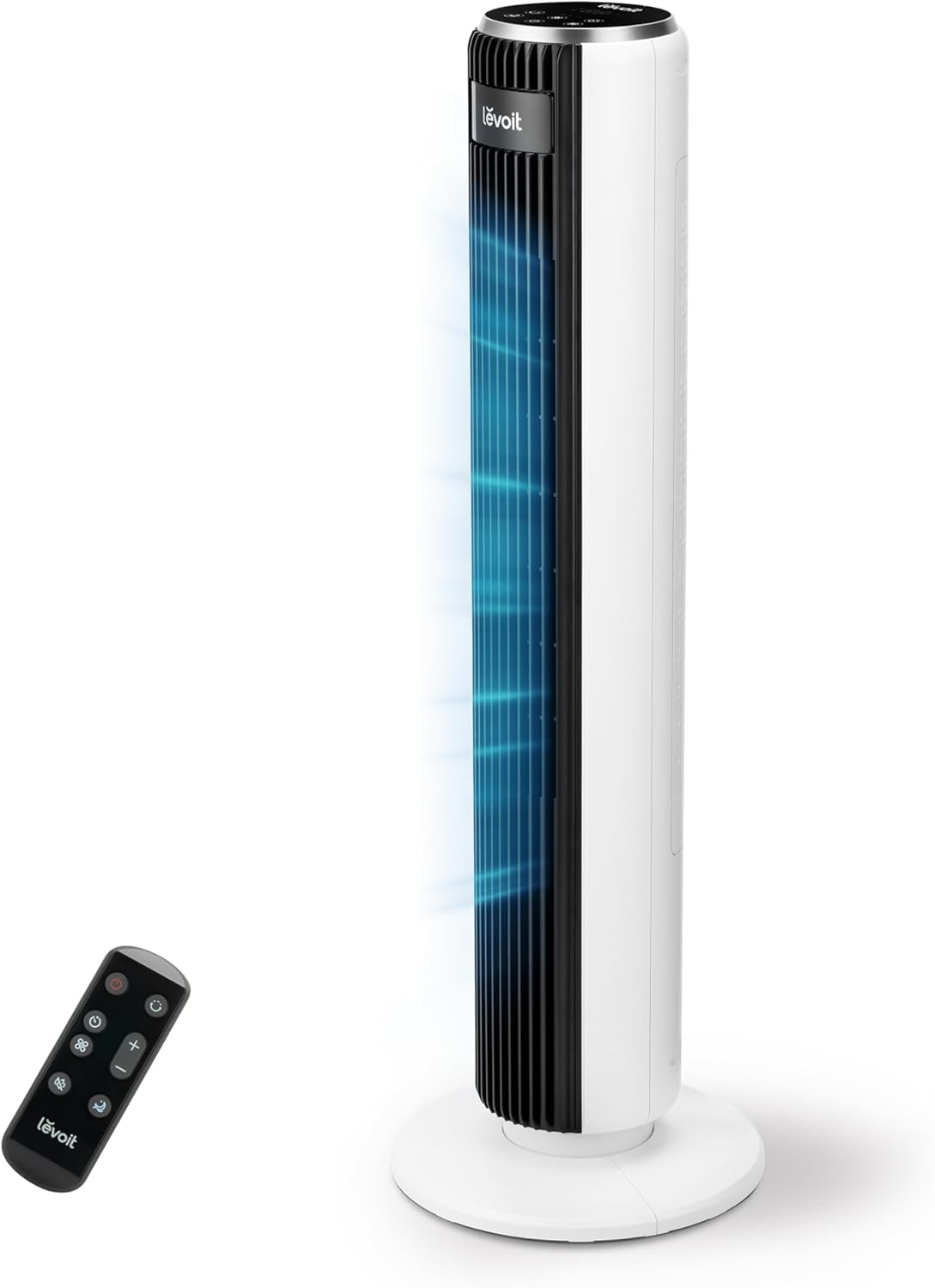
Image 1.1: The LEVOIT LTF-F361-WEU Tower Fan, a sleek and modern cooling device.
2. Fontos biztonsági utasítások
To reduce the risk of fire, electric shock, or injury, please read and follow all instructions and warnings in this manual.
- Always place the fan on a stable, level surface.
- Ne használja a ventilátort nedves vagy damp helyeken, például fürdőszobákban.
- Tartsa távol a ventilátort víztől és egyéb folyadékoktól.
- Működő ventilátor esetén ne helyezzen ujjakat vagy idegen tárgyakat a rácsba.
- Unplug the fan from the power outlet when not in use, when moving it, or before cleaning.
- Ne működtesse a ventilátort sérült kábellel vagy csatlakozóval.
- Tartsa távol a tápkábelt a felforrósodott felületektől.
- Ezt a készüléket nem használhatják csökkent fizikai, érzékszervi vagy szellemi képességekkel rendelkező személyek (beleértve a gyermekeket is), vagy nem rendelkeznek tapasztalattal és tudással, kivéve, ha a biztonságukért felelős személy felügyeli őket, vagy nem utasította őket a készülék használatára vonatkozóan.
3. A csomag tartalma
Kérjük, átvételkor ellenőrizze a csomag tartalmát. Ha bármilyen tétel hiányzik vagy sérült, vegye fel a kapcsolatot az ügyfélszolgálattal.
- LEVOIT LTF-F361-WEU Tower Fan
- Távirányító
- Felhasználói kézikönyv
4. Beállítás és összeszerelés
The LEVOIT LTF-F361-WEU Tower Fan is designed for easy assembly. Follow these steps to set up your fan:
- Csomagolja ki a ventilátort: Óvatosan távolítson el minden alkatrészt a csomagolásból.
- Szerelje össze az alapot: The base is designed for straightforward attachment. Align the fan body with the base and secure it according to the instructions provided in the quick start guide (if applicable).
- Csatlakoztassa az áramot: Dugja be a tápkábelt egy megfelelő elektromos aljzatba.
The rear grille is detachable for easy cleaning, secured by a single nut.

4.1. kép: Végeview of the fan's control panel, remote control storage, and the detachable rear cover for maintenance.
5. Használati útmutató
Your LEVOIT Tower Fan offers multiple settings for personalized comfort. You can control the fan using the touch control panel on top or the included remote control.
5.1 Be-/Kikapcsolás
A ventilátor be- vagy kikapcsolásához nyomja meg a vezérlőpulton vagy a távirányítón található bekapcsológombot.
5.2 ventilátor sebesség
The fan features 5 adjustable speeds. Use the speed buttons on the control panel or remote to cycle through the speed settings (1-5).
5.3 szél mód
Select from 4 distinct wind modes to suit your preference:
- Normál mód: Állandó légáramlást biztosít a kiválasztott sebességen.
- Automatikus mód: Adjusts fan speed automatically based on ambient temperature, ensuring optimal comfort and energy efficiency.
- Alvó mód: Operates at a very low noise level (as low as 23 dB) with automatic display dimming for an undisturbed night's sleep.
- Turbó üzemmód: Delivers the highest fan speed for rapid cooling.

Image 5.1: Illustration of the fan's Auto Mode, demonstrating how it adjusts speed based on room temperature for optimal comfort.

Image 5.2: The fan operating in Advanced Sleep Mode, providing quiet airflow (23 dB) for a comfortable night's rest.
5.4 Oszcilláció
Activate the 90° oscillation feature to distribute airflow across a wider area. This ensures comprehensive room coverage with a maximum range of 7 meters.

Image 5.3: The fan's 90-degree oscillation feature, illustrating how it provides wide-ranging cool air.
5.5 Időzítő funkció
Set the fan to automatically turn off after a specified period, up to 12 hours. Use the timer button on the control panel or remote to adjust the duration.
5.6 távirányító
The included remote control allows convenient operation from a distance. Ensure the remote has working batteries and is pointed towards the fan's receiver.
5.4-es videó: Rövid bevezetőview demonstrating the LEVOIT Tower Fan's oscillation feature and quiet operation. This video highlights the fan's movement and low noise level.
5.5-es videó: Hivatalos termékbemutató videóasing the various features and modes of the LEVOIT Tower Fan, including its quiet operation, multiple speeds, and oscillation.
6. Karbantartás és tisztítás
Regular cleaning helps maintain the performance and longevity of your fan.
6.1 Külső tisztítás
- Tisztítás előtt mindig húzza ki a ventilátort.
- Törölje le a külső felületeket puha, damp szövet. Ne használjon súroló hatású tisztítószereket vagy oldószereket.
- Győződjön meg róla, hogy a ventilátor teljesen száraz, mielőtt visszadugja.
6.2 Internal Cleaning (Detachable Rear Cover)
The rear cover is detachable for easy access to the internal components for cleaning.
- Húzza ki a ventilátort.
- Locate the single nut securing the rear cover and unscrew it.
- Óvatosan távolítsa el a hátsó fedelet.
- Use a soft brush or vacuum cleaner to remove dust and debris from the fan blades and internal components.
- The rear cover can be washed with water. Ensure it is completely dry before reattaching.
- Reattach the rear cover and secure it with the nut.

Image 6.1: Illustration of the detachable rear cover and internal fan components, highlighting the ease of cleaning.
7. Hibaelhárítás
Ha bármilyen problémát tapasztal a ventilátorral, kérjük, tekintse meg az alábbi gyakori problémákat és megoldásokat:
| Probléma | Lehetséges ok | Megoldás |
|---|---|---|
| A ventilátor nem kapcsol be. | Nincs tápellátás. | Győződjön meg arról, hogy a tápkábel megfelelően van csatlakoztatva egy működő aljzathoz. Ellenőrizze a megszakítót. |
| Gyenge légáramlás. | Air inlet/outlet blocked or dirty. | Clean the air inlet and outlet grilles. Ensure there are no obstructions around the fan. |
| A ventilátor szokatlan zajt ad ki. | Foreign object inside or fan not on a level surface. | Unplug the fan and check for any foreign objects. Place the fan on a stable, level surface. |
| A távirányító nem működik. | Az elemek lemerültek vagy rosszul vannak behelyezve. | Replace the batteries with new ones, ensuring correct polarity. Point the remote directly at the fan. |
If the problem persists after trying these solutions, please contact LEVOIT customer support.
8. Műszaki adatok
| Funkció | Részlet |
|---|---|
| Modellszám | LTF-F361-WEU |
| Méretek (H x Sz x Ma) | 16.51 x 16.51 x 91.95 cm |
| Súly | 3.6 kilogramm |
| Hatalom | 39 watt |
| Voltage | 220.0 V |
| Zajszint | 23 dB (lowest) - 28 dB (typical) |
| Szélsebesség | Akár 7 m/s |
| Rezgés | 90 fok |
| Időzítő | 12 óra |
| Különleges jellemzők | Portable, Automatic Shut-off Function, Remote Control |
9. Garancia és ügyfélszolgálat
9.1 Jótállási információk
LEVOIT provides a 2 év garancia for this tower fan. This warranty covers defects in materials and workmanship under normal use. Please retain your proof of purchase for warranty claims.
9.2 Ügyfélszolgálat
If you have any questions about your product, warranty, or need technical assistance, please contact LEVOIT customer support. Our professional team is ready to assist you.
For more information, visit the official LEVOIT webweboldalon, vagy vegye fel a kapcsolatot a helyi forgalmazóval.