
1. Bevezetés
Köszönöm a vásárlástasing the EARISE D61 Plus Bluetooth Speaker. This manual provides important information regarding the safe operation, setup, and maintenance of your device. Please read it thoroughly before use and retain it for future reference.

Image 1.1: The EARISE D61 Plus Bluetooth Speaker, showcasing its portable design and integrated RGB lighting.
2. Fontos biztonsági tudnivalók
- Do not expose the speaker to water or excessive moisture, as it is not waterproof.
- Avoid extreme temperatures, direct sunlight, or heat sources.
- Do not disassemble, repair, or modify the device. Refer all servicing to qualified personnel.
- Kizárólag a megadott töltőkábelt és hálózati adaptert használja.
- Tartsa távol a hangszórót gyermekektől és háziállatoktól.
- Do not operate the speaker at excessively high volumes for prolonged periods to prevent hearing damage.
3. A csomag tartalma
Kérjük, ellenőrizze a csomagot, hogy megvannak-e a következő tételek:
- EARISE D61 Plus Bluetooth Speaker
- USB töltőkábel
- Felhasználói kézikönyv (ez a dokumentum)
Ha bármilyen tétel hiányzik vagy sérült, kérjük, vegye fel a kapcsolatot az ügyfélszolgálattal.
4. Termék végeview
Ismerkedjen meg a hangszóró alkatrészeivel és kezelőszerveivel.
4.1. kép: Elöl view of the EARISE D61 Plus speaker, highlighting the control panel and speaker grille.
4.1 Vezérlőpult és portok

Image 4.2: Diagram illustrating the various input options and features of the speaker, including USB, TF card, AUX, Microphone, Bluetooth, and FM radio.
- MODE/LIGHT Button: Short press to switch between input modes (Bluetooth, AUX, USB, TF, FM). Long press to change light effects.
- M-/V- Button: Short press for previous track (in music modes) or previous station (in FM mode). Long press to decrease volume.
- MSCAN/TWS Button: Short press to Play/Pause (in music modes) or auto-scan FM stations (in FM mode). Long press to activate TWS pairing.
- M+/V+ Button: Short press for next track (in music modes) or next station (in FM mode). Long press to increase volume.
- USB port: USB flash meghajtóról történő lejátszáshoz.
- TF kártyahely: TF (MicroSD) kártya lejátszásához.
- AUX bemenet: Külső audioeszközök csatlakoztatásához 3.5 mm-es audiokábellel.
- MIC bemenet: Mikrofon csatlakoztatásához.
- Töltő port: A hangszóró belső akkumulátorának töltéséhez.
5. Beállítás
5.1 A hangszóró töltése
Before first use, fully charge the speaker. Connect the provided USB charging cable to the speaker's charging port and the other end to a USB power adapter (not included) or a computer's USB port. The charging indicator will illuminate during charging and turn off when fully charged.

Image 5.1: Visual representation of the speaker being charged, indicating battery status.
5.2 Be-/Kikapcsolás
Press and hold the Power button (often integrated with the MODE button or a separate switch, refer to physical device for exact location) to turn the speaker ON or OFF. A sound prompt will indicate the power status.
5.3 Bluetooth párosítás
- Ensure the speaker is powered on and in Bluetooth mode (indicated by a voice prompt or flashing LED). If not, short press the MODE/LIGHT button to switch to Bluetooth mode.
- Engedélyezze a Bluetooth-t a mobileszközén (okostelefon, táblagép stb.).
- Keressen rá available Bluetooth devices. You should see "EARISE D61 Plus" in the list.
- Select "EARISE D61 Plus" to connect. Once paired, a confirmation sound will be heard.
- The speaker will automatically reconnect to the last paired device when in Bluetooth mode, if the device is within range and Bluetooth is enabled.
5.4 TWS (valódi vezeték nélküli sztereó) párosítás
To achieve stereo sound, you can pair two EARISE D61 Plus speakers together.

Image 5.2: Illustration of two EARISE D61 Plus speakers connected via TWS for a stereo audio experience, controlled by a single smartphone.
- Ensure both EARISE D61 Plus speakers are powered on and in Bluetooth mode, but not yet connected to any device.
- On one of the speakers (this will be the primary speaker), long press the MSCAN/TWS button. You will hear a prompt indicating TWS pairing mode.
- A két hangszóró automatikusan megkeresi és csatlakozik egymáshoz. Egy megerősítő hang jelzi a sikeres TWS párosítást.
- Once paired, the primary speaker will be ready for Bluetooth connection to your mobile device. Follow the steps in "5.3 Bluetooth Pairing" to connect your device to the primary speaker.
- A hang mostantól sztereóban fog lejátszódni mindkét hangszórón keresztül.
- To disconnect TWS, long press the MSCAN/TWS button on either speaker.
6. Használati útmutató
6.1 Üzemmód kiválasztása
Röviden nyomja meg a ÜZEMMÓD/FÉNY button to cycle through available input modes: Bluetooth, AUX, USB, TF Card, FM Radio.
6.2 Audio Playback (Bluetooth, USB, TF Card, AUX)
- Lejátszás/Szünet: Röviden nyomja meg a MSCAN/TWS gomb.
- Következő szám: Röviden nyomja meg a M+/V+ gomb.
- Előző szám: Röviden nyomja meg a M-/V- gomb.
- Hangerő fel: Nyomja meg hosszan a M+/V+ gomb.
- Lehalkít: Nyomja meg hosszan a M-/V- gomb.
6.3 FM rádió működése
- Váltson FM üzemmódba a ÜZEMMÓD/FÉNY gomb.
- Röviden nyomja meg a MSCAN/TWS button to automatically scan and save available FM stations. The speaker will play the first saved station.
- Rövid megnyomás M+/V+ or M-/V- to navigate between saved stations.
6.4 RGB fényeffektek
The speaker features dynamic RGB lighting. Long press the ÜZEMMÓD/FÉNY button to cycle through different light modes or turn the lights off.
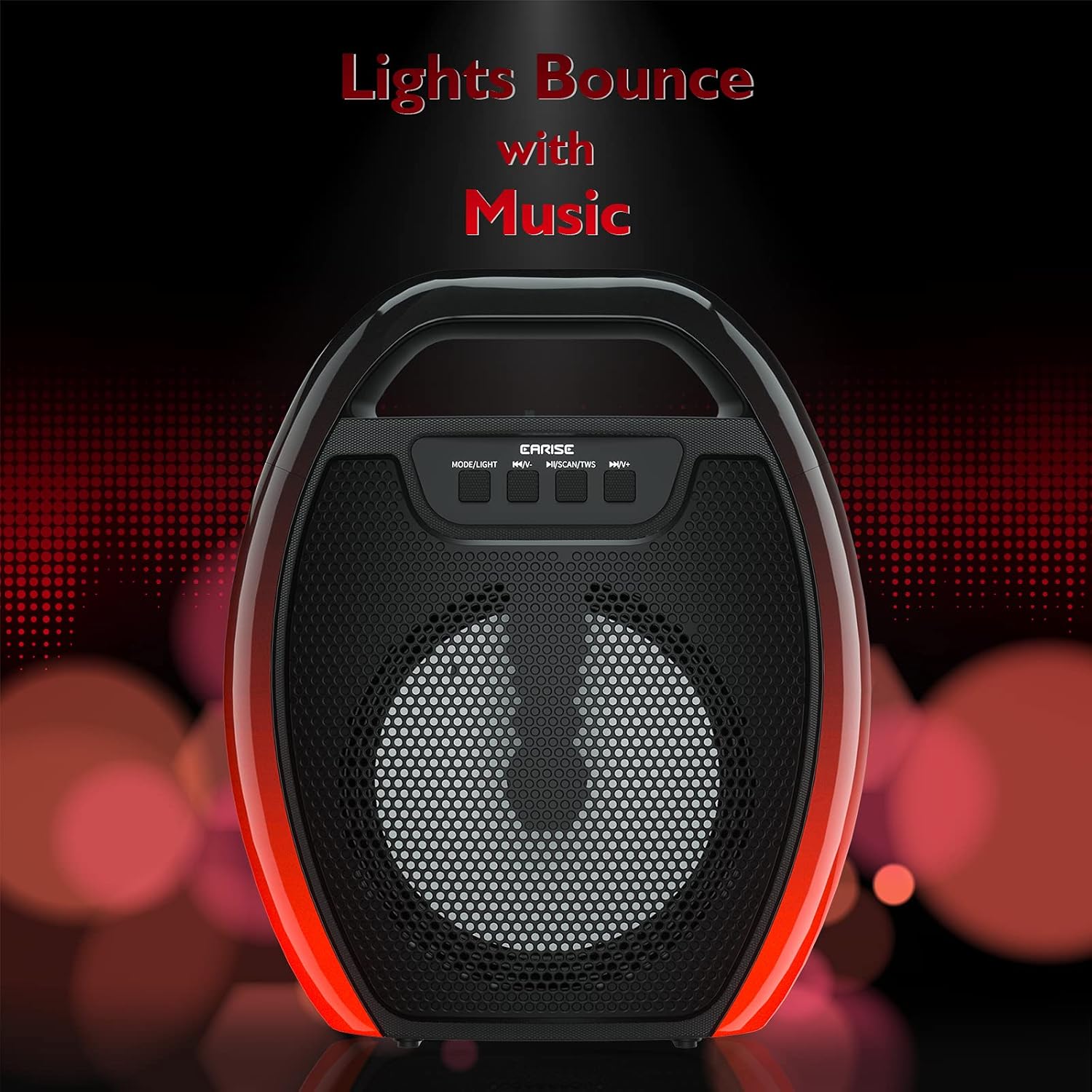
Image 6.1: The speaker displaying its light effects, which can synchronize with music playback.
6.5 Mikrofon bemenet
Connect a wired microphone (not included) to the MIC input port for karaoke or public address functions. Adjust the microphone volume using the connected microphone's controls or the speaker's main volume controls.
7. Karbantartás
- Tisztítás: Use a soft, dry cloth to clean the speaker. Do not use liquid cleaners or aerosols.
- Tárolás: A hangszórót hűvös, száraz helyen tárolja, távol a közvetlen napfénytől és a szélsőséges hőmérsékletektől.
- Az akkumulátor gondozása: To prolong battery life, fully charge the speaker before long periods of inactivity and recharge it at least once every three months. Avoid completely draining the battery frequently.
8. Hibaelhárítás
| Probléma | Lehetséges ok | Megoldás |
|---|---|---|
| A hangszóró nem kapcsol be. | Alacsony akkumulátortöltöttség; A bekapcsológomb nincs megfelelően megnyomva. | A hangszóró töltése; Nyomja meg és tartsa lenyomva a bekapcsológombot néhány másodpercig. |
| Nem lehet Bluetooth-on keresztül párosítani. | Speaker not in pairing mode; Device Bluetooth off; Speaker too far from device; Already connected to another device. | Ensure speaker is in Bluetooth pairing mode; Turn on Bluetooth on your device; Move device closer to speaker; Disconnect from other devices. |
| Nincs hang. | Túl alacsony a hangerő; Helytelen beviteli mód; Az eszköz nem játszik le hangot. | Increase speaker and device volume; Switch to correct input mode (Bluetooth, AUX, etc.); Ensure audio is playing on your device. |
| A TWS párosítása sikertelen. | Speakers too far apart; One speaker already paired to a device; Not in TWS pairing mode. | Ensure speakers are close; Disconnect both speakers from any devices; Long press MSCAN/TWS on one speaker to initiate TWS pairing. |
| Az RGB lámpák nem működnek. | Kikapcsolt lámpák; Hibás működés. | Long press MODE/LIGHT button to cycle through light modes; If issue persists, contact support. |
9. Műszaki adatok
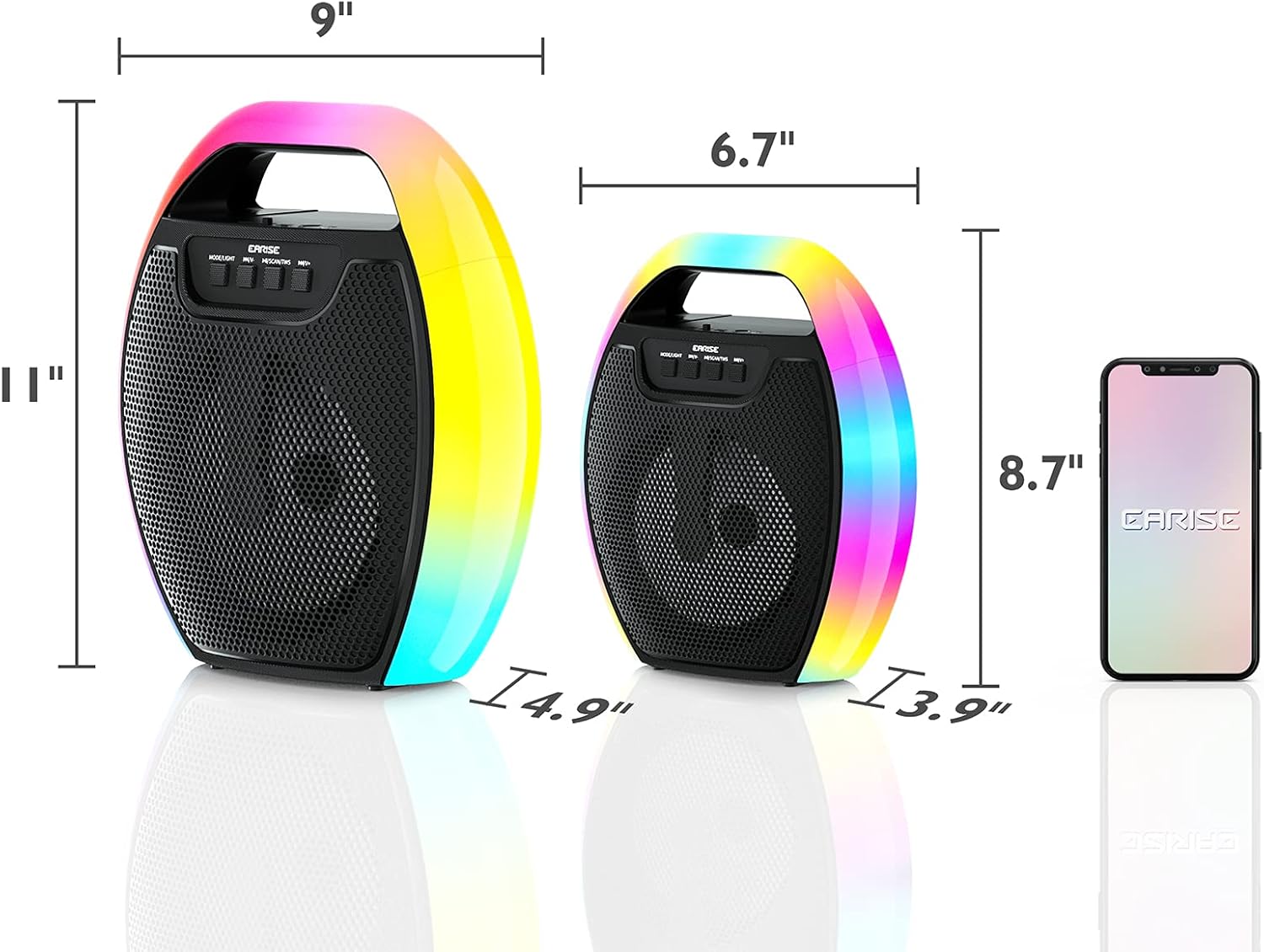
Image 9.1: Product dimensions of the EARISE D61 Plus speaker.
| Funkció | Részlet |
|---|---|
| Modell neve | D61 Plus |
| Márka | FÜL |
| Csatlakozási technológia | Bluetooth, Auxiliary (3.5mm), USB, TF Card, FM Radio |
| Hangkimeneti mód | Sztereó (TWS-sel) |
| Hangszóró típusa | Hordozható kültéri hangszóró |
| Hangszóró mérete | 4 hüvelyk |
| Áramforrás | Elemről működik |
| Az akkumulátor élettartama | Up to 12 Hours (actual playtime varies with volume and light usage) |
| Vízálló | Nem |
| Termék méretei | 9 x 5 x 11 hüvelyk (hossz x szélesség x ma) |
| Tétel súlya | 2.28 font |
| Különleges jellemzők | RGB Lights, TWS Pairing, Portable |
10. Garancia és támogatás
EARISE products are designed and manufactured to the highest quality standards. For information regarding warranty coverage, technical support, or service inquiries, please refer to the warranty card included with your purchase or visit the official EARISE webtelek.
Kérjük, őrizze meg a vásárlást igazoló dokumentumot garanciális igényekhez.